Removing Padding between Table Headings
This topic explains how to remove padding (the gap) between a table heading and sub-table heading.
To remove padding between table headings:
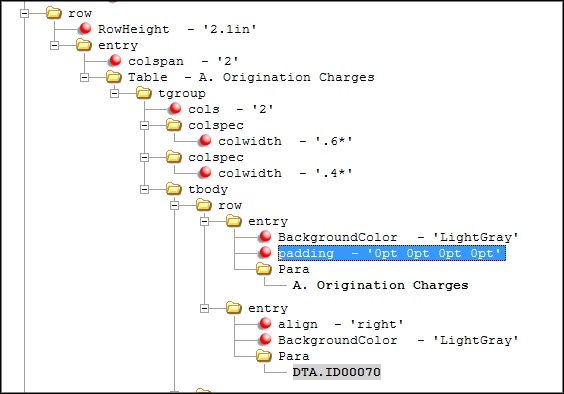
- Within the child table element, right-click on Row/Entry and select .
-
Within the padding attribute, enter the following values:
0pt 0pt 0pt 0pt
These values represent the top, right, bottom, and left margins. Designating each margin as 0pt removes the gap between the table heading and sub-table heading.
An example table might look like: