Assembling (Building) a Document
The Build command is used to verify the validity of the source XML (REQ file) and perform troubleshooting by searching for errors or inactive rules within an REQ file. This feature assembles a single REQ file and you must have an REQ file open in the Requirements Editor to enable the option.
On the Assembly menu, click Build. The system then processes the REQ file and provides a status message in the status bar at the bottom of the screen. If errors are identified, a message is displayed and the errors appear in either the Build Errors view or Content Errors view. For more information, refer to XPath Warnings and Errors.
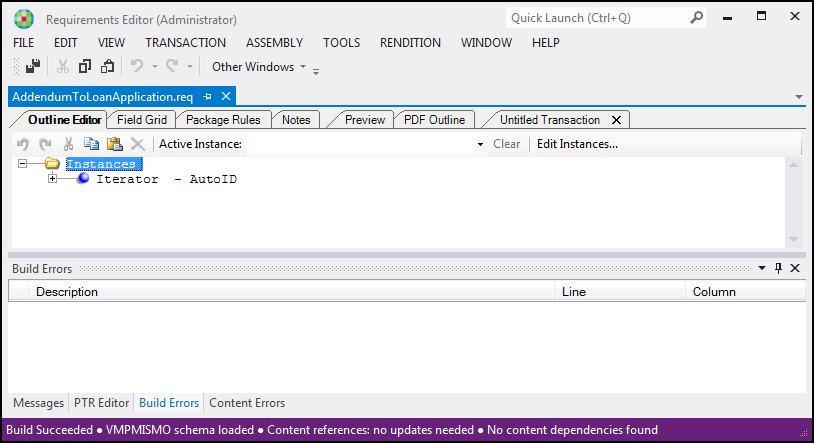
A successfully assembled document displays a Buld Successful message in the status bar,
as follows:
Note: Make sure you save the REQ file before running the Build. Also, all
attributes must be declared in the source XML of the REQ file (for example, the
attribute "ID").
XPath Warnings and Errors
If warnings or errors are identified when building a document (such as PTR Schema
warnings), a message is displayed.
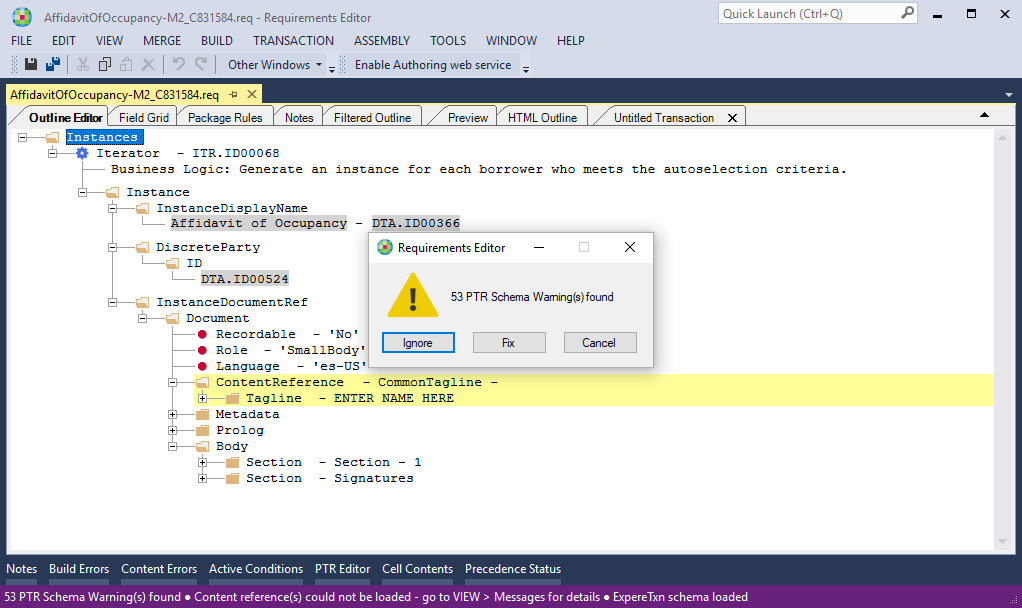
This message provides you with the following options:
- Ignore: allows you to ignore the message and continue the build process
- Fix: displays the Field Grid tab, displaying the first rule identified as having an error
- Cancel: closes the message and returns you to the application without running the build
Note: The error message is not displayed when building a READ-ONLY document.
However, the errors still appear in either the Build Errors view or
Content Errors view.