Creating a Policy
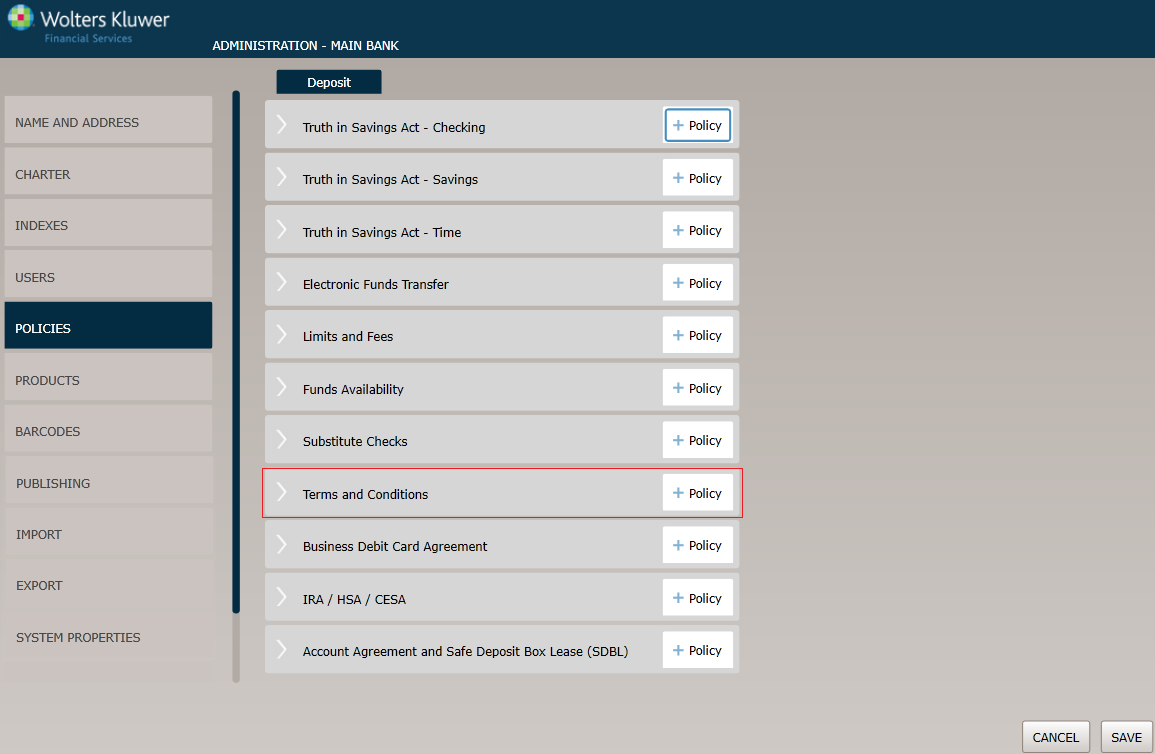
Before You Begin
The Policy Name page appears by default. Complete this page and then click the option immediately under Policy Name, in this case Policy Applicability. Continue until you have completed all the necessary pages and fields.
Click the OK button at any time to save the policy information; however, keep in mind that the policy will close and save the information when you click OK. You will have to go to the menu page and open the policy again to make additional changes.
Policy Name page
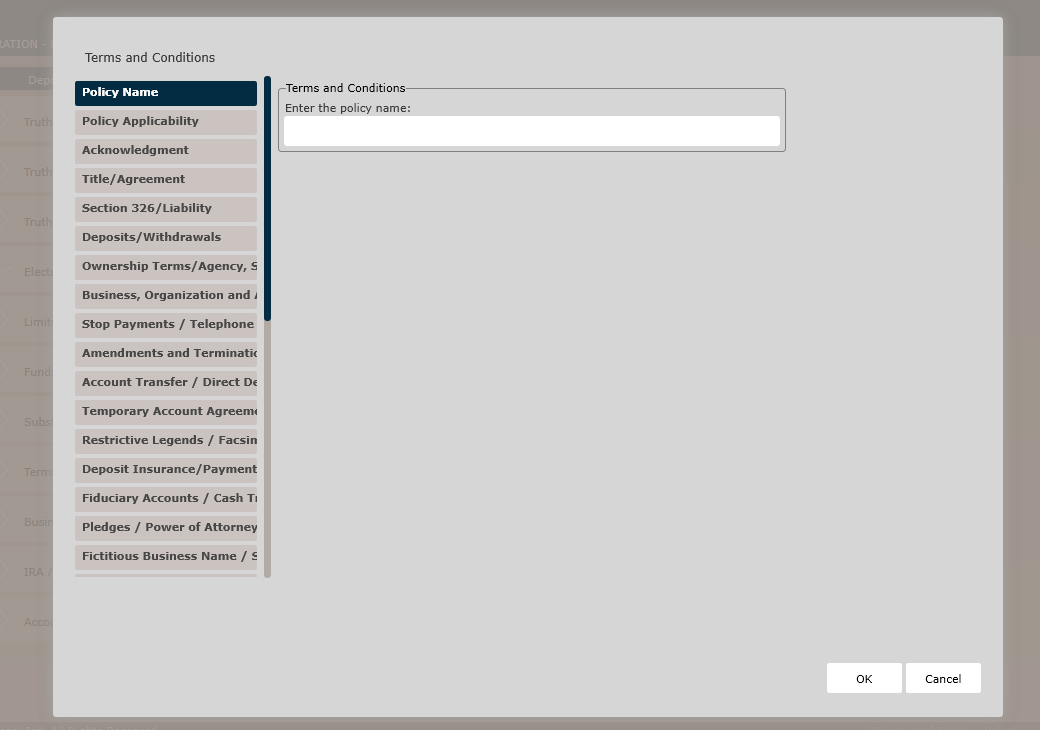
Terms and Conditions
In the Enter the policy name field, enter the name of the new policy.
Policy Applicability page
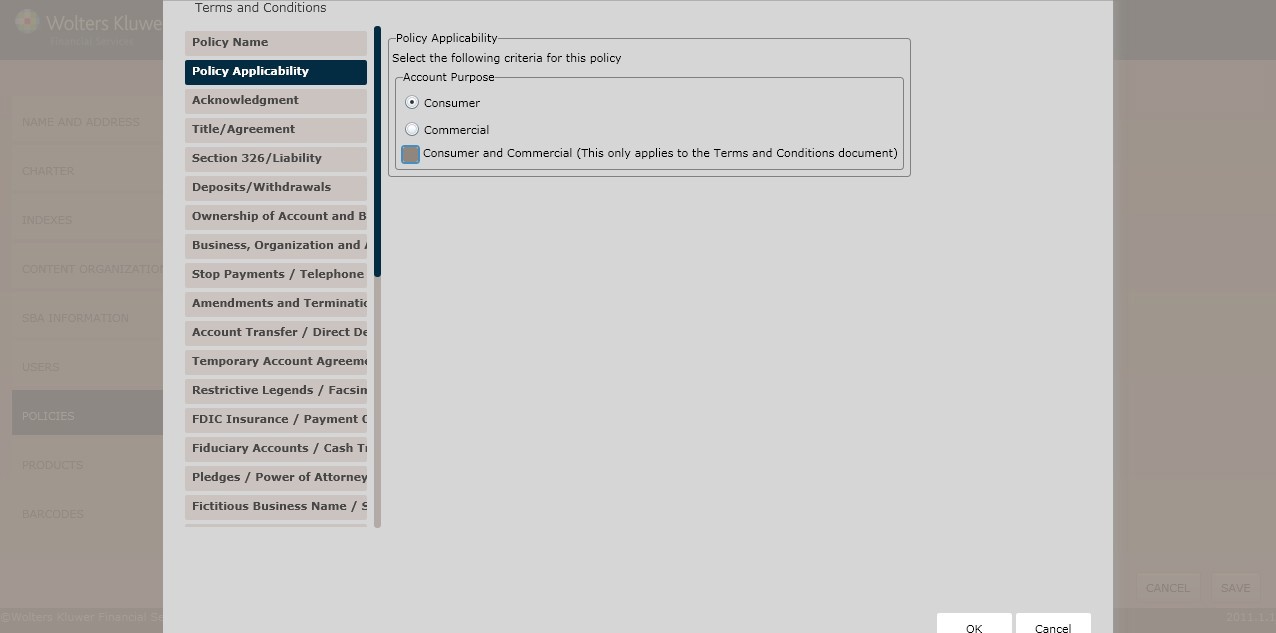
Determine the Account Purpose by selecting one of the following:
- Consumer (*default)
- Commercial
- Consumer and Commercial
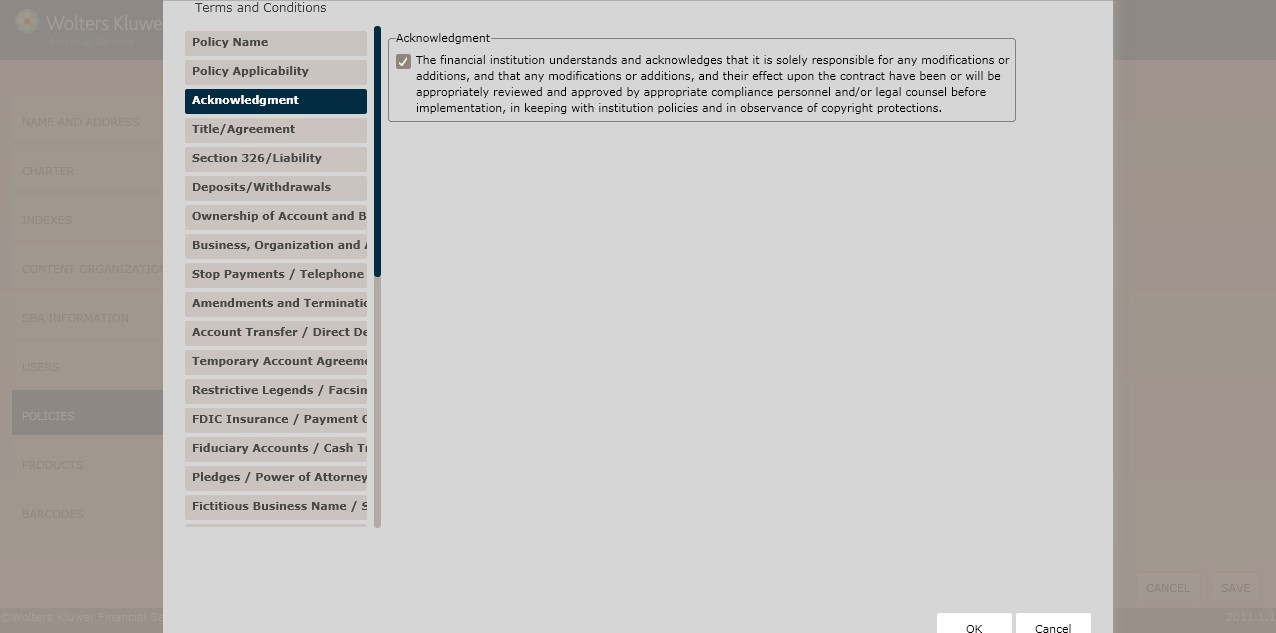
Acknowledgement page
Acknowledgement
Clicking the following checkbox displays a list of additional Acknowledgement selections:
- The financial institution understands and acknowledges that it is solely responsible for any modifications or additions, and that any modifications or additions, and their effect upon the contract have been or will be appropriately reviewed and approved by appropriate compliance personnel and/or legal counsel before implementation, in keeping with institution policies and in observance of copyright protections.
Title/Agreement page
The Title Agreement page is used for the following:
- Customer naming process (title)
- Agreement creation
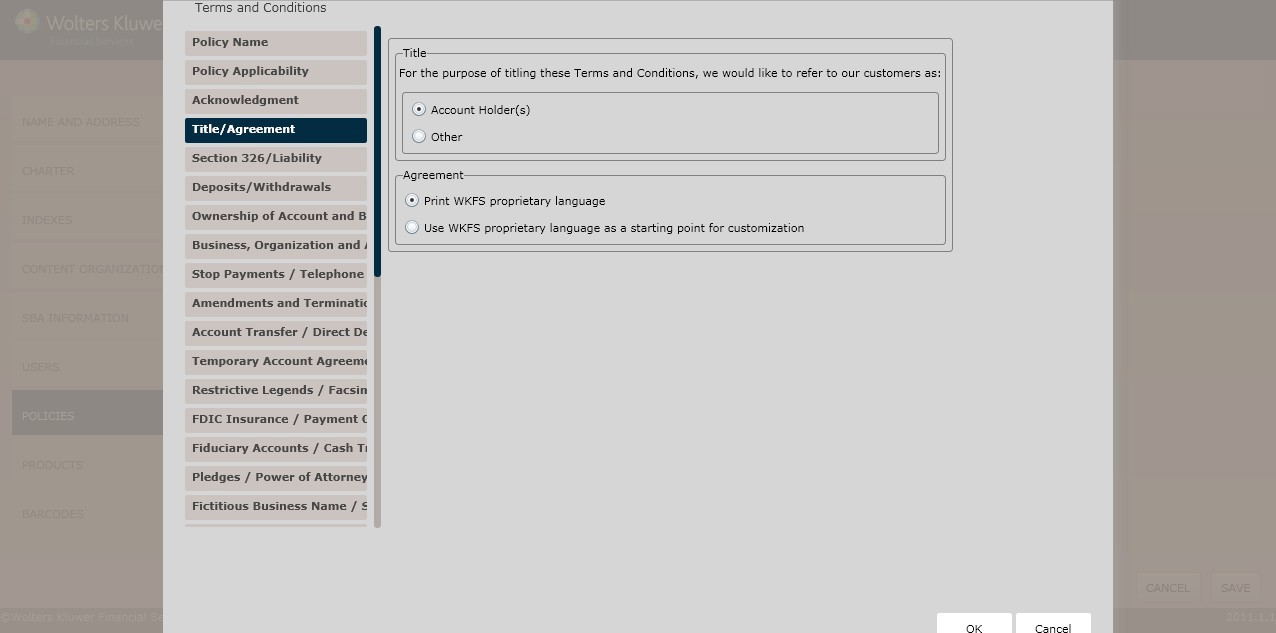
Title
In the Title section, determine the Name of our customers by selecting one of the following option buttons:
- Account Holder(s) (*default)
- Other
Agreement
Determine the Agreement language by selecting one of the following:
- Print WKFS proprietary language *default)
- Use WKFS proprietary language as a starting point for customization
Avoiding Overdraft/Balance
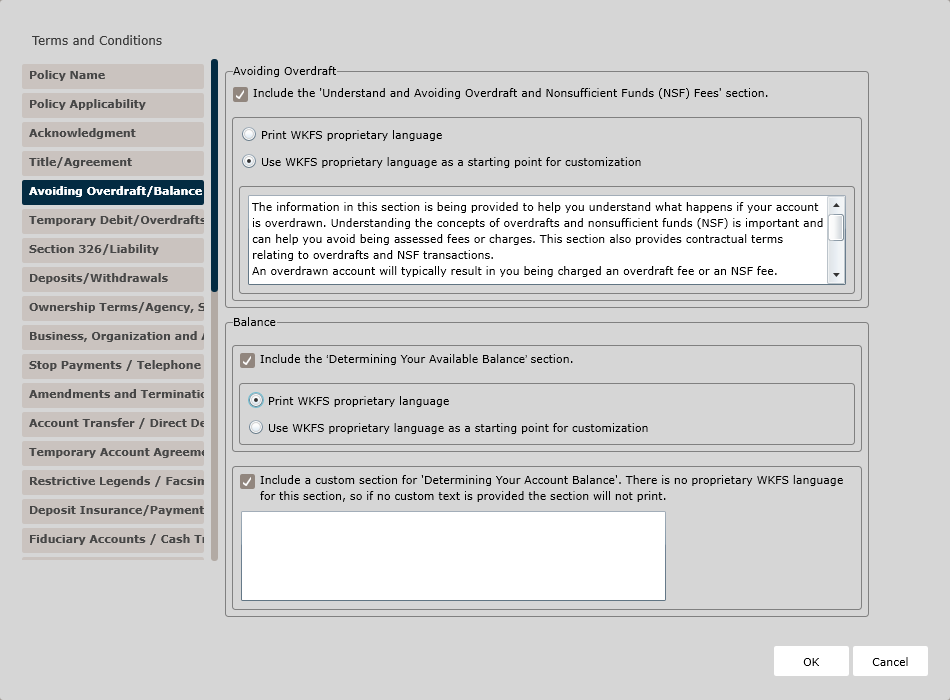
The Avoiding Overdraft/Balance page is used to add the following sections to the Terms and Conditions Policy:
- Avoiding Overdraft
- Balance
Avoiding Overdraft
Clicking the Include the 'Understand and Avoiding Overdraft and Nonsufficient Funds (NSF) Fees' section checkbox adds this section to the Terms and Conditions policy. Choose one of the following options for the language to use in the policy:
- Print WKFS proprietary language. Select this option to use the default provided language in the policy.
- Use WKFS proprietary language as a starting point for customization. Select this option if you wish to customize the verbiage in the policy. Then, in the text box, provide the custom language.
Balance
Clicking the Include the 'Determining Your Available Balance' section checkbox adds this section to the Terms and Conditions policy. Choose one of the following options for the language to use in the policy:
- Print WKFS proprietary language. Select this option to use the default provided language in the policy.
- Use WKFS proprietary language as a starting point for customization. Select this option if you wish to customize the verbiage in the policy. Then, in the text box, provide the custom language.
Clicking the Include a custom section for 'Determining Your Account Balance' checkbox adds this section to the Terms and Conditions policy. There is no proprietary WKFS language for this section, so enter your custom text in the corresponding text box. If no text is provided, the section will not print.
Temporary Debit/Overdrafts
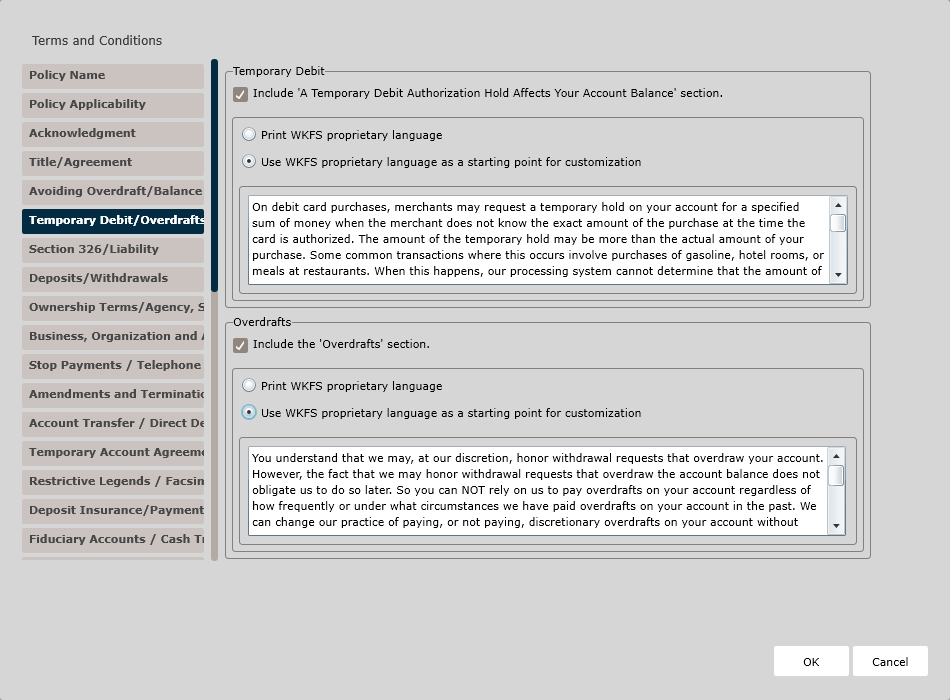
The Temporary Debit/Overdrafts page is used to add the following sections to the Terms and Conditions Policy:
- Temporary Debit
- Overdrafts
Temporary Debit
Clicking the Include 'A Temporary Debit Authorization Hold Affects Your Account Balance' section checkbox adds this section to the Terms and Conditions policy. Choose one of the following options for the language to use in the policy:
- Print WKFS proprietary language. Select this option to use the default provided language in the policy.
- Use WKFS proprietary language as a starting point for customization. Select this option if you wish to customize the verbiage in the policy. Then, in the text box, provide the custom language.
Overdrafts
Clicking the Include the 'Overdrafts' section checkbox adds this section to the Terms and Conditions policy. Choose one of the following options for the language to use in the policy:
- Print WKFS proprietary language. Select this option to use the default provided language in the policy.
- Use WKFS proprietary language as a starting point for customization. Select this option if you wish to customize the verbiage in the policy. Then, in the text box, provide the custom language.
Nonsufficient Funds/Payment Types
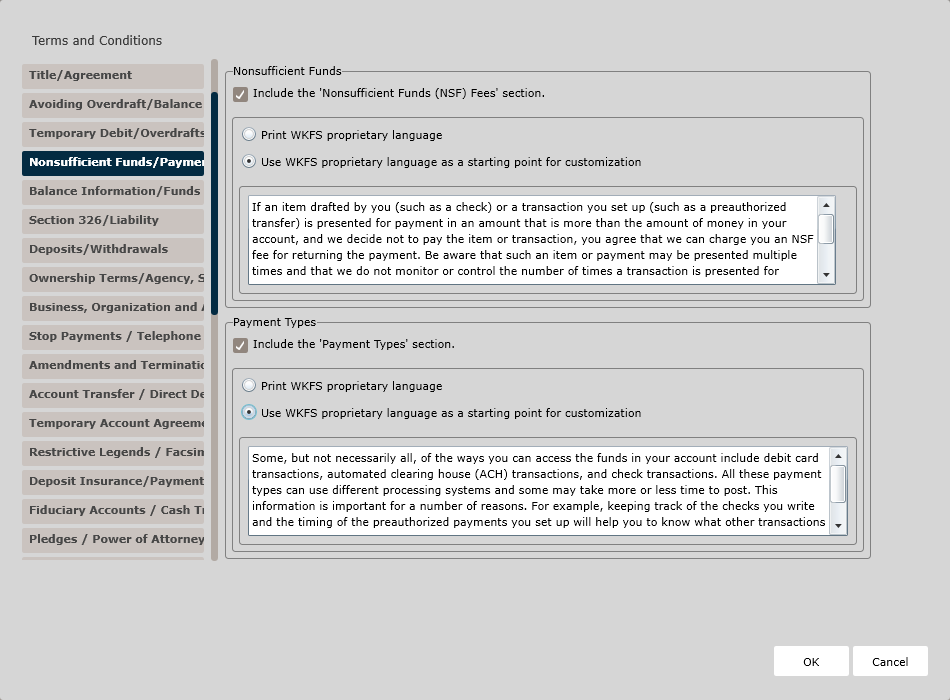
The Nonsufficient Funds/Payment Types page is used to add the following sections to the Terms and Conditions Policy:
- Nonsufficient Funds
- Payment Types
Nonsufficient Funds
Clicking the Include the 'Nonsufficient Funds (NSF) Fees' section checkbox adds this section to the Terms and Conditions policy. Choose one of the following options for the language to use in the policy:
- Print WKFS proprietary language. Select this option to use the default provided language in the policy.
- Use WKFS proprietary language as a starting point for customization. Select this option if you wish to customize the verbiage in the policy. Then, in the text box, provide the custom language.
Payment Types
Clicking the Include the 'Payment Types' section checkbox adds this section to the Terms and Conditions policy. Choose one of the following options for the language to use in the policy:
- Print WKFS proprietary language. Select this option to use the default provided language in the policy.
- Use WKFS proprietary language as a starting point for customization. Select this option if you wish to customize the verbiage in the policy. Then, in the text box, provide the custom language.
Balance Information/Funds Availability
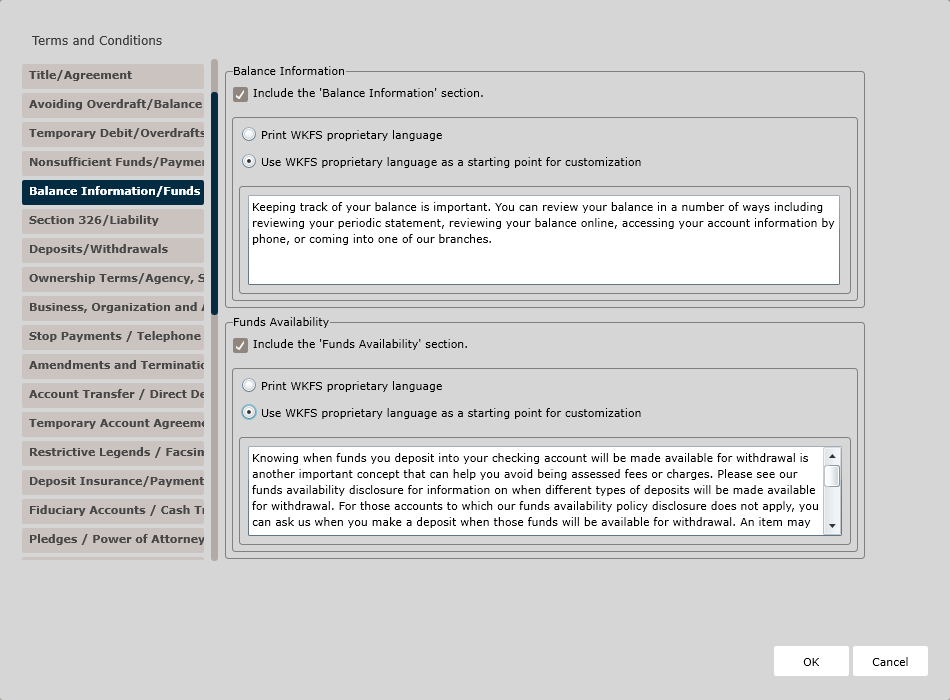
The Balance Information/Funds Availability page is used to add the following sections to the Terms and Conditions Policy:
- Balance Information
- Funds Availability
Balance Information
Clicking the Include the 'Balance Information' section checkbox adds this section to the Terms and Conditions policy. Choose one of the following options for the language to use in the policy:
- Print WKFS proprietary language. Select this option to use the default provided language in the policy.
- Use WKFS proprietary language as a starting point for customization. Select this option if you wish to customize the verbiage in the policy. Then, in the text box, provide the custom language.
Funds Availability
Clicking the Include the 'Funds Availability' section checkbox adds this section to the Terms and Conditions policy. Choose one of the following options for the language to use in the policy:
- Print WKFS proprietary language. Select this option to use the default provided language in the policy.
- Use WKFS proprietary language as a starting point for customization. Select this option if you wish to customize the verbiage in the policy. Then, in the text box, provide the custom language.
Section 326/Liability page
This page allows users to determine regulatory language for the following:
- Section326 (USA Patriot Act)
- Liability
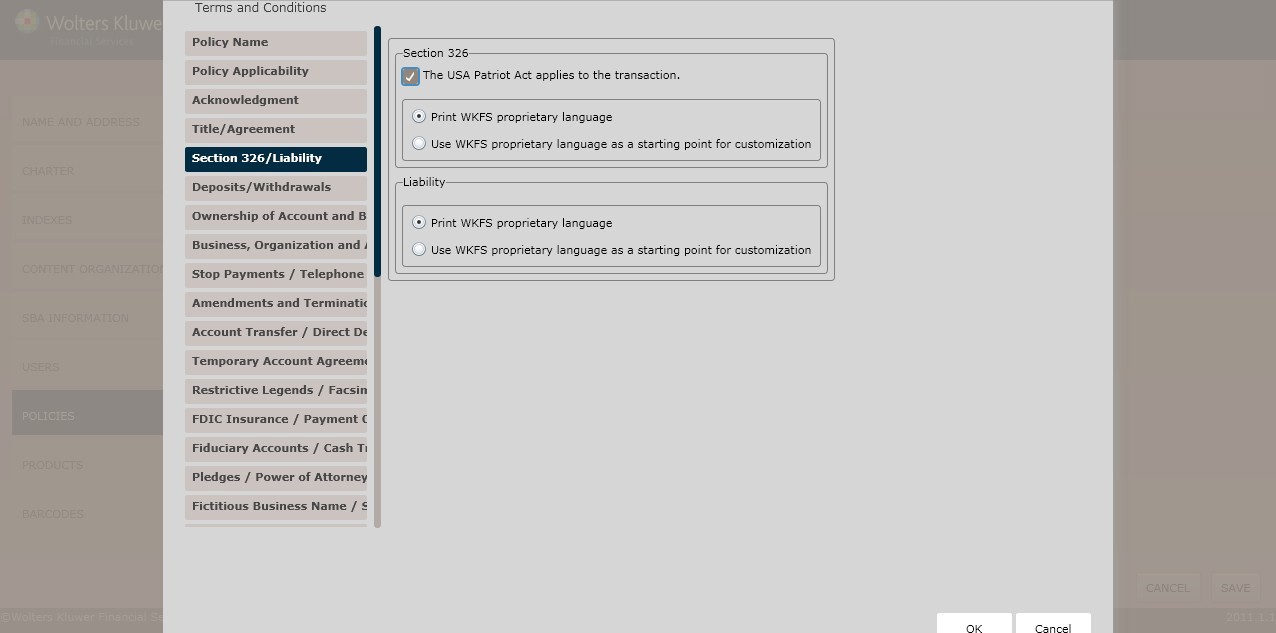
Section 326
Click The USA Patriot Act applies to the transaction checkbox. Select either of the following:
- Print WKFS proprietary language (*default)
- Use WKFS proprietary language as a starting point for customization
Liability
Determine the Liability by selecting one of the following:
- Print WKFS proprietary language(*default)
- Use WKFS proprietary language as a starting point for customization
Deposits/Withdrawals page
This page allows users to determine regulatory language for the following:
- Deposits
- Withdrawals
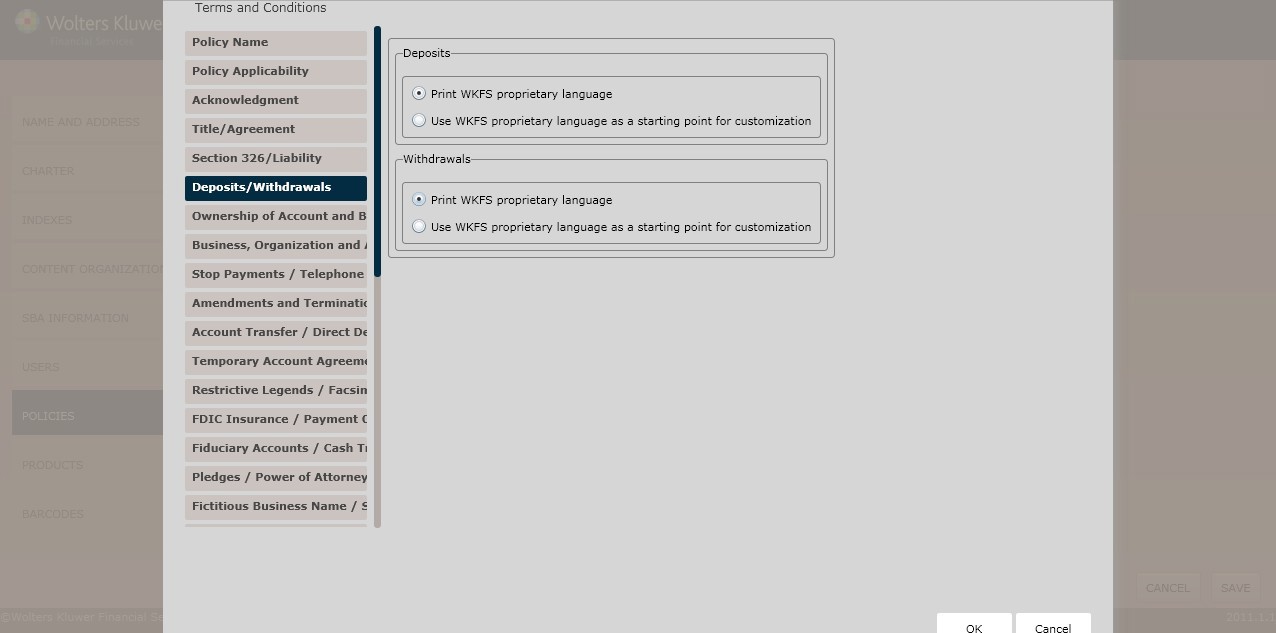
Deposits
Determine the Deposits language by selecting one of the following option buttons:
- Print WKFS proprietary language (*default)
- Use WKFS proprietary language as a starting point for customization
Withdrawals
Determine the Withdrawals language by selecting one of the following option buttons:
- Print WKFS proprietary language (*default)
- Use WKFS proprietary language as a starting point for customization
Chapter 167D Accounts page
This page allows users to determine regulatory language for the following:
- Chapter 167D Accounts (For Massachusetts only)
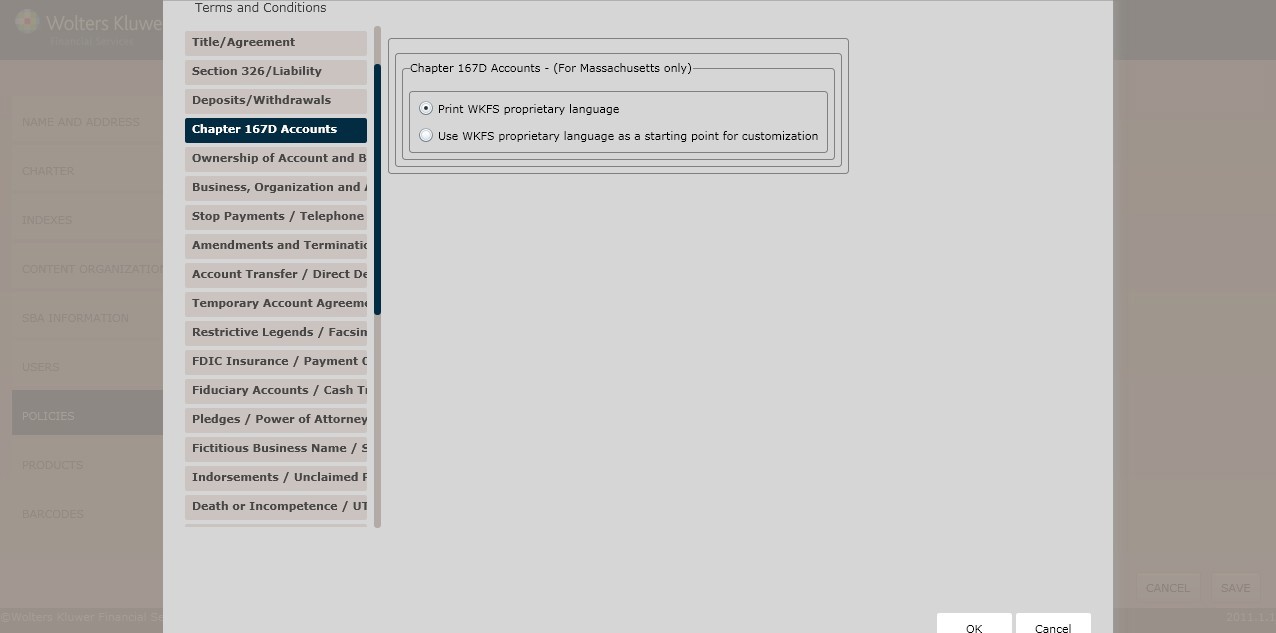
Chapter 167D Accounts – (For Massachusetts only)
In the Chapter 167D Accounts (For Massachusetts only) section, select one of the following options:
- Print WKFS proprietary language (*default)
- Use WKFS proprietary language as a starting point for customization
Ownership of Account and Beneficiary Designation/Agency Designation page
This page allows users to determine regulatory language for the following:
- Ownership of Account and Beneficiary Designation
- Agency Designation
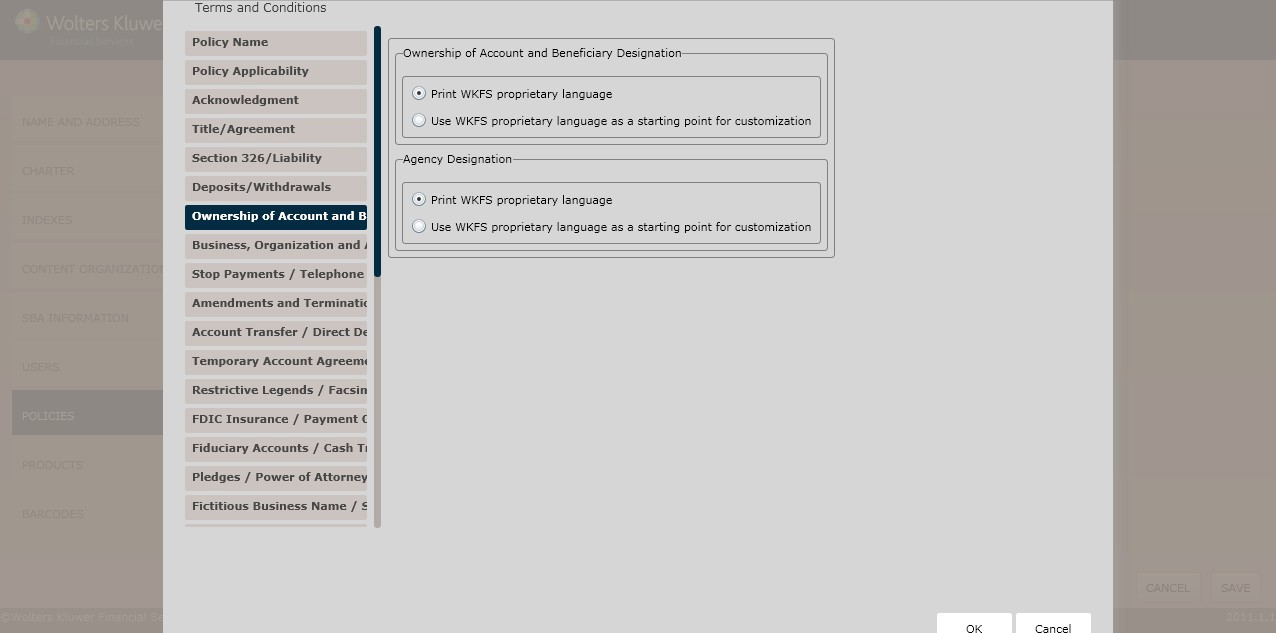
Ownership of Account and Beneficiary Designation
Determine the Ownership of Account and Beneficiary Designation language by selecting one of the following option buttons:
- Print WKFS proprietary language (*default)
- Use WKFS proprietary language as a starting point for customization
If customization is needed to default text for Ownership of Account and Beneficiary Designation for multiple jurisdictions, a separate policy needs to be created for each jurisdiction with the corresponding text customization. If ‘Use WKFS proprietary language as a starting point for customization’ is selected and there are multiple jurisdictions states selected on the Charter page, an error will occur when processing the transaction.
Agency Designation
Determine the Agency Designation language by selecting one of the following:
- Print WKFS proprietary language (*default)
- Use WKFS proprietary language as a starting point for customization
Business, Organizations and Association Accounts/Remotely Created Checks page
This page allows users to determine regulatory language for the following:
- Business, Organization and Association Accounts
- Remotely Created Checks
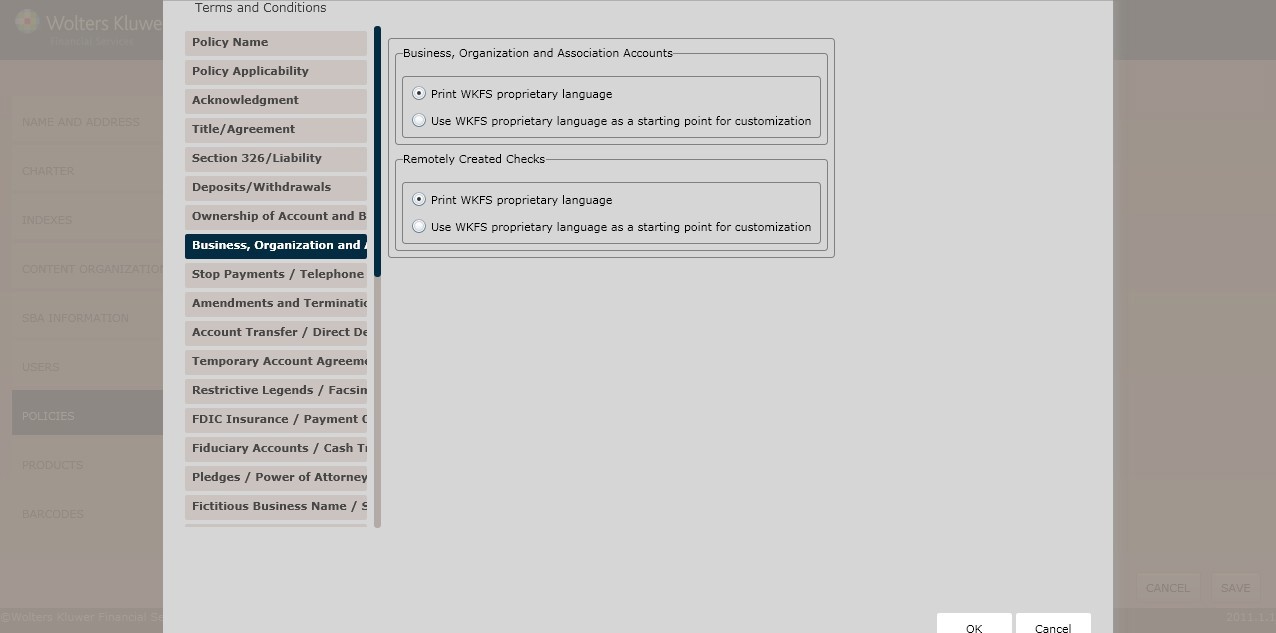
Business, Organization, and Association Accounts
Determine the Business, Organizations and Associations Accounts language by selecting one of the following:
- Print WKFS proprietary language (*default)
- Use WKFS proprietary language as a starting point for customization
Remotely Created Checks
To include a Remotely Created Checks section, click the Include Remotely Created Checks section checkbox. Select one of the following:
- Print WKFS proprietary language (*default)
- Use WKFS proprietary language as a starting point for customization
Stop Payments/Telephone Transfers page
This page allows users to determine regulatory language for the following:
- Stop Payments
- Telephone Transfers
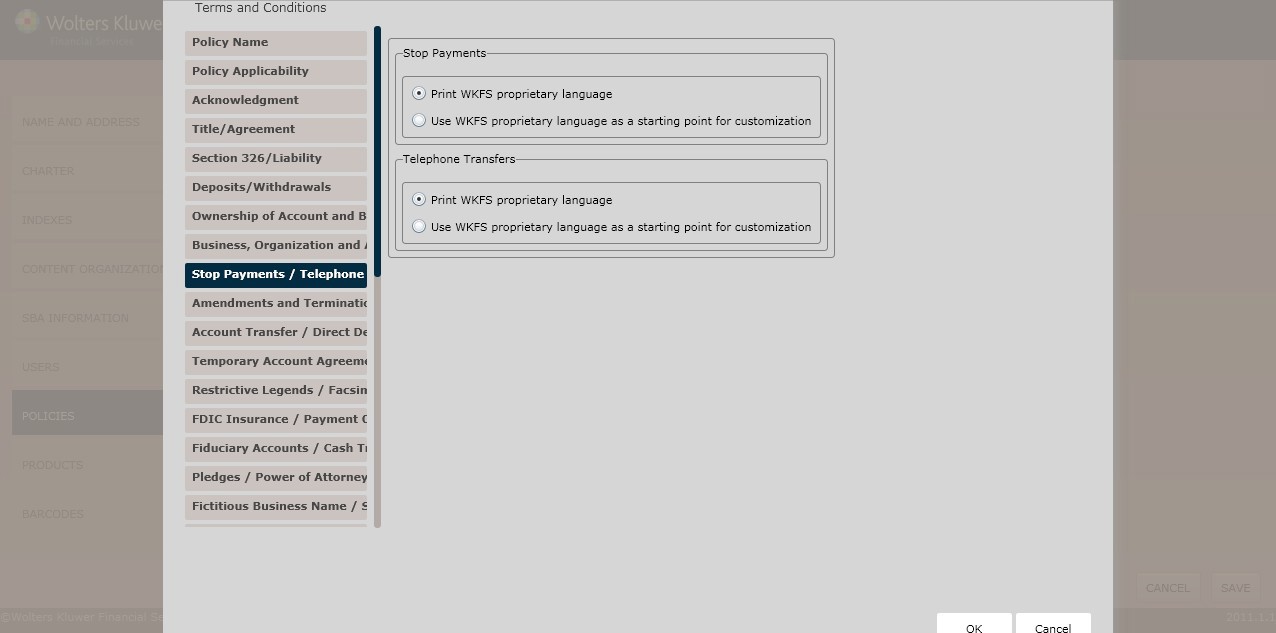
Stop Payments
Determine the Stop Payments language by selecting one of the following:
- Print WKFS proprietary language (*default)
- Use WKFS proprietary language as a starting point for customization
Telephone Transfers
Determine the Telephone Transfers language by selecting one of the following:
- Print WKFS proprietary language (*default)
- Use WKFS proprietary language as a starting point for customization
Amendments and Terminations/Statements page
This page allows users to determine regulatory language for the following:
- Amendments and Termination
- Statements
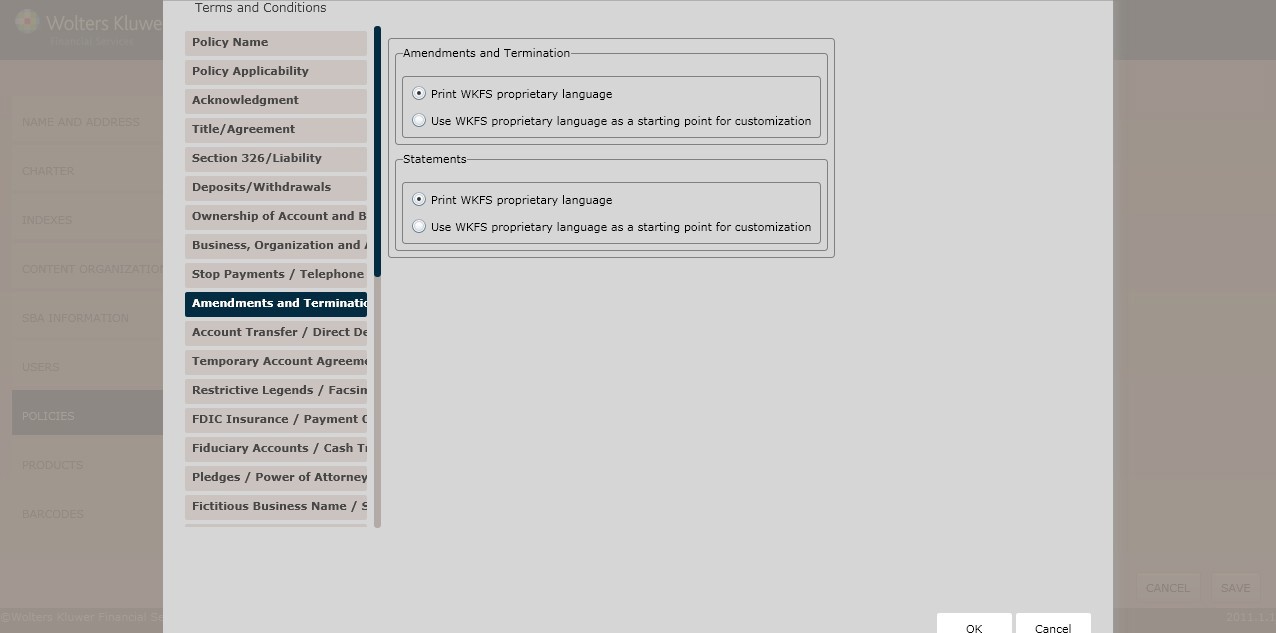
Amendments and Termination
Determine the Amendments and Termination language by selecting one of the following:
- Print WKFS proprietary language (*default)
- Use WKFS proprietary language as a starting point for customization
Statements
Determine the Statements language by selecting one of the following:
- Print WKFS proprietary language (*default)
- Use WKFS proprietary language as a starting point for customization
Account Transfer/Direct Deposits page
- Account Transfers
- Direct Deposits
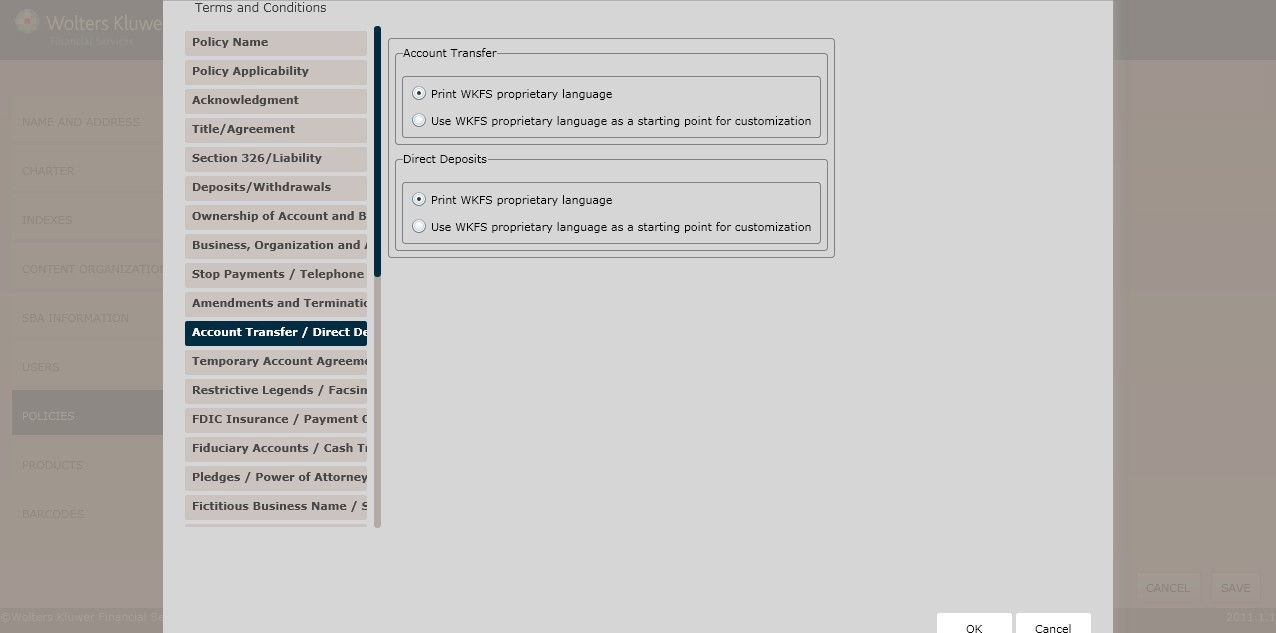
Account Transfer
Determine the Account Transfer language by selecting one of the following:
- Print WKFS proprietary language (*default)
- Use WKFS proprietary language as a starting point for customization
Direct Deposits
Determine the Direct Deposits language by selecting one of the following:
- Print WKFS proprietary language (*default)
- Use WKFS proprietary language as a starting point for customization
Temporary Account Agreement/Setoff page
This page allows users to determine regulatory language for the following:
- Temporary Account Agreements
- Setoff
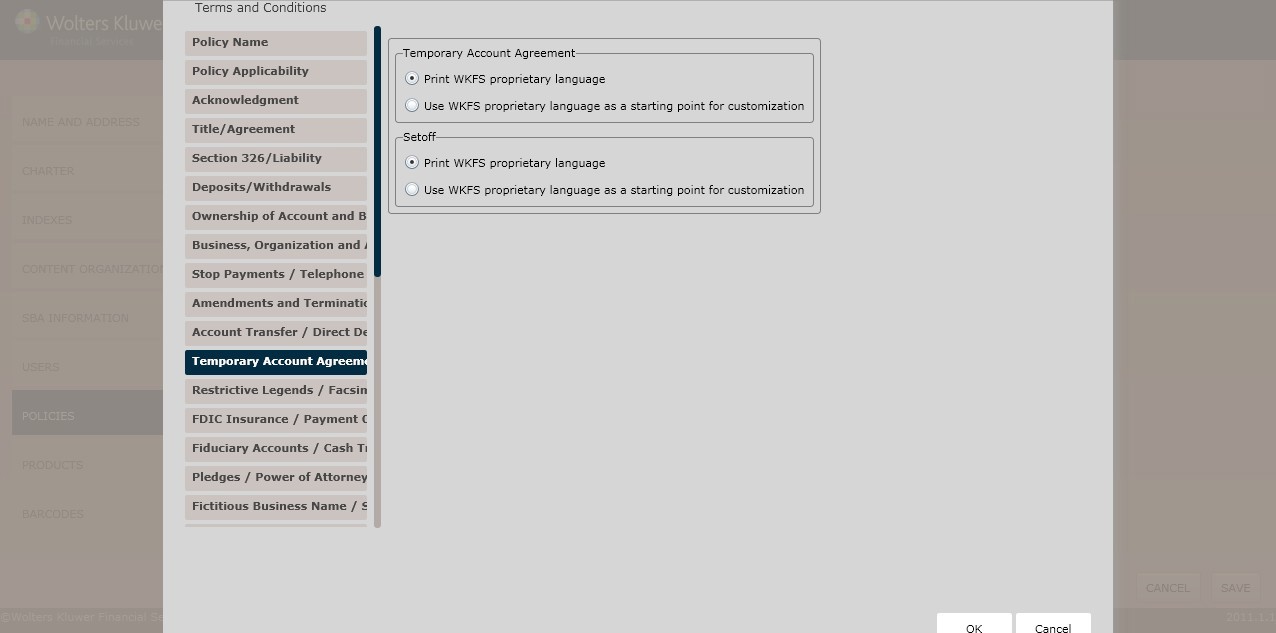
Temporary Account Agreement
Determine the Temporary Account Agreement language by selecting one of the following:
- Print WKFS proprietary language (*default)
- Use WKFS proprietary language as a starting point for customization
Setoff
Determine the Setoff language by selecting one of the following:
- Print WKFS proprietary language (*default)
- Use WKFS proprietary language as a starting point for customization
Restrictive Legends/Facsimile Signatures page
- Restrictive Legends
- Facsimile Signatures
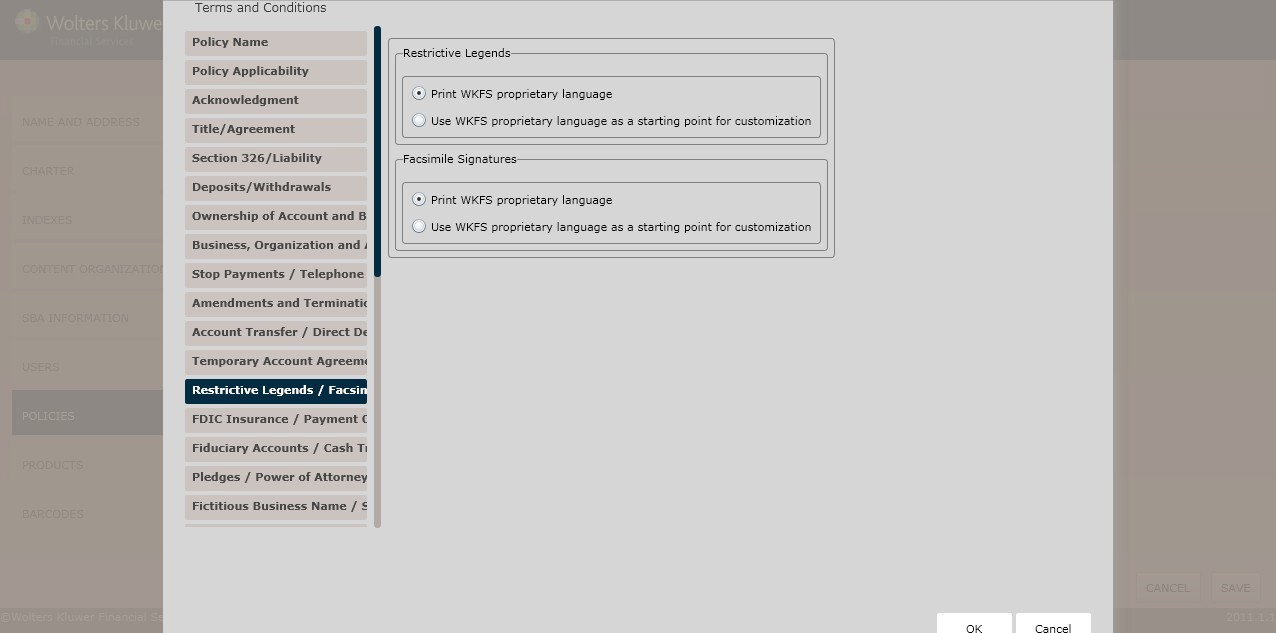
Restrictive Legends
Determine the Restrictive Legends language by selecting one of the following:
- Print WKFS proprietary language (*default)
- Use WKFS proprietary language as a starting point for customization
Facsimile Signatures
Determine the Facsimile Signatures language by selecting one of the following:
- Print WKFS proprietary language (*default)
- Use WKFS proprietary language as a starting point for customization
Deposit Insurance/Payment Order of Items page
This page allows users to determine regulatory language for the following:
- Federal Deposit Insurance
- Payment Order of Items
FDIC Insurance/Payment Order of Items page
This page allows users to determine regulatory language for the following:
- FDIC Insurance
- Payment Order of Items
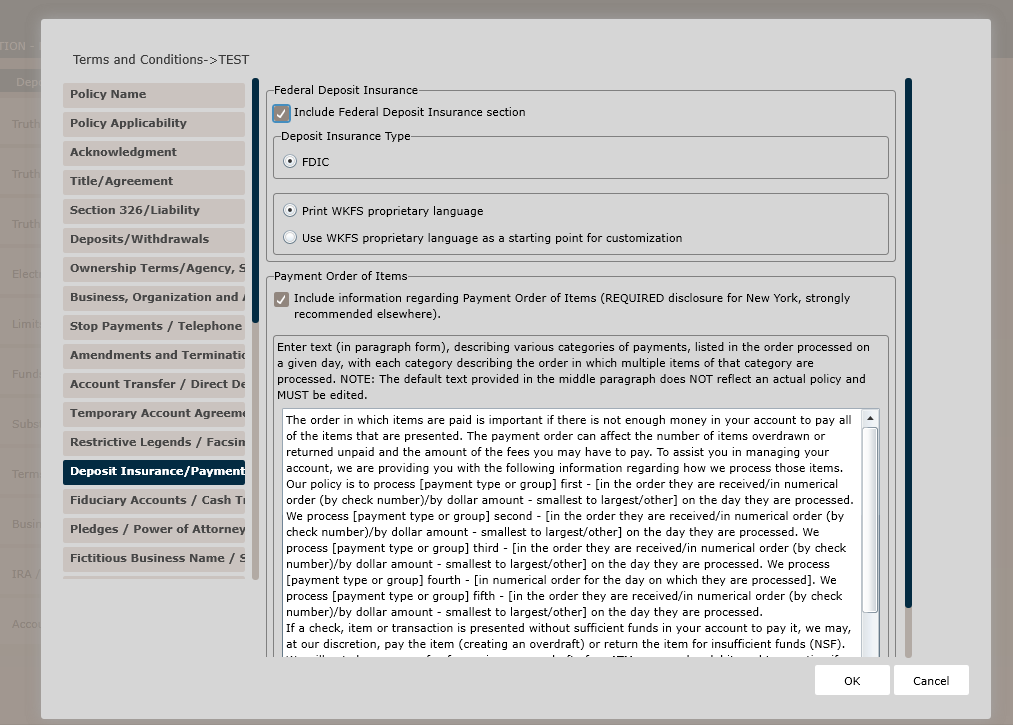
Click the Include Federal Deposit Insurance section checkbox and Deposit Insurance Type option for FDIC; select one of the following:
Deposit Insurance
- Print WKFS proprietary language (*default)
- Use WKFS proprietary language as a starting point for customization
Payment Order of Items
Click the Include information regarding Payment Order of Items (REQUIRED disclosure for New York, strongly recommended elsewhere). section checkbox and modify the default text.
Joint Fiduciary page
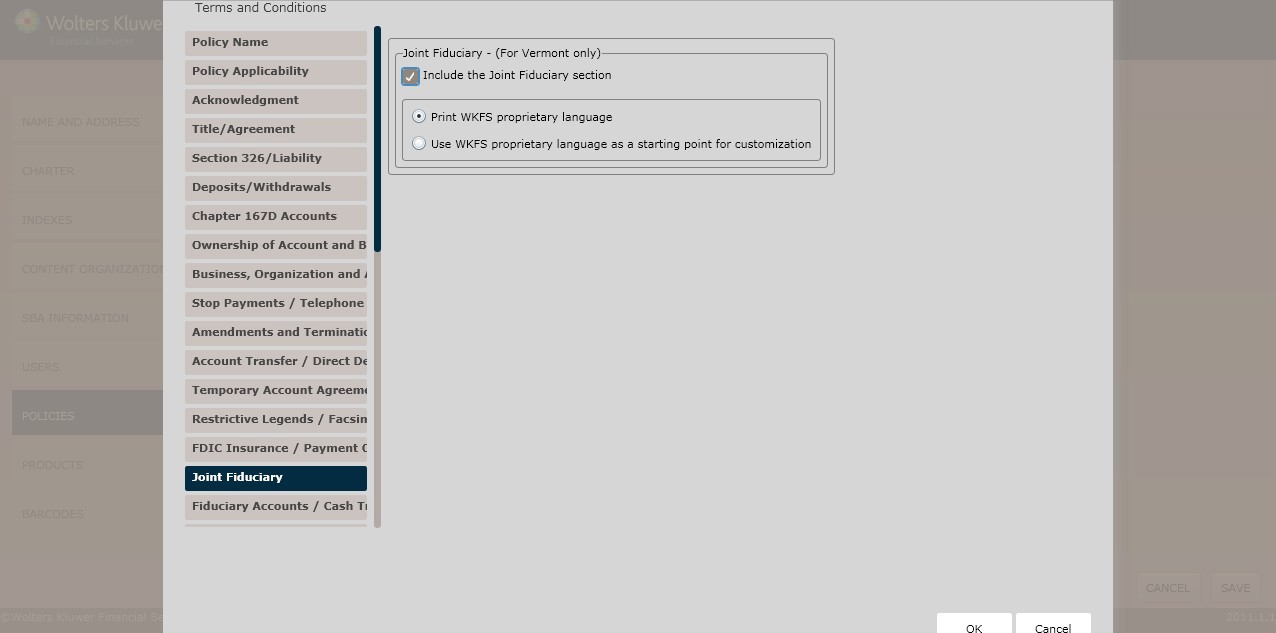
Joint Fiduciary – (For Vermont Only)
To include a joint fiduciary section, click the Include the Joint Fiduciary section checkbox; select one of the following:
- Print WKFS proprietary language (*default)
- Use WKFS proprietary language as a starting point for customization
Fiduciary Accounts/Cash Transactions Reporting page
This page allows users to include regulatory language for the following:
- Fiduciary Accounts
- Cash Transactions
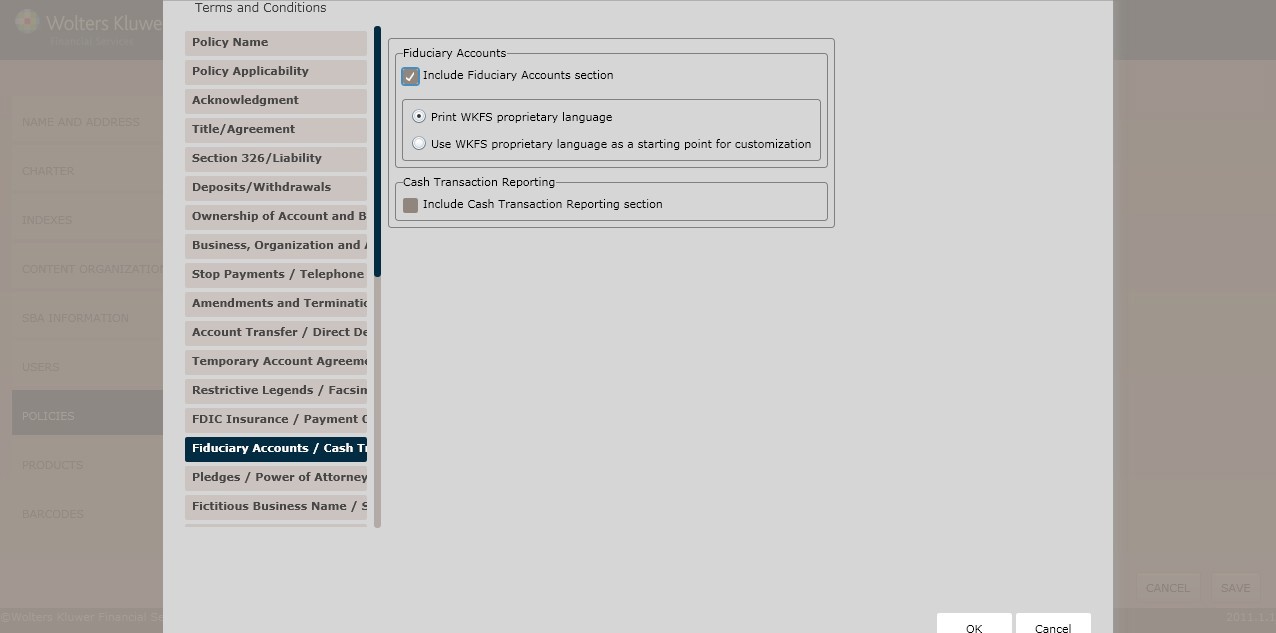
Fiduciary Accounts
To include a fiduciary accounts section, click the Include Fiduciary Accounts section checkbox; select one of the following:
- Print WKFS proprietary language (*default)
- Use WKFS proprietary language as a starting point for customization
Cash Transactions Reporting
To include a cash transaction reporting section,click the Include Cash Transaction Reporting section checkbox; select one of the following:
- Print WKFS proprietary language (*default)
- Use WKFS proprietary language as a starting point for customization
Guardian or Custodial Accounts page
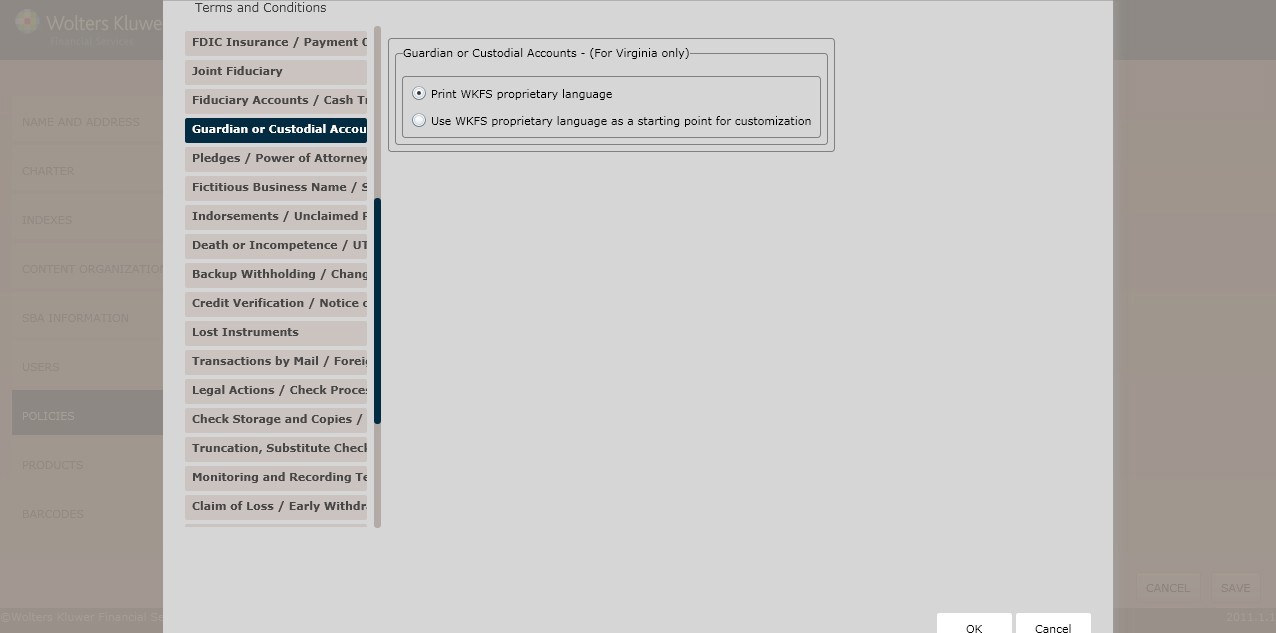
Guardian or Custodial Accounts
Select one of the following and click Next to advance to the Pledges/Power of Attorney page.
- Print WKFS proprietary language (*default)
- Use WKFS proprietary language as a starting point for customization
Pledges/Power of Attorney page
This page allows users to include regulatory language for the following:
- Pledges
- Power of Attorney
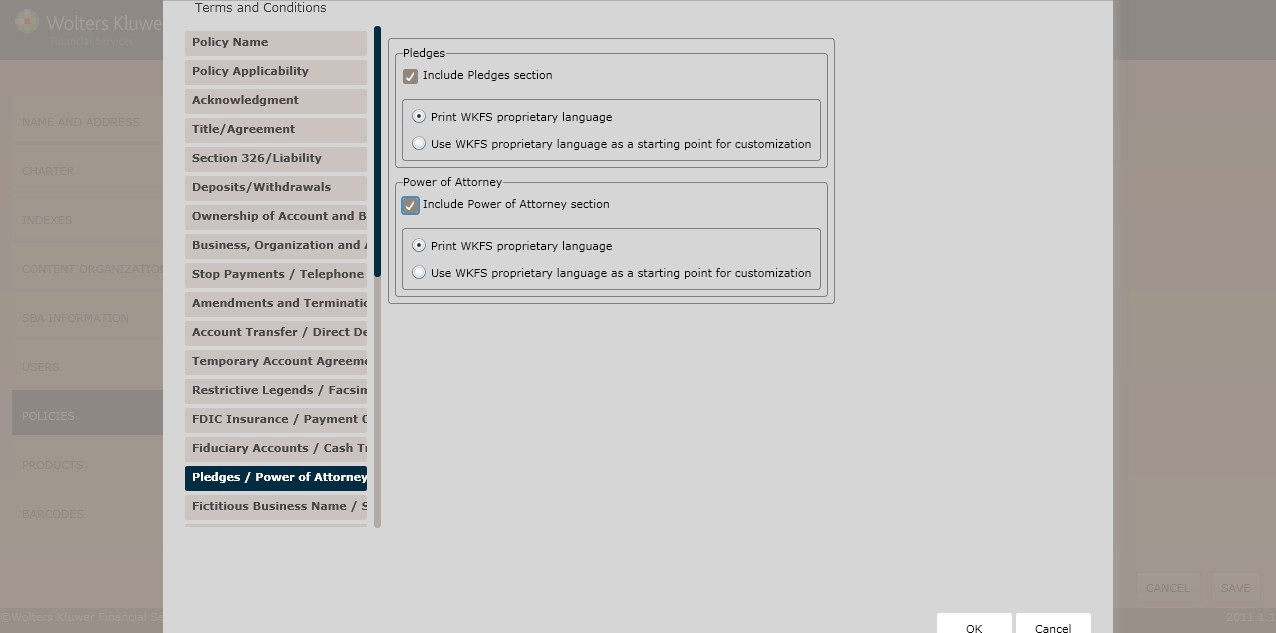
Pledges
To include a pledges section, click the Include Pledges checkbox; select one of the following:
- Print WKFS proprietary language (*default)
- Use WKFS proprietary language as a starting point for customization
Power of Attorney
To include a power of attorney section, click the Include Power of Attorney section; select one of the following:
- Print WKFS proprietary language (*default)
- Use WKFS proprietary language as a starting point for customization
Fictitious Business Name/Stale-Dated Checks page
This page allows users to include regulatory language for the following:
- Fictitious Business Name
- Stale-Dated Checks
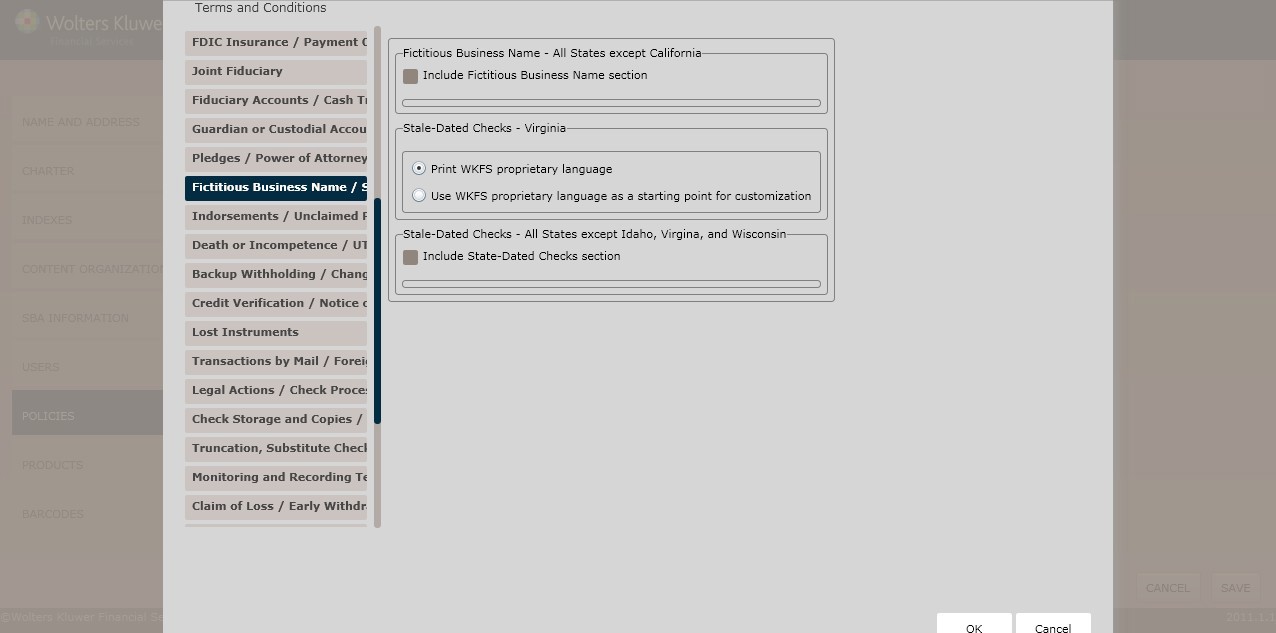
Fictitious Business Name – All States except California
To include a fictitious business name section, click the Include Fictitious Business Name section checkbox; select one of the following:
- Print WKFS proprietary language (*default)
- Use WKFS proprietary language as a starting point for customization
Stale-Dated Checks – All States except Idaho, Virginia, and Wisconsin
To include a stale-dated checks section, click the Include Stale-Dated Checks section checkbox; select one of the following:
- Print WKFS proprietary language (*default)
- Use WKFS proprietary language as a starting point for customization
Indorsements/Unclaimed Property page
This page allows users to include regulatory language for the following:
- Indorsements Name
- Unclaimed Property Checks
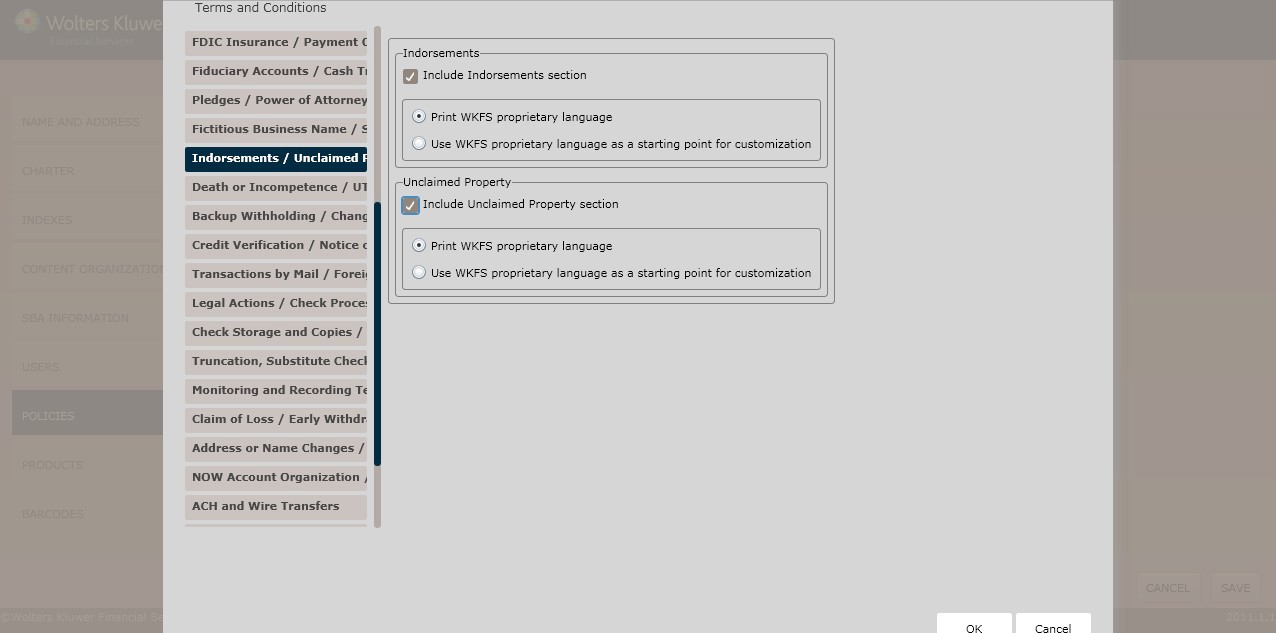
Indorsements
To include an indorsements section, click the Include Indorsements section checkbox; select one of the following:
- Print WKFS proprietary language (*default)
- Use WKFS proprietary language as a starting point for customization
Unclaimed Property
To include an unclaimed property section, click the Include Unclaimed Property section checkbox; select one of the following:
- Print WKFS proprietary language (*default)
- Use WKFS proprietary language as a starting point for customization
Dormant Accounts – (For New York only)
This page allows New York users to include dormant account language within their policy. To select jurisdictions for your policy, see Creating an Organization for more information.
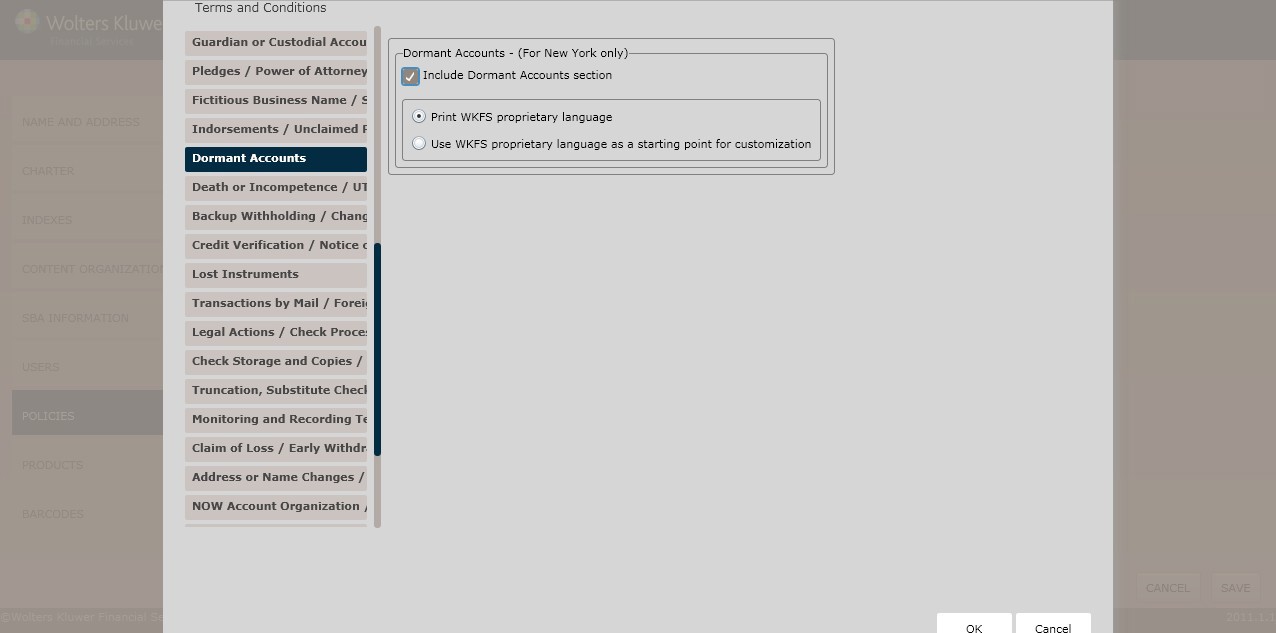
Dormant Accounts – (For New York only)
To include a dormant accounts section, click the Include Dormant Accounts section checkbox; select one of the following:
- Print WKFS proprietary language (*default)
- Use WKFS proprietary language as a starting point for customization
Death or Incompetence/UTMA/UGMA page
This page allows users to include regulatory language for the following:
- Death or Incompetence
- UTMA/UGMA
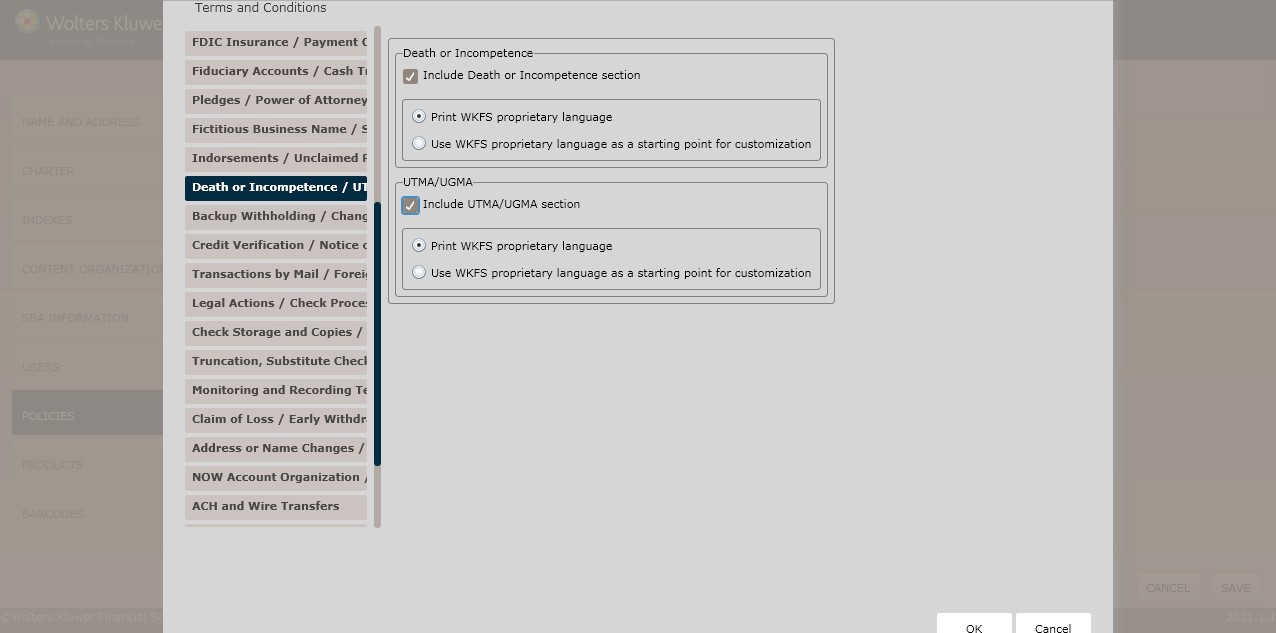
Death or Incompetence
To include a death or incompetence section, click the Include Death or Incompetence section checkbox; select one of the following:
- Print WKFS proprietary language (*default)
- Use WKFS proprietary language as a starting point for customization
UTMA/UGMA
To include an UTMA/UGMA section,click the UTMA/UGMA checkbox; select one of the following:
- Print WKFS proprietary language (*default)
- Use WKFS proprietary language as a starting point for customization
Backup Withholding/Changing Account Products page
This page allows users to determine regulatory language for the following:
- Backup Withholding
- Changing Account Products
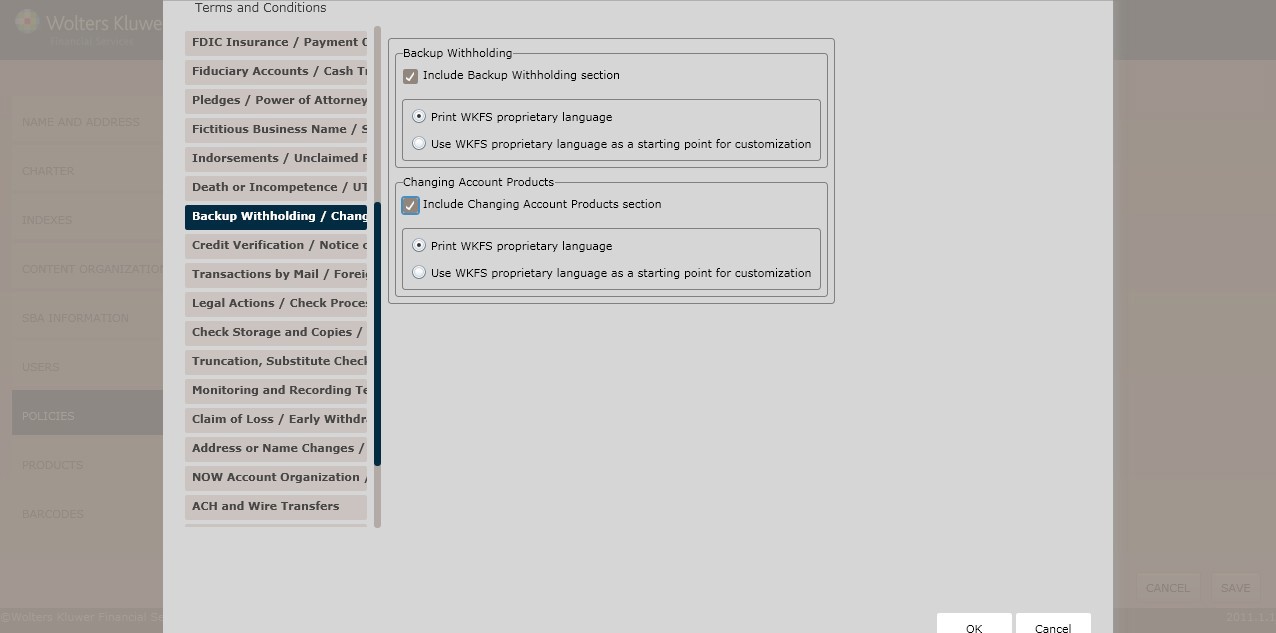
Backup Withholding
To include a backup withholding section, click the Include Backup Withholding Note section; select one of the following:
- Print WKFS proprietary language (*default)
- Use WKFS proprietary language as a starting point for customization
Changing Account Products
To include a changing account products section, click the Include Changing Account Products section checkbox; select one of the following:
- Print WKFS proprietary language (*default)
- Use WKFS proprietary language as a starting point for customization
Credit Verification/Notice of Negative Information page
This page allows users to determine regulatory language for the following:
- Credit Verification
- Notice of Negative Information
Credit Verification - Massachusetts
Select one of the following:
- Print WKFS proprietary language (*default)
- Use WKFS proprietary language as a starting point for customization
Deposit Policy Setup
Credit Verification – All States except Massachusetts and Vermont
To include a credit verification section, click the Include Credit Verification checkbox; select one of the following:
- Print WKFS proprietary language (*default)
- Use WKFS proprietary language as a starting point for customization
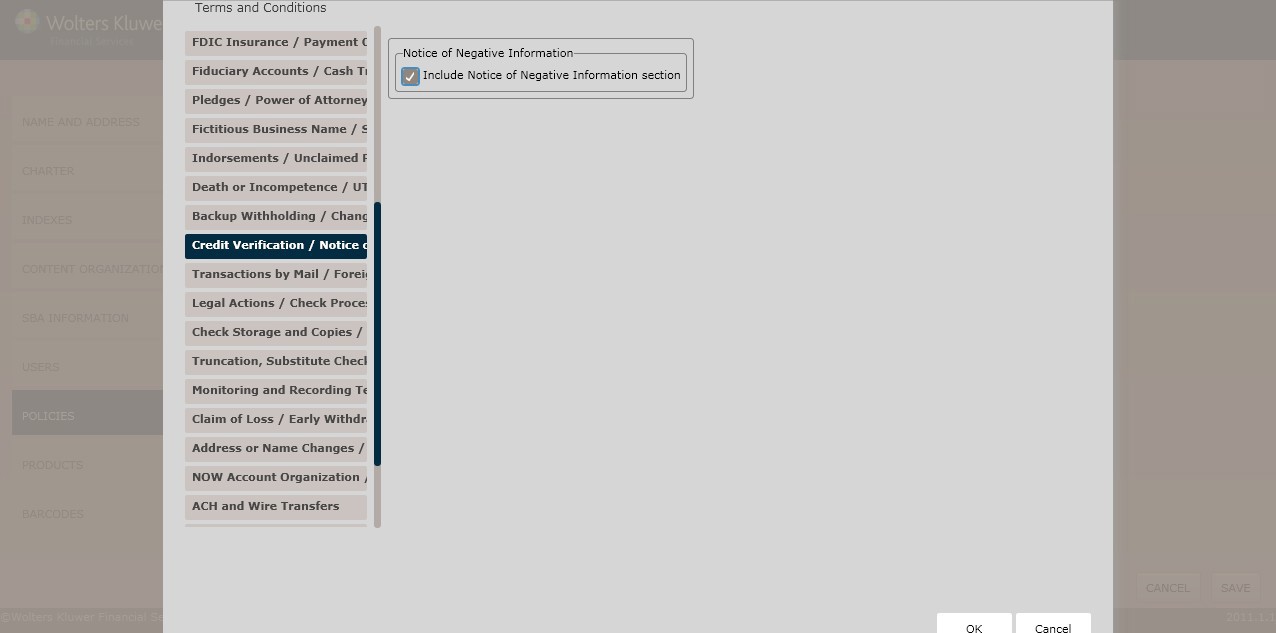
Notice of Negative Information
To include a notice of negative information section, click the Include Notice of Negative Information section checkbox; select one of the following:
- Print WKFS proprietary language (*default)
- Use WKFS proprietary language as a starting point for customization
Lost Instruments page
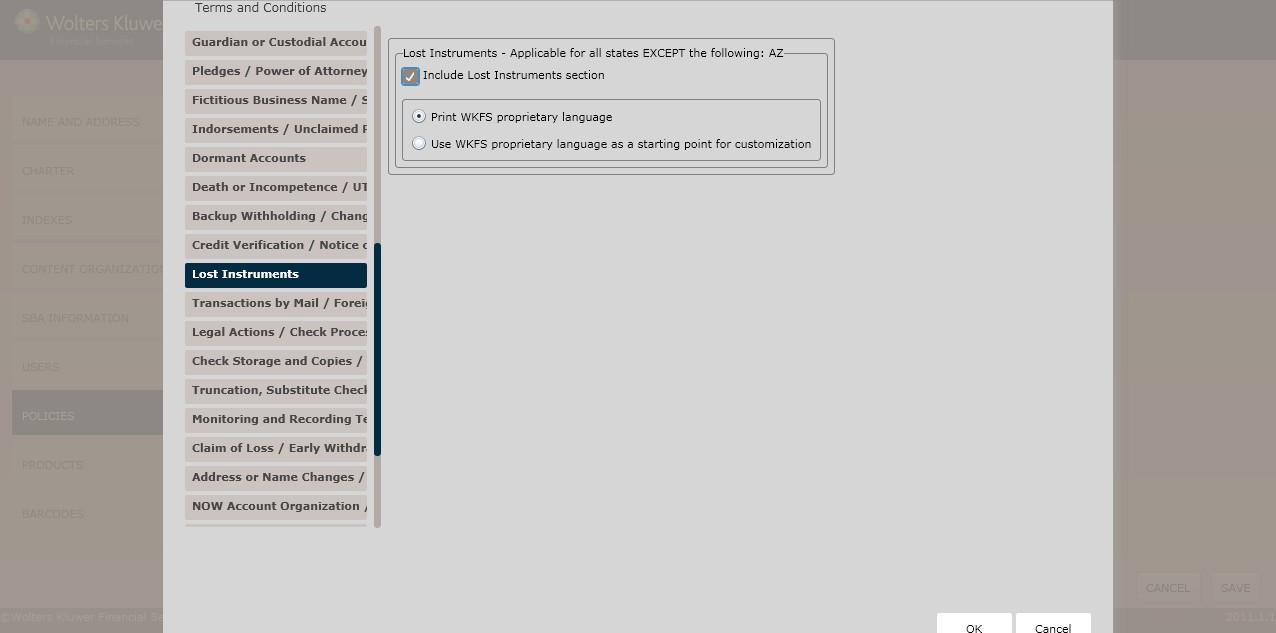
Lost Instruments – Applicable for all states EXCEPT the following: AZ
To include a lost instruments section, click the Include Lost Instruments section checkbox; select one of the following:
- Print WKFS proprietary language (*default)
- Use WKFS proprietary language as a starting point for customization
Transactions by Mail/Foreign Accounts page
This page allows users to determine regulatory language for the following:
- Transactions by Mail
- Foreign Accounts
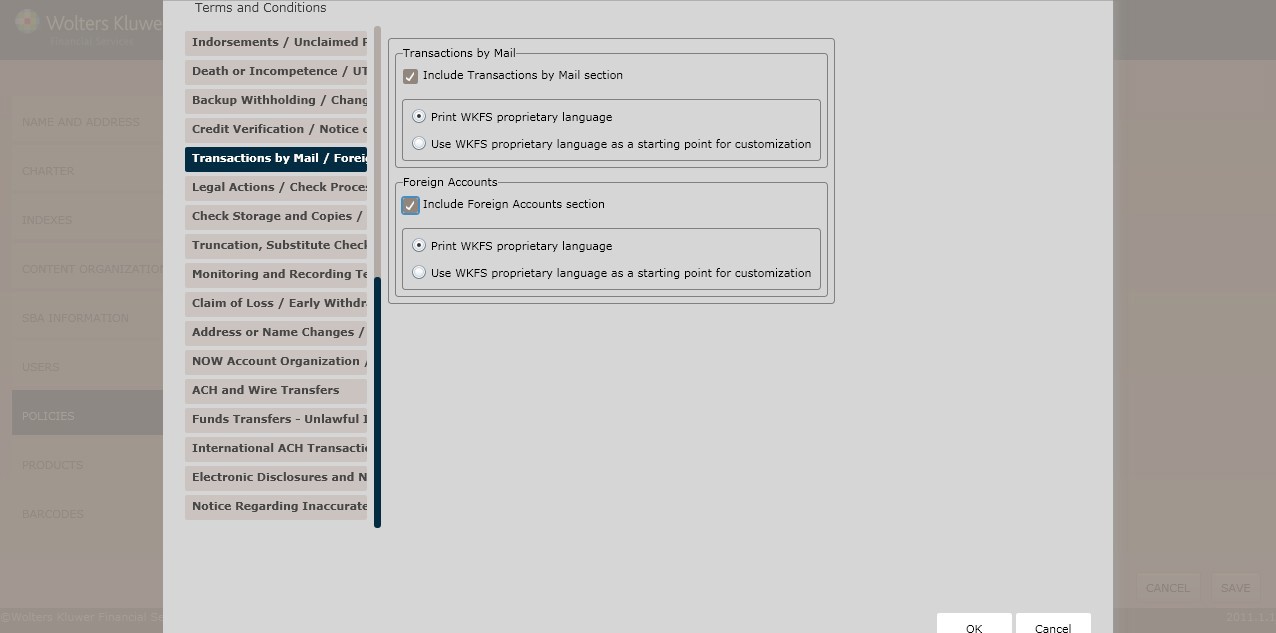
Transactions by Mail
To include a transactions by mail section, click the Include Transactions by Mail section checkbox; select one of the following:
- Print WKFS proprietary language (*default)
- Use WKFS proprietary language as a starting point for customization
Foreign Accounts
To include a foreign accounts section, click the Include Foreign Accounts section checkbox; select one of the following:
- Print WKFS proprietary language (*default)
- Use WKFS proprietary language as a starting point for customization
Legal Actions/Check Processing page
This page allows users to determine regulatory language for the following:
- Legal Actions
- Check Processing
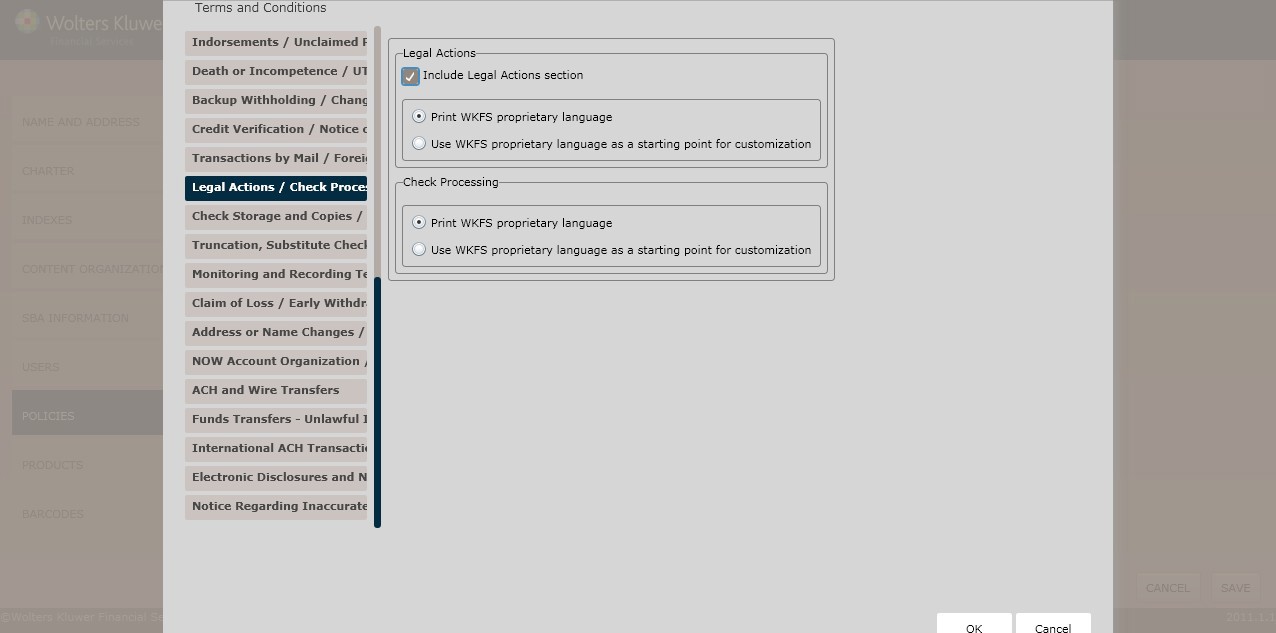
Legal Actions
To include a legal actions section, click the Include Legal Actions section checkbox; select one of the following:
- Print WKFS proprietary language (*default)
- Use WKFS proprietary language as a starting point for customization
Check Processing
Select one of the following:
- Print WKFS proprietary language (*default)
- Use WKFS proprietary language as a starting point for customization
Check Storage and Copies/Check Cashing page
This page allows users to determine regulatory language for the following:
- Check Storage and Copies
- Check Cashing
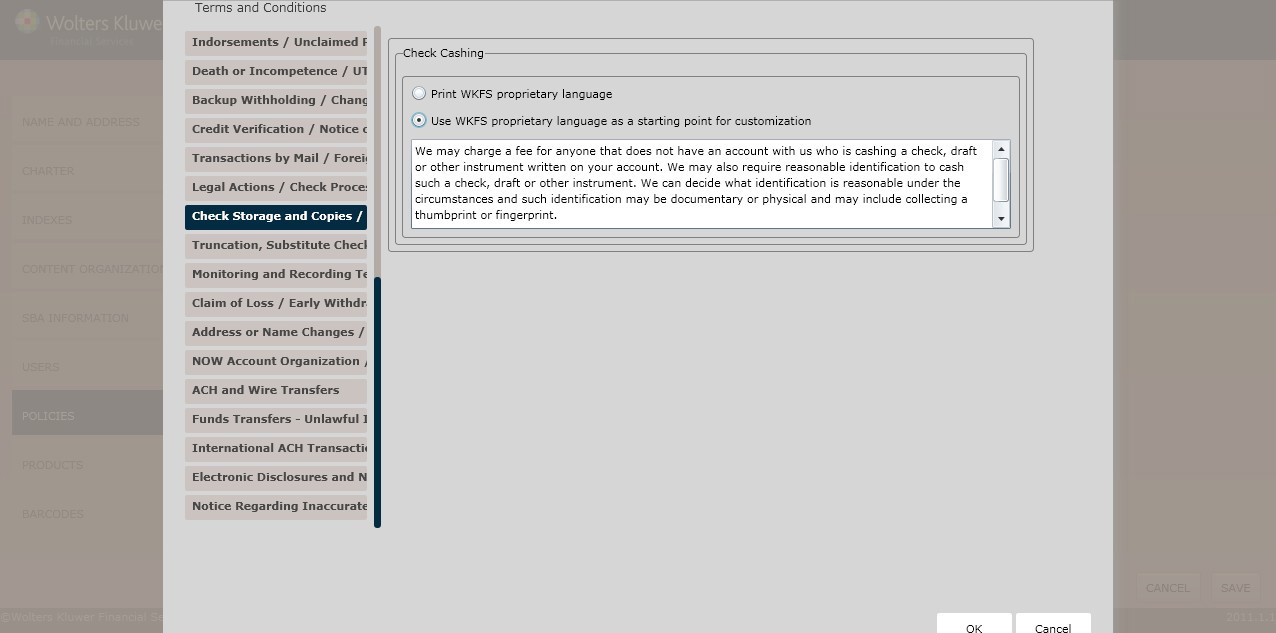
Check Storage and Copies (Not Applicable for Maryland and West Virginia)
To include a check storage and copies section, click the Include Check Storage and Copies section checkbox; select one of the following:
- Print WKFS proprietary language (*default)
- Use WKFS proprietary language as a starting point for customization
Check Cashing
Select one of the following:
- Print WKFS proprietary language (*default)
- Use WKFS proprietary language as a starting point for customization
Truncation, Substitute Checks and Other Images/Security page
This page allows users to include regulatory language for the following:
- Truncation, Substitute Checks and Other Images
- Security
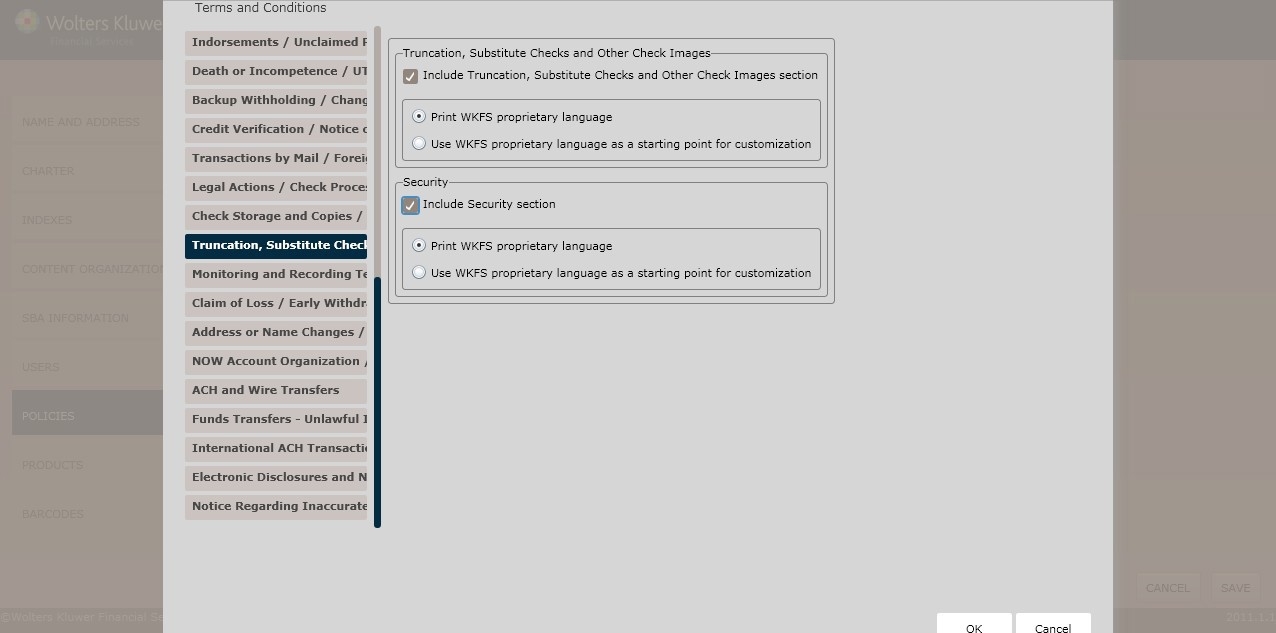
Truncation, Substitute Checks, and Other Check Images
To include a truncation, substitute checks, and other check images section, click the Truncation, Substitute Checks and Other Check Images section checkbox; select one of the following:
- Print WKFS proprietary language (*default)
- Use WKFS proprietary language as a starting point for customization
Security
To include a security section, click the Include Security section checkbox; select one of the following:
- Print WKFS proprietary language (*default)
- Use WKFS proprietary language as a starting point for customization
Monitoring and Recording Telephones/Telephonic Instructions page
This page allows users to include regulatory language for the following:
- Monitoring and Recording Telephone Calls
- Telephonic Instructions
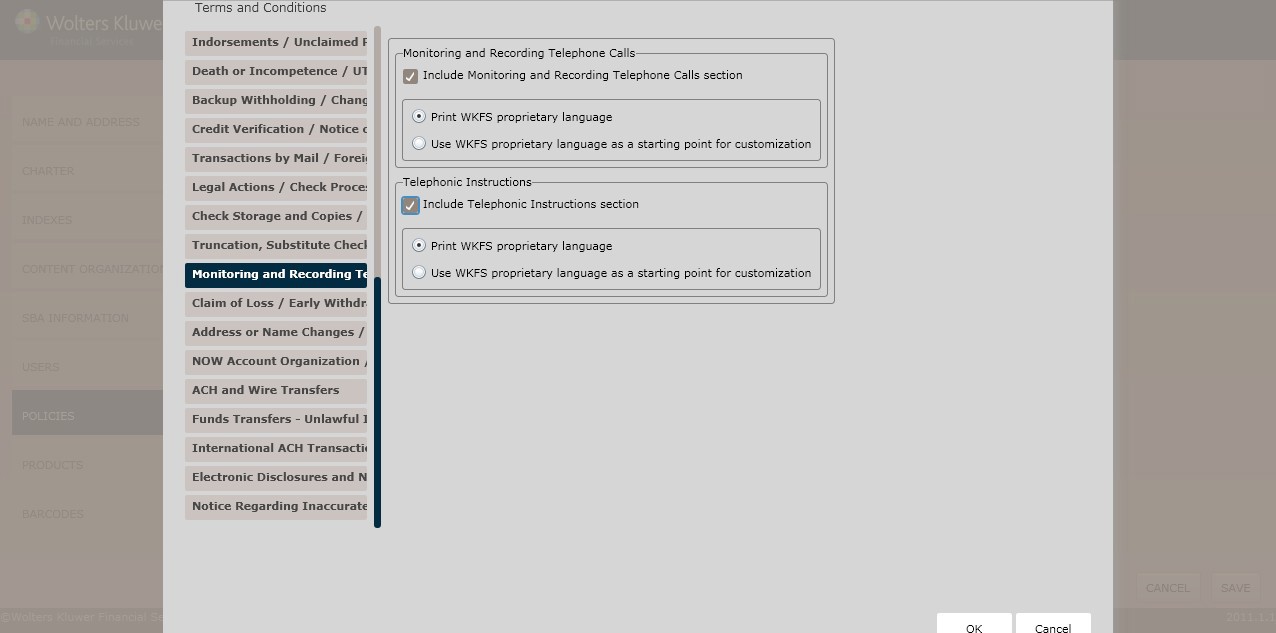
Monitoring and Recording Telephone Calls
To include a monitoring and recording telephone calls section, click the Include Monitoring and Recording Telephone Calls section checkbox; select one of the following:
- Print WKFS proprietary language (*default)
- Use WKFS proprietary language as a starting point for customization
Telephonic Instructions
To include a telephonic instructions section, click the Include Telephone Instructions section checkbox; select one of the following:
- Print WKFS proprietary language (*default)
- Use WKFS proprietary language as a starting point for customization
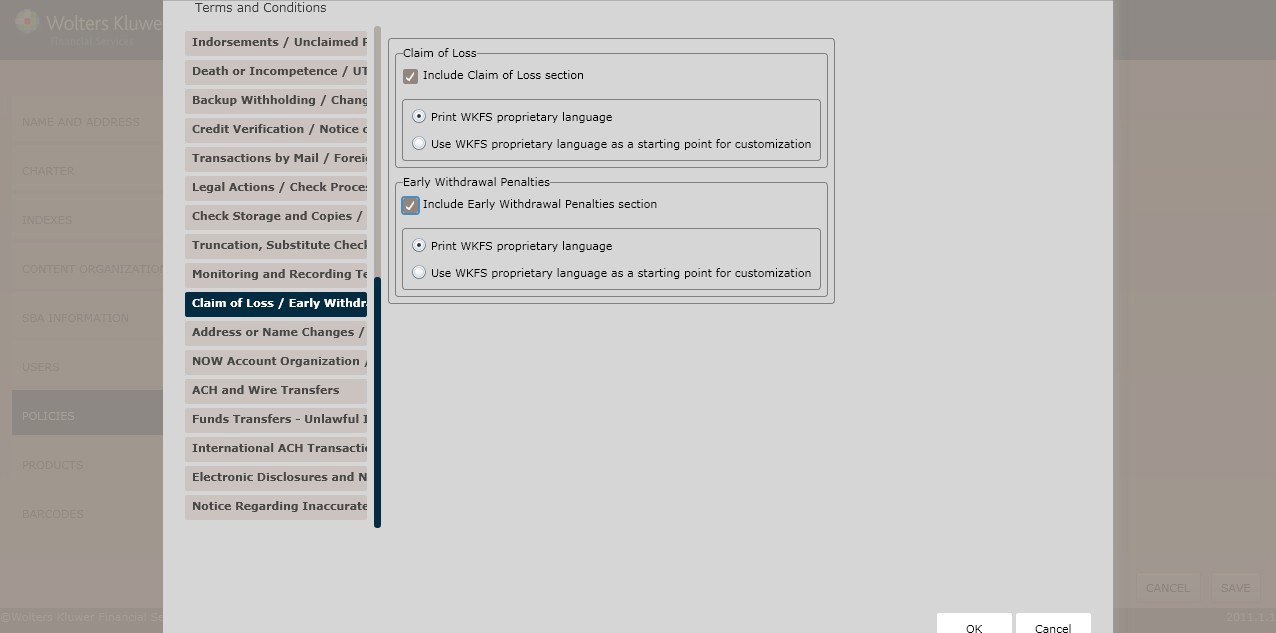
Claim of Loss/Early Withdrawal Penalties page
This page allows users to include regulatory language for the following:
- Claim of Loss
- Early Withdrawal
Claim of Loss
To include a claim of loss section, click the Include Claim of Loss section checkbox; select one of the following:
- Print WKFS proprietary language (*default)
- Use WKFS proprietary language as a starting point for customization
Early Withdrawal Penalties
To include an early withdrawal penalties section, click the Include Early Withdrawal Penalties section checkbox; select one of the following:
- Print WKFS proprietary language (*default)
- Use WKFS proprietary language as a starting point for customization
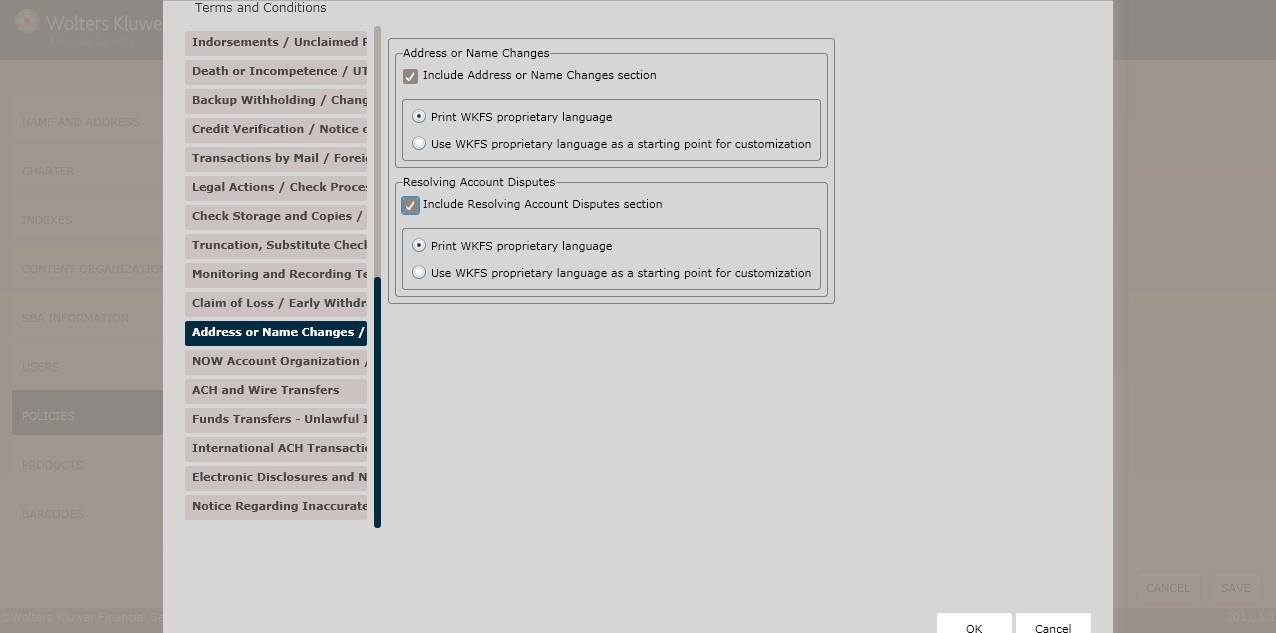
Address or Name Changes/Resolving Account Disputes page
This page allows users to include regulatory language for the following:
- Addressor Name Changes
- Resolving Account Disputes
Address or Name Changes
To include an address or name changes section, click the Include Address or Name Changes section checkbox; select one of the following:
- Print WKFS proprietary language (*default)
- Use WKFS proprietary language as a starting point for customization
Resolving Account Disputes
To include a resolving account disputes section, click the Include Resolving Account Disputes section checkbox; select one of the following:
- Print WKFS proprietary language (*default)
- Use WKFS proprietary language as a starting point for customization
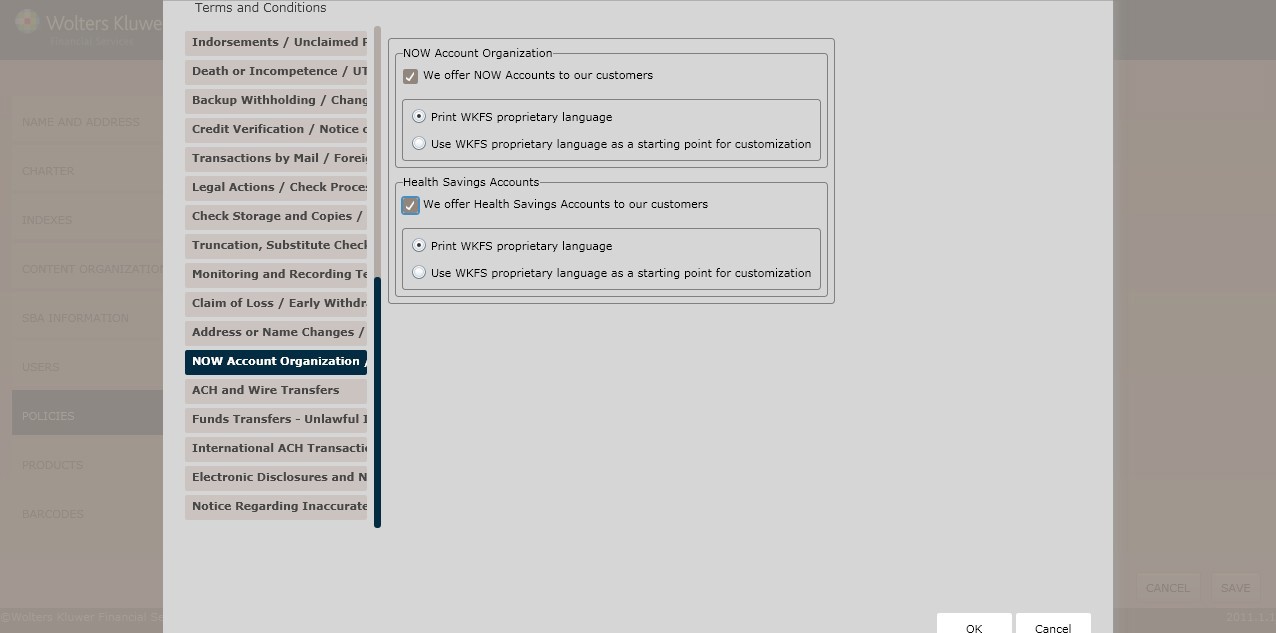
NOW Account Organizations/Health Savings Accounts
This page allows users to include regulatory language for the following:
- NOW Account Organization
- Health Savings Accounts
NOW Account Organization
To include a NOW account section, click the We offer NOW Accounts to our customers checkbox; select one of the following:
- Print WKFS proprietary language (*default)
- Use WKFS proprietary language as a starting point for customization
Health Savings Accounts
To include a health savings account section, click the We offer Health Savings Accounts to our customers checkbox; select one of the following:
- Print WKFS proprietary language (*default)
- Use WKFS proprietary language as a starting point for customization
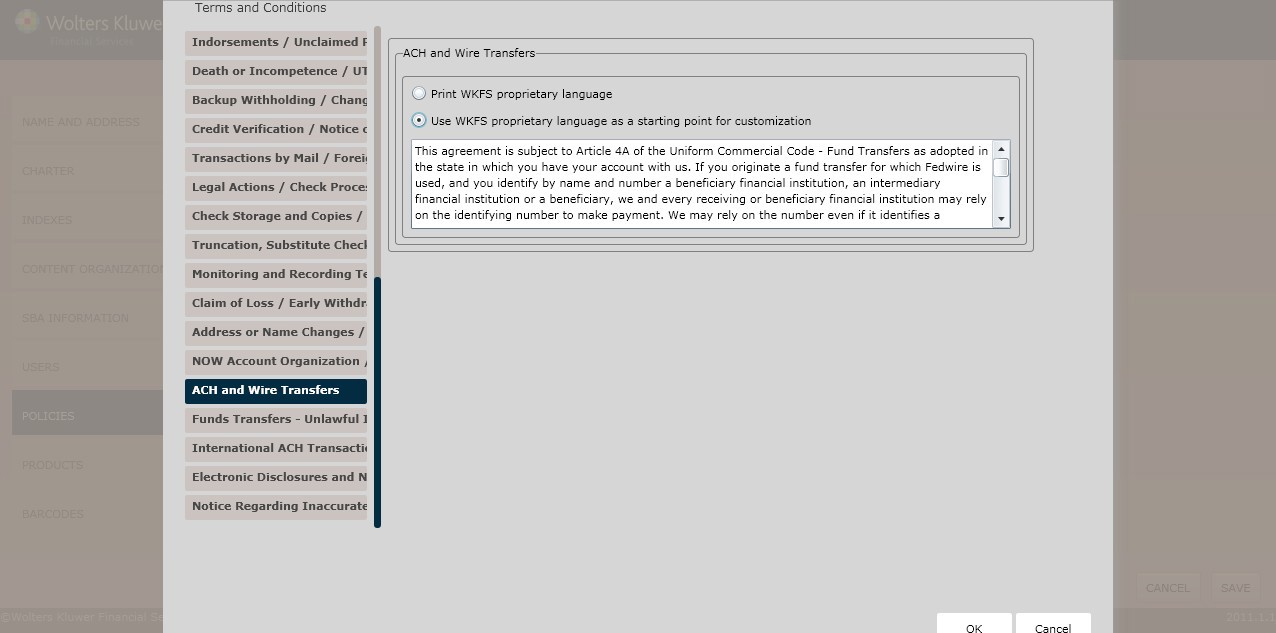
ACH and Wire Transfers page
ACH and Wire Transfers
Determine the ACH and Wire Transfers language by selecting one of the following:
- Print WKFS proprietary language (*default)
- Use WKFS proprietary language as a starting point for customization
Deposit Policy Setup
Funds Transfers – Unlawful Internet Gambling Notice page
This page allows users to include regulatory language for the following:
- Funds Transfers
- Unlawful Internet Gambling Notices
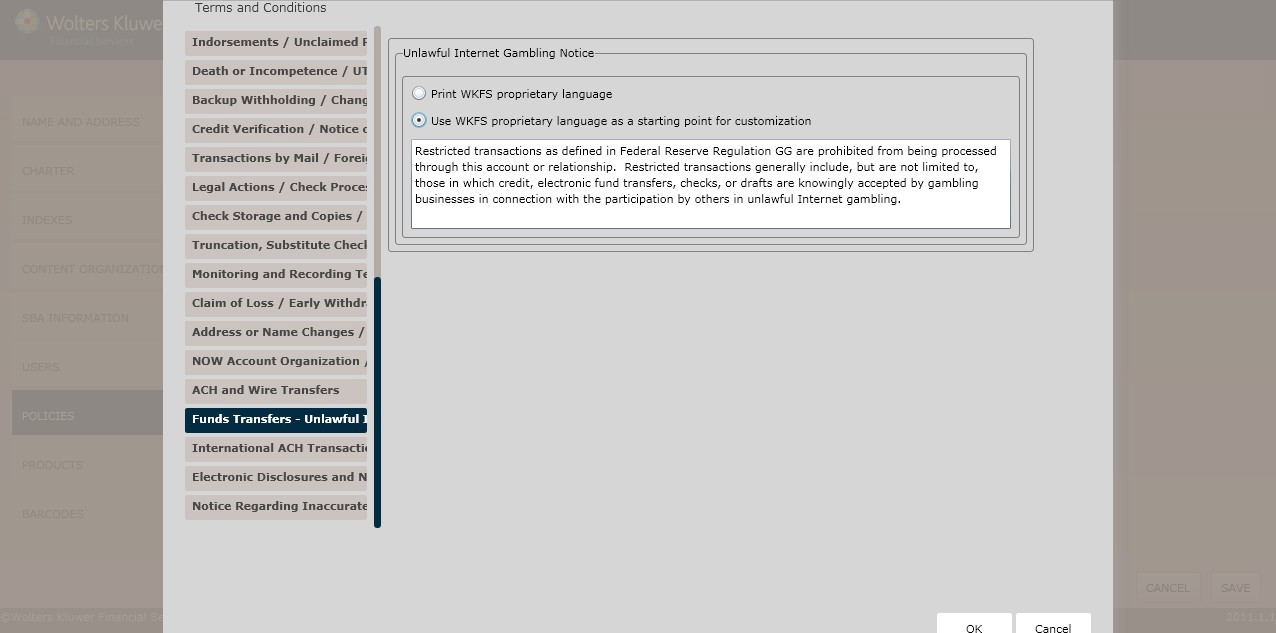
Funds Transfers
Determine the Funds Transfers language by selecting one of the following:
- Print WKFS proprietary language (*default)
- Use WKFS proprietary language as a starting point for customization
Unlawful Internet Gambling Notice
Determine the Unlawful Internet Gambling Notice language by selecting one of the following:
- Print WKFS proprietary language (*default)
- Use WKFS proprietary language as a starting point for customization
International ACH Transactions
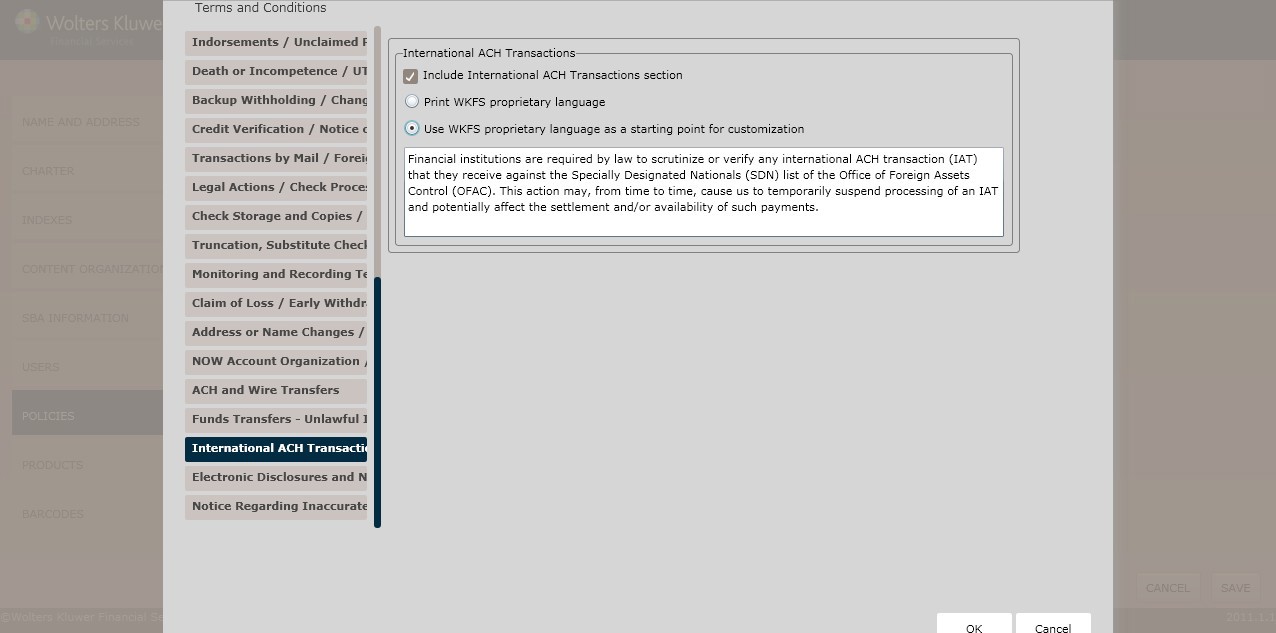
International ACH Transfers
Determine the International ACH Transfers language by selecting one of the following:
- Print WKFS proprietary language (*default)
- Use WKFS proprietary language as a starting point for customization
Questions and Answers about Checking Accounts (For Minnesota only) page
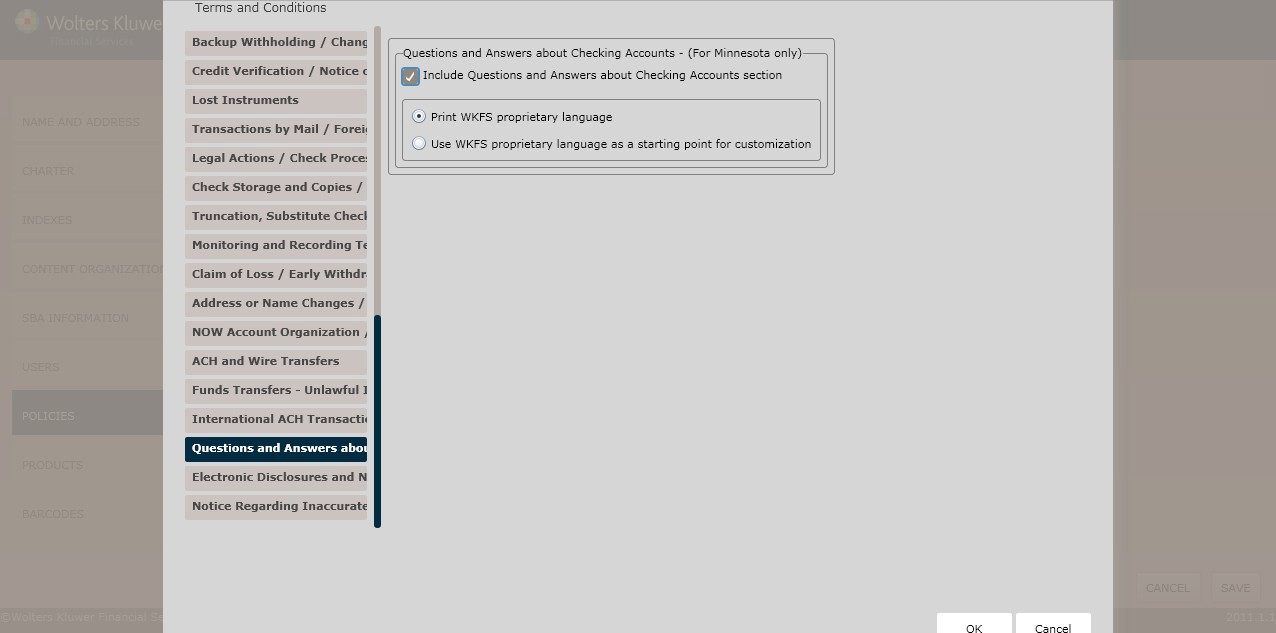
Questions and Answers About Checking Accounts – (For Minnesota Only)
To include a QA section about checking accounts section,click the Include Electronic Disclosures and Notices section checkbox; select one of the following:
- Print WKFS proprietary language (*default)
- Use WKFS proprietary language as a starting point for customization
Electronic Disclosures and Notices
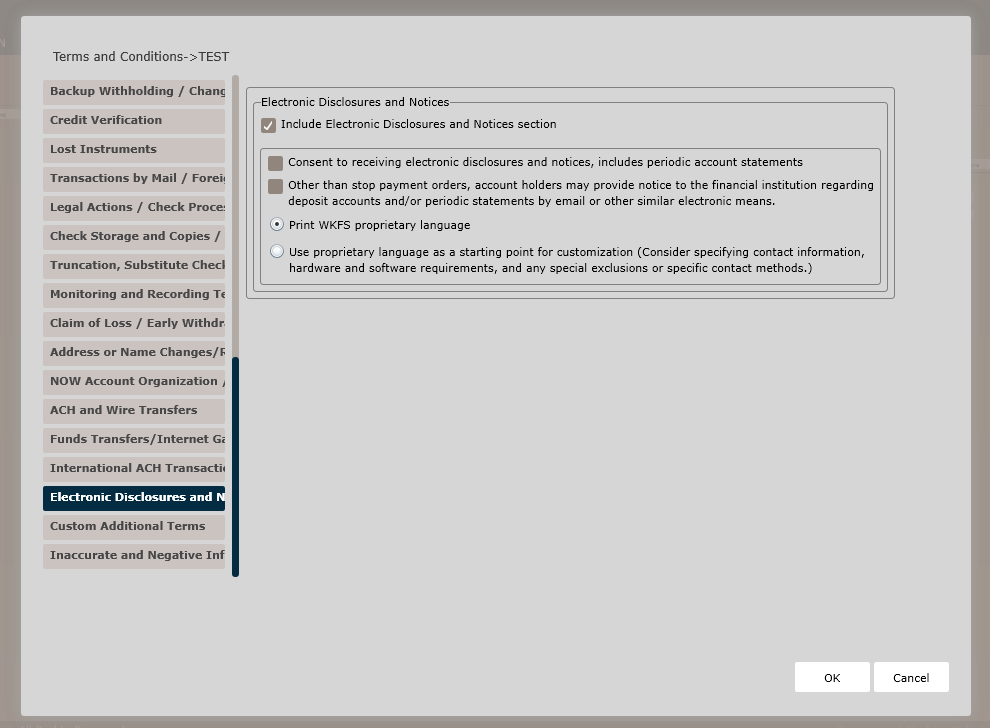
Electronic Disclosures and Notices
To add an electronic disclosures and notices section, click the Include Electronic Disclosures and Notices section checkbox; select one of the following:
- Print WKFS proprietary language (*default)
- Use WKFS proprietary language as a starting point for customization
Custom Additional Terms
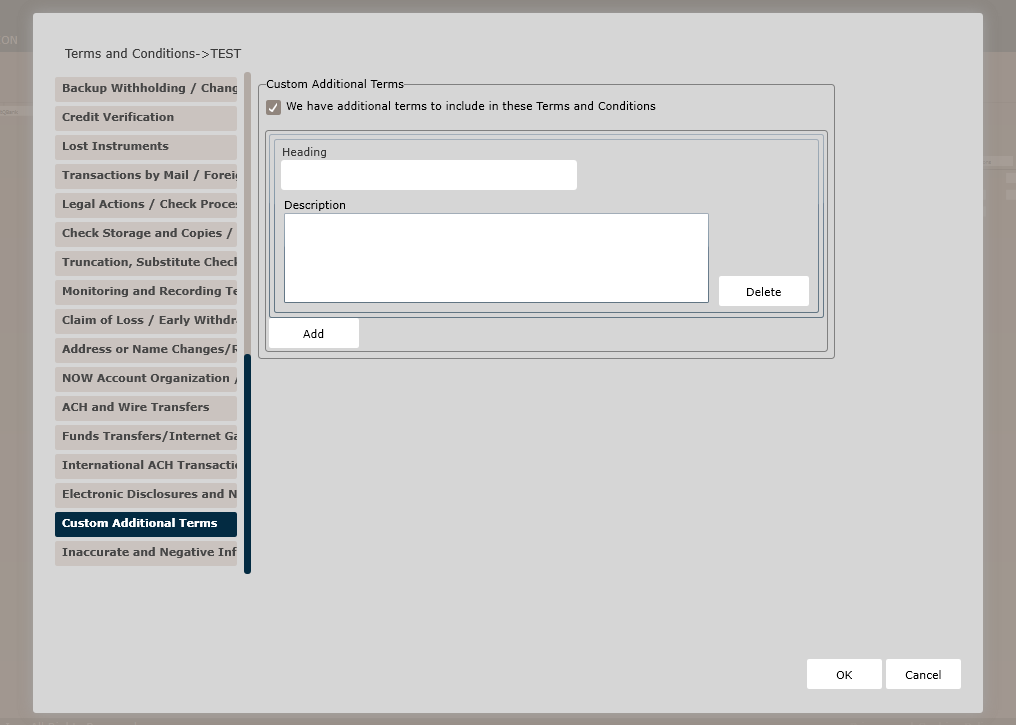
Custom Additional Terms
To add additional terms, select the We have Additional Terms to add to the disclosure checkbox; enter the additional terms in the corresponding Heading and Description text boxes.
Inaccurate and Negative Information Notices
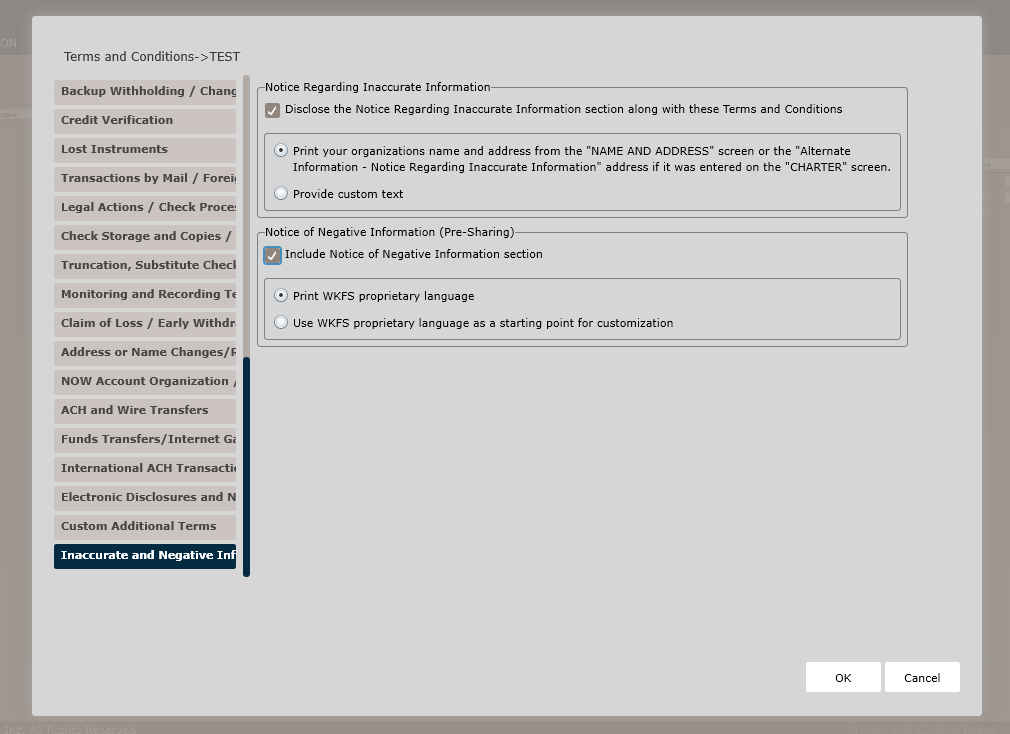
Regarding Inaccurate Information Notice
To add an inaccurate information notices section, click the Disclose the Notice Regarding Inaccurate Information along with these Terms and Conditions checkbox; select one of the following:
- Print your organization’s name and address for the “NAME AND ADDRESS” page or the “Alternate Information - Notice Regarding Inaccurate Information” address if it was entered on the CHARTER page.
- Provide custom text.
Notice of Negative Information (Pre-Sharing)
To add a notice of negative information (pre-sharing) section, click the Include Notice of Negative Information section checkbox; select one of the following:
- Print WKFS proprietary language (*default)
- Use WKFS proprietary language as a starting point for customization
Click OK to complete the Terms and Conditions policy creation process. The policy is now available to OPPSA users.
How Do I View and Manage the New Policy?
For information on displaying, editing, copying or deleting policies,see Creating and Managing Policies.