Adding Addresses to a Party
A mailing and or email address can be added to recipients so a document package is sent with the correct address.
Adding a mailing address
- Select Add Address for a party on the Recipients grid.
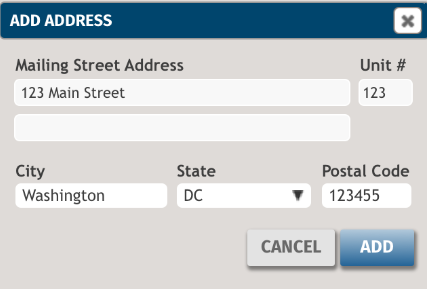
- Enter the mailing address and select Add.
- Select Save.
Note:
- The mailing address is updated for the party on the Parties page.
- After an address is added, the address can be changed by selecting Edit that now displays or by selecting the current mailing address.
Adding an email address
- Enter an email address in the empty box that displays for a party on the Recipients grid.
- Select Save.
Note:
- The email address is updated for the party on the Parties page.
- After an address is added, the address can be changed by the current email address that displays and making changes.