Fulfillment Options
Fulfillment options provide options for delivery and include the following:
- Electronic Delivery
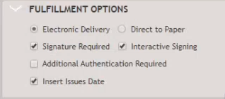
- Signature Required: When Signature Required is selected, all documents are sent in one package.
- Interactive Signing displays if an organization is licensed for this feature and Signature Required is selected. With Interactive Signing, documents are sent to specific parties. For Help Information, select Interactive Signing.
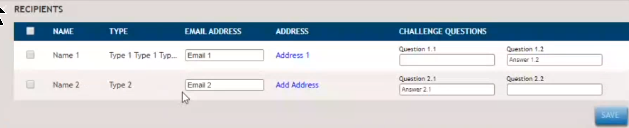
- Additional Authentication Required: When this option
is selected, challenge questions are required for each
recipient listed in the Recipient's grid.
- Insert Issues Date: For Electronic Delivery, the date will display as the date the document was opened by a recipient.
- Direct to Paper

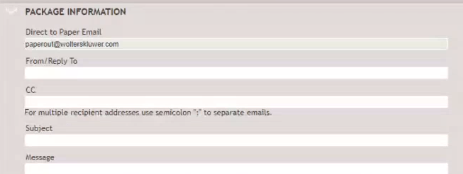
- When Direct to Paper is selected, the Package Information
section includes a Direct to Paper Email address that
defaults to paperout@wolterskluwer.com and sends the
package to Wolters Kluwer for printing. The address can be
configured to an address in an organization also.
- Insert Issues Date: For Direct to Paper, the date will display as the date the document was printed and sent to a recipient.
- When Direct to Paper is selected, the Package Information
section includes a Direct to Paper Email address that
defaults to paperout@wolterskluwer.com and sends the
package to Wolters Kluwer for printing. The address can be
configured to an address in an organization also.