Request Status
A package is sent to WK E-Sign in the Request Status section. Selecting Send to WK E-Sign sends a package. If the send was unsuccessful, errors will display. If the send was successful, Tracking IDs will display.
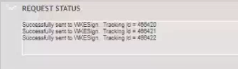
To view the data that was sent and the response tracking IDs, select Download Log File. The log file can be saved with your transaction files after it opens, but will not be available after you leave the page.
Note: The Send to WK E-Sign option will not be available if any of the
following occurs: and the errors will be noted in the Request Status section.
- A recipient is not selected.
- When Electronic Delivery is selected, a recipient is missing an email address, mailing address or additional authentication responses if applicable.
- When Direct to Paper is selected, a recipient is missing a mailing address.
- If Use Interactive Signing is selected, each recipient does not have a unique email address.
- The From field in the Package Information section is blank.