Transaction Tabs
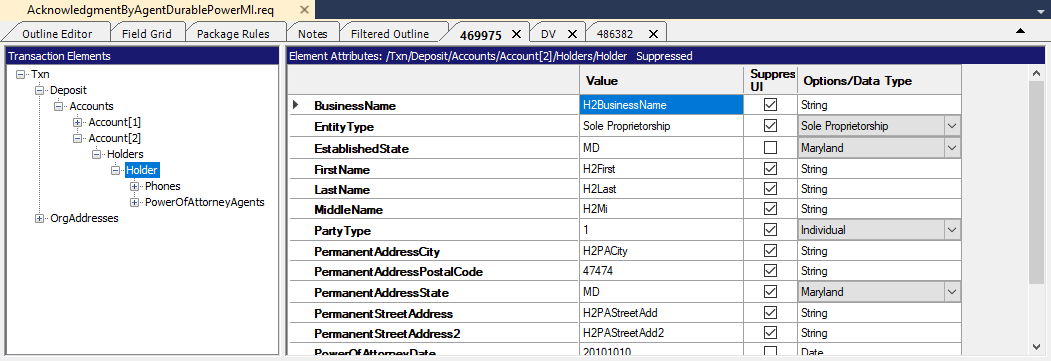
The Transaction tab is comprised of two major areas: the Transaction Elements pane and the Element Attributes pane.
Transaction Elements
The Transaction Elements pane provides a tree view allowing you to browse through the hierarchy of all transactions and perform a variety of actions. For details of available commands, refer to Transaction Menu. You can perform many actions on a selected node using the Transaction Elements Context Menu.
Element Attributes
The Elements Attributes pane displays any attributes available for the selected node within the Transaction Elements pane. A context menu is associated with the attributes listed within this pane. You can perform any of the commands available to the attributes using the Transaction Attributes Context Menu.