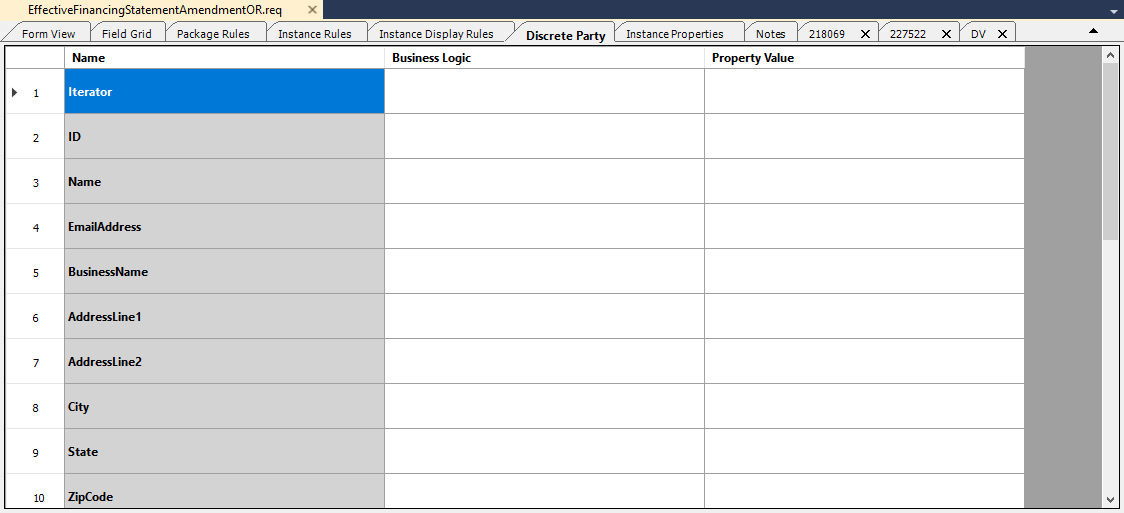
Discrete Party
The proper use of Discrete Party elements inside Dynamic and Static Documents.
The Discrete Party tab displays all instances of the DiscreteParty elemen t within the active document, and provides the ability to edit the associated values.
Dynamic Documents Discrete Party
When working inside a Dynamic Document, you will be able to add the DiscreteParty element under the Instances element. Once added, you need to add the elements available for Dynamic documents (see DiscreteParty). If there are any fields that are required when saving the document, it auto-populates the elements with the default values.
Static Document Discrete Party
When working inside a Static Document you will have a tab called Discrete
Party (see below). Inside this tab you will have rows a variety of elements
available for Static documents (see DiscreteParty), with a
column next to it to fill out the business logic, then another column to fill
specific information on. When you save the document and there are any default
values, it auto-populate those values. The values that are entered use PTR logic
using intellisense.