Configuring for DocViewer Integration
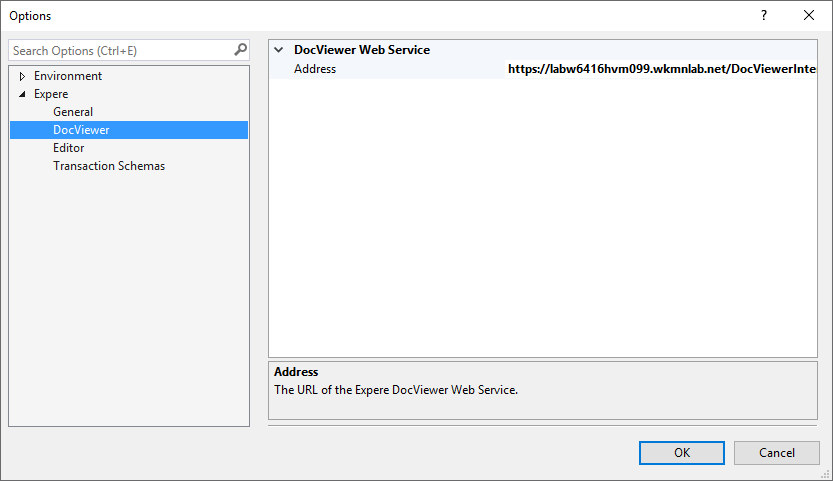
Requirements Editor provides support for using the tool in an integrated fashion with the DocViewer application. Support for DocViewer is enabled during installation using the Advance Installation option. Once installed, you must configure the DocViewer Web Service for use in Requirements Editor to establish a connection to the DocViewer repository.
The URL for the web service is defined in Options (, then DocViewer). In order for an REQ to resolve content references and
successfully integrate with a DocViewer environment, Requirements Editor must be pointed
to a valid repository accessible through the DocViewer Web Service. Select the
Address box and paste a valid URL for the target web service.