Author Fillable Field or Fillable Checkbox
Requirements Editor provides the ability to create fields within static documents that are intended to be filled or selected. This is done using the Fillable Field features within the Field Grid tab.
Fillable Field Setup
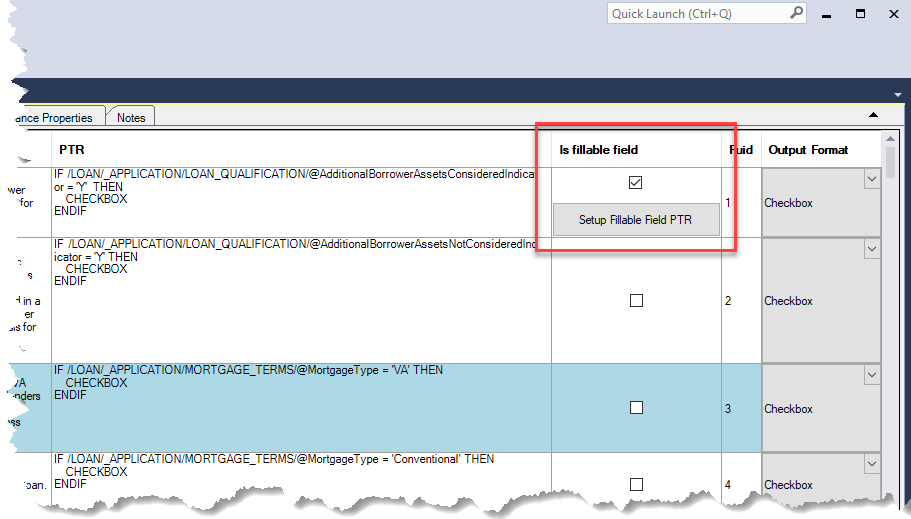
Static documents have a Fillable Field Setup feature that allows you to set specific
fillable field options. The Fillable Field Setup window is accessible by selecting
the Is fillable field option for a rule and then clicking Setup Fillable
Field PTR to display the Fillable Field Setup window.
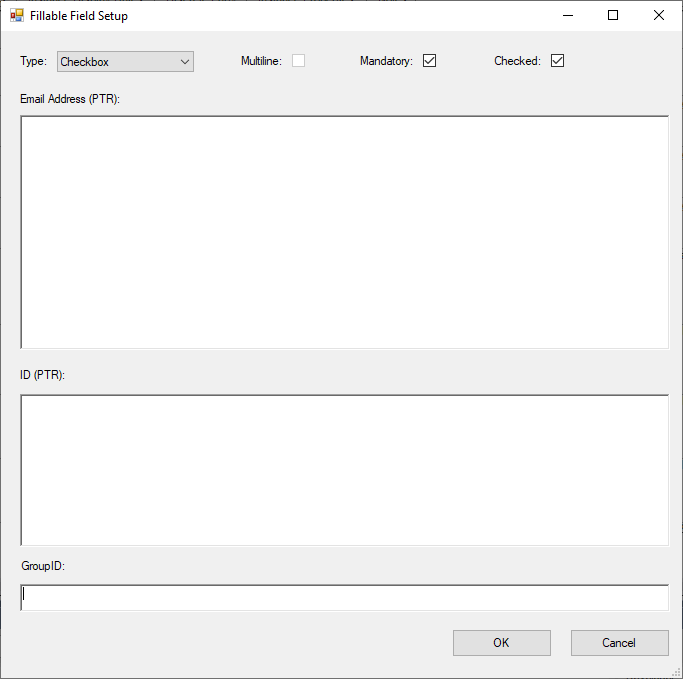
This window allows you to set:
- Type: Select whether the field is a:
- Alphanumeric
- Checkbox
- Date
- Initials
- Name
- Numeric
** Not currently supported in WKES
- Multiline: Select this option if the field is to be displayed multiline.
- Mandatory: Selected by default. When selected, the option is not displayed n the PTR.
- Checked: Indicates the field (if a checkbox) is selected by default.
- Email Address: Enter the email address PTR information.
- ID (PTR): Allows you to enter PTR information to link to a discrete party.
- GroupID: Allows you to enter an alphanumeric value which acts as an identifier for a group of checkboxes. This is disabled unless the Type is set to Checkbox.
Output Format
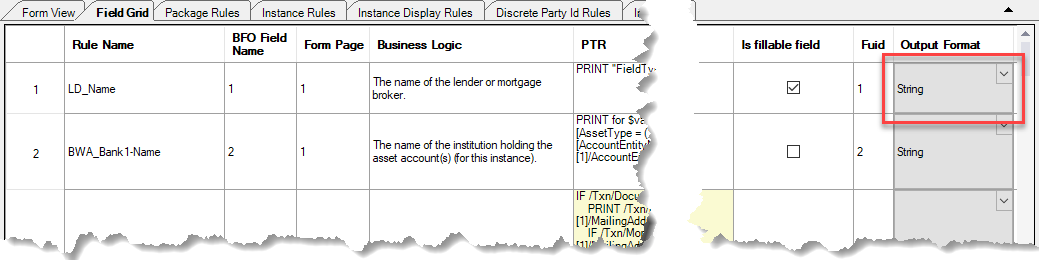
Output formats are used to define how certain entries are presented in the system.
The output format for a rule is selectable using the Output Format cell for the
associated rule.
For information on the definitions of each output format, refer to Output Format Reference.