Fulfillment Options
Fulfillment options is where you select how to deliver documents. The Fulfillment
Options pane provides options to select either electronic signature or direct to
print as the fulfillment method.
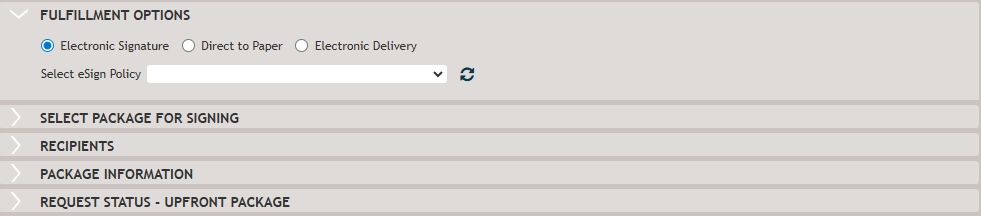
- Electronic Signature- allows a signer to obtain the document package and
sign it electronically.
- For a non-closing package, a signer will get a link in the email to proceed to the SmartSign Plus Signing Room and sign the documents.
- For a closing package, a signing event should be started manually in SmartSign Plus or the Closing Center.
- Direct to Print- indicates that a package does not require an electronic
signature. The document package is submitted to the Wolters Kluwer Fulfillment
Center automatically where it is printed and mailed to the signers.Note:If the Direct to Paper option is selected, the Package Information pane is not available unless the package type is a closing package. .
- eSign Policy- select a policy to automatically apply the policy rules
(package expiration date and mailing return address). Note:Electronic signature policies are set up in Administration. When shared with the organization selected on the Loan Definition page, policies are available in the Select eSign Policy drop-down list.
Direct to Print
The Direct To Print option implies that package will not require an electronic
signature. When the Direct to Print option is selected, any sections and
fields not relevant for e-signature purposes are hidden from display. Some of these
options include:
- Signature Type in the Select Package For Signing section
- Verification Information in the Recipient section
- Package Expiration Type, Select Expiration Date, Expiration Date in the Package Information section.
- Update Existing Package option.
Packages submitted using Direct To Print, enter SmartSign Plus with an Expired Print Eligible status. After the package submission, the existing package cannot be edited as packages in Expired Print Eligible status cannot be edited in SmartSign Plus. The only available option is to remove the existing package and create a new one by clicking Submit New Package in the Request Status pane if any subsequent package changes are required.