Managing Roles
Add a role
Roles must be added before they can be assigned to a user. Roles can be edited by changing the role name.
- Select Roles under General Settings in the left pane.
- Select
 on the Roles grid.
 - Enter a name for the role.
- The role name cannot exceed 100 characters.
- The role name must be unique.
- Select Add.
Edit a role
- Select Users under General Settings in the left pane.
- Select
 menu next to a role
and select Edit.
menu next to a role
and select Edit. - Modify the name and select Save.
Deleting a role
- Select Users under General Settings in the left pane.
- Select next to a role that
is in Draft status and select Delete.
- Select Delete.
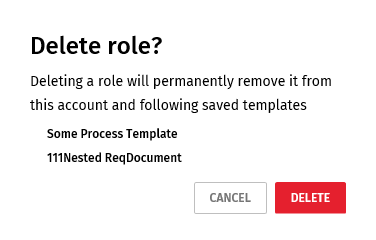 Note:A role can be deleted if it has a Draft state. Roles with an Active state cannot be deleted.