Viewing a User's Groups and Locations
A user assigned the Manage Users permission for CASH Workflow in Security Administration can view the groups and locations assigned to a user on the Users grid without having to log in to CASH Suite. The total count of all locations assigned to a user is shown in the Locations column next to the user’s name.
- On the Users grid in CASH Workflow, select the
 for a user and select View Locations. Note:If a user is not assigned to any location in CASH Suite, View Locations will not be available in the menu.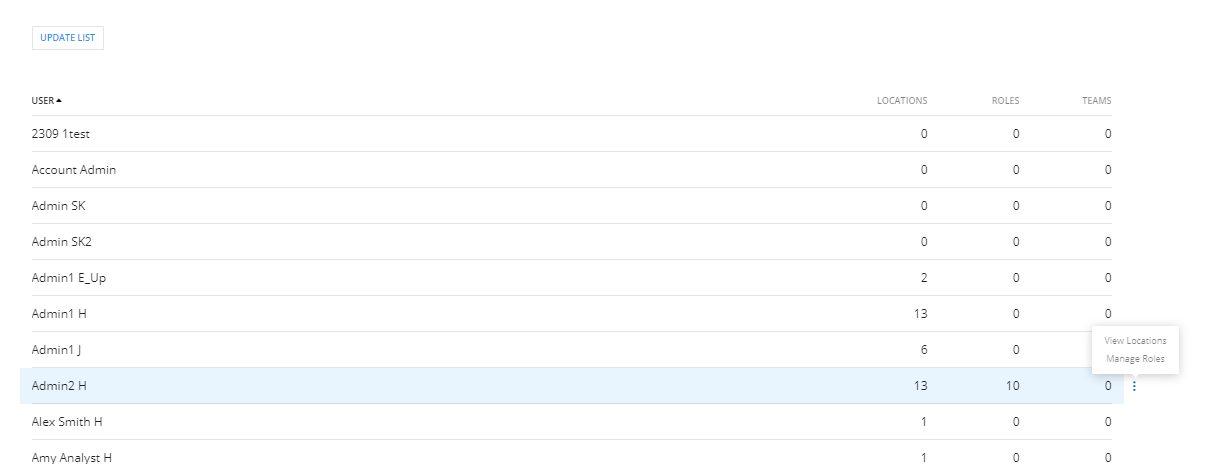
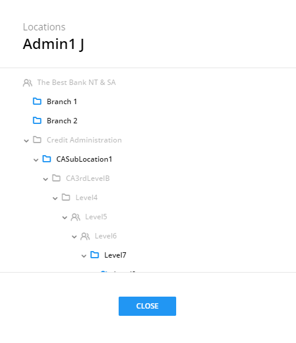
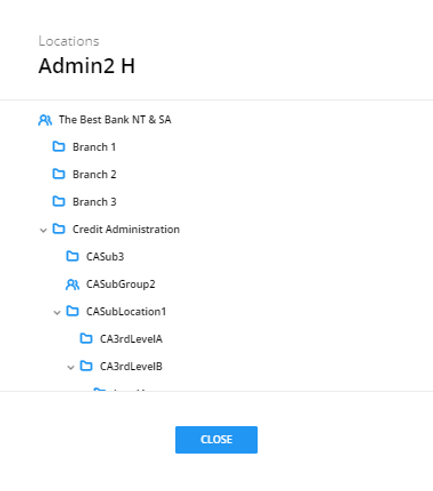
- Expand and collapse the locations to see all assignments.
 Note:
Note: refers to an available group.
 refers to an available location.
Note:Groups and locations only display in the tree view if the user has been assigned to groups and locations under a branch. Groups or locations not assigned to a user display in gray text.
refers to an available location.
Note:Groups and locations only display in the tree view if the user has been assigned to groups and locations under a branch. Groups or locations not assigned to a user display in gray text.
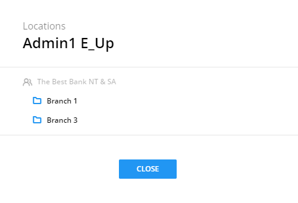
If a user is not assigned to a group or location in a branch, the entire branch structure will be hidden from the user’s view. In the example below, Credit Administration and all sub-locations are hidden for the user.