Sharing a Process Template with a Group or Location
In the Process Template grid, a user assigned the Manage Process Templates permission for CASH Workflow in Security Administration can share templates in a Ready state with one or more locations assigned to a user. This option allows sharing specific process templates with specific locations. If a template is not shared with a particular location, the users in that location will not be able to run processes against the template because the template will not be available when starting a Workflow process in the CASH Suite.
- On the Process Template grid in CASH Workflow, select
 next to a template and select
Share Options.
next to a template and select
Share Options. 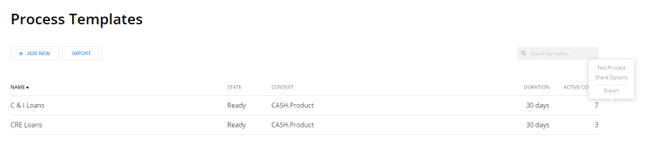
- Select the location(s) where you want to share the template.
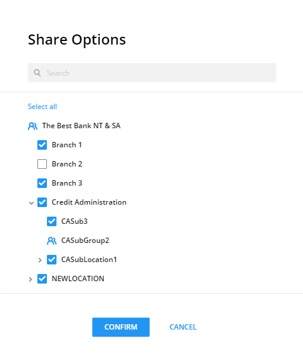 Note:Select Select all to select all locations. Select Deselect all to clear all locations.
 - Select Confirm.Note:After selecting Confirm, the template will be shared with all the selected locations and will available in CASH Suite for starting a CASH Workflow process.