Creating a Forms Setup Policy
The Forms Setup policy is an optional policy used to collect various form completion fields for data that does not typically vary from transaction to transaction for the same account product. Use the Forms Setup policy to help reduce some of the form data completion at transaction time. Depending on your organization's needs and preferences, you may find it useful to create one Forms Setup policy for each account product, or in some cases, you may find a single policy may serve multiple products of the same type.
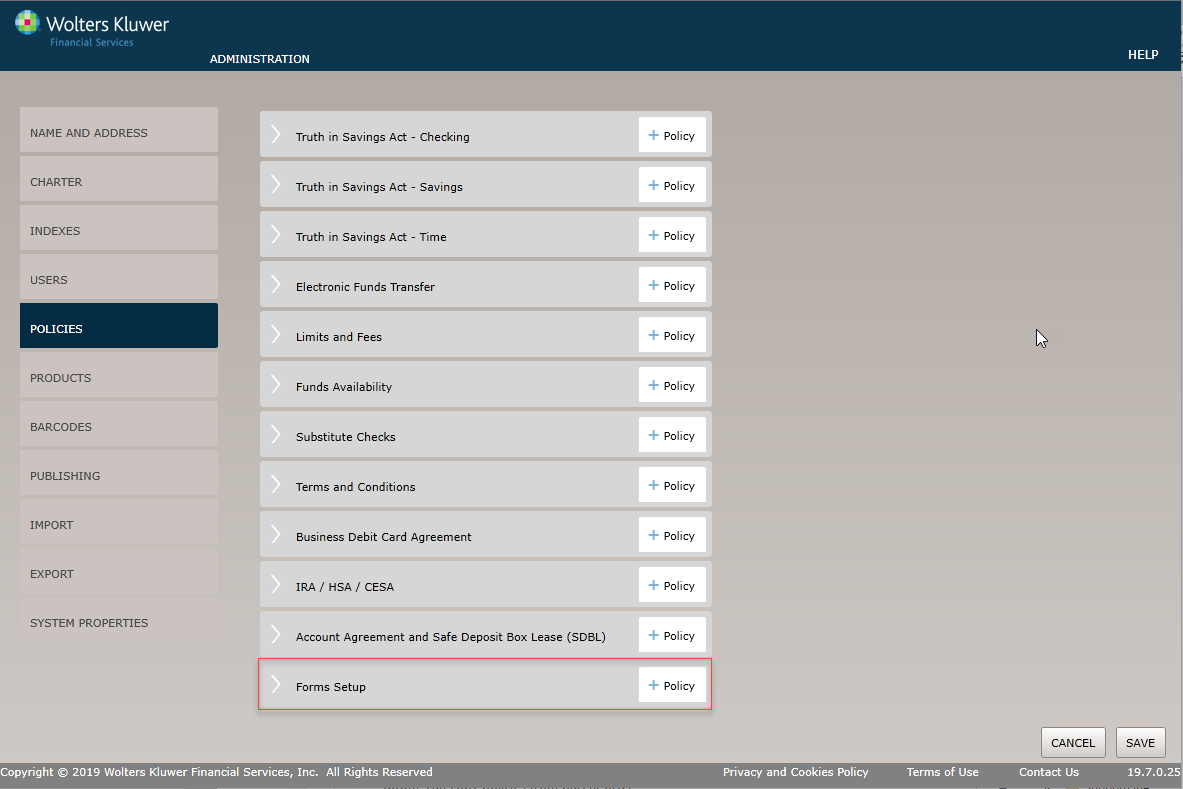
Select the Policies menu option and click the Policy button for the Forms Setup option.
Before You Begin: Saving Your Changes
Click the OK button at any time to save the policy information and make it available to OPPSA users; however, keep in mind that the policy will close and save the information when you click OK. You will have to go to the menu page and open the policy again to make additional changes.
Policy Name / Owner page
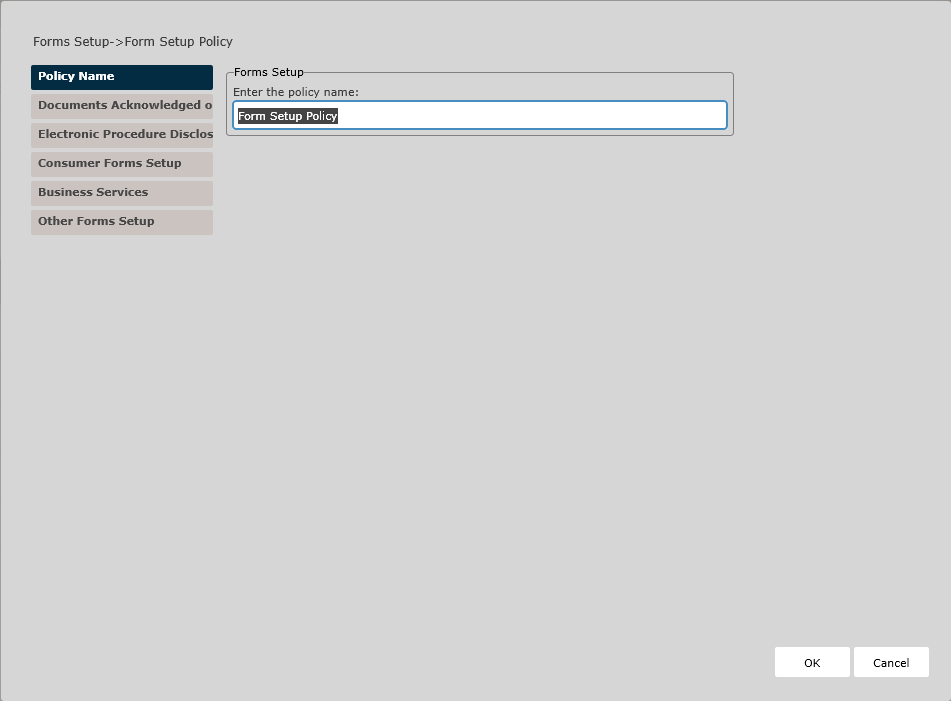
Enter the policy name. The Policy Name page appears by default. Complete this page and then click the Documents Acknowledged on Account Agreement option immediately under Policy Name to continue.
Documents Acknowledged on Account Agreement Page
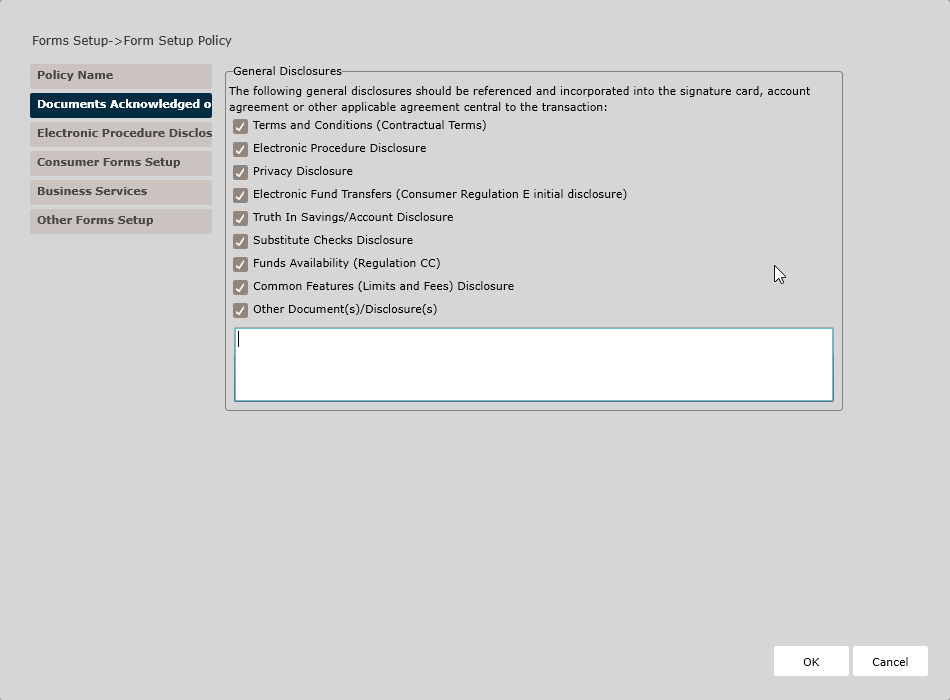
This page allows you to define a list of disclosures to print in the Signatures area of the Signature Card - specifically, the provision where the account holder acknowledges receipt and agrees to the terms of the various documents (including documents that are not signed themselves separately, such as the Truth In Savings, Funds Availability, Terms and Conditions, etc.).
Electronic Procedure Disclosure Page
Use this page to specify information regarding the Electronic Procedure Disclosure for any associated products that may be opened via electronic process (such as signature pad or online).
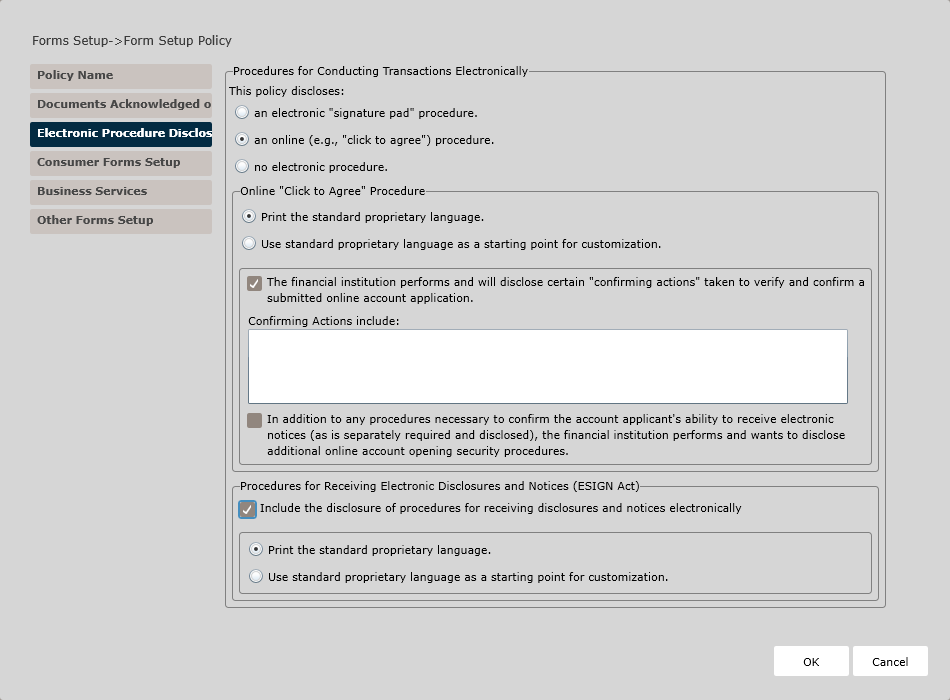
- an electronic "signature pad" procedure
- an online ("click to agree") procedure
- no electronic procedure
Electronic Procedure
If you selected electronic procedure,
- Choose your Signature Pad Procedure option:
- Print the standard proprietary language.
- Use standard proprietary language as a starting point for
customization.Note: Use the corresponding text field to customize the proprietary language.
- Choose your Procedures for Receiving Electronic Disclosures and Notices (ESIGN
Act) option:
- Indicate if you wish to include the disclosure of procedures for
receiving disclosures and notices electronically.
- When this option is selected, additional fields display allowing
you to specify proprietary language options. Choose one of the
following options for proprietary language:
- Print the standard proprietary language.
- Use standard proprietary language as a starting point
for customization.Note: Use the corresponding text field to customize the proprietary language.
- When this option is selected, additional fields display allowing
you to specify proprietary language options. Choose one of the
following options for proprietary language:
- Indicate if you wish to include the disclosure of procedures for
receiving disclosures and notices electronically.
Online Procedure
If you selected online procedure
- Choose your "Click to Agree" Procedure:
- Print the standard proprietary language.Note: When this option is selected, additional fields display allowing you to specify whether your organization performs and discloses certain confirming actions and additional security procedures. Check each box as applicable and use the corresponding text fields to enter additional information.
- Use standard proprietary language as a starting point for
customization.Note: Use the corresponding text field to customize the proprietary language.
- Print the standard proprietary language.
- Choose your Procedures for Receiving Electronic Disclosures and Notices (ESIGN
Act) option:
- Indicate if you wish to include the disclosure of procedures for
receiving disclosures and notices electronically.
- When this option is selected, additional fields display allowing
you to specify proprietary language options. Choose one of the
following options for proprietary language:
- Print the standard proprietary language.
- Use standard proprietary language as a starting point
for customization.Note: Use the corresponding text field to customize the proprietary language.
- When this option is selected, additional fields display allowing
you to specify proprietary language options. Choose one of the
following options for proprietary language:
- Indicate if you wish to include the disclosure of procedures for
receiving disclosures and notices electronically.
Consumer Forms Setup
Use this page to define policy information for consumer forms; specifically, the Automatic Transfer Authorization document.
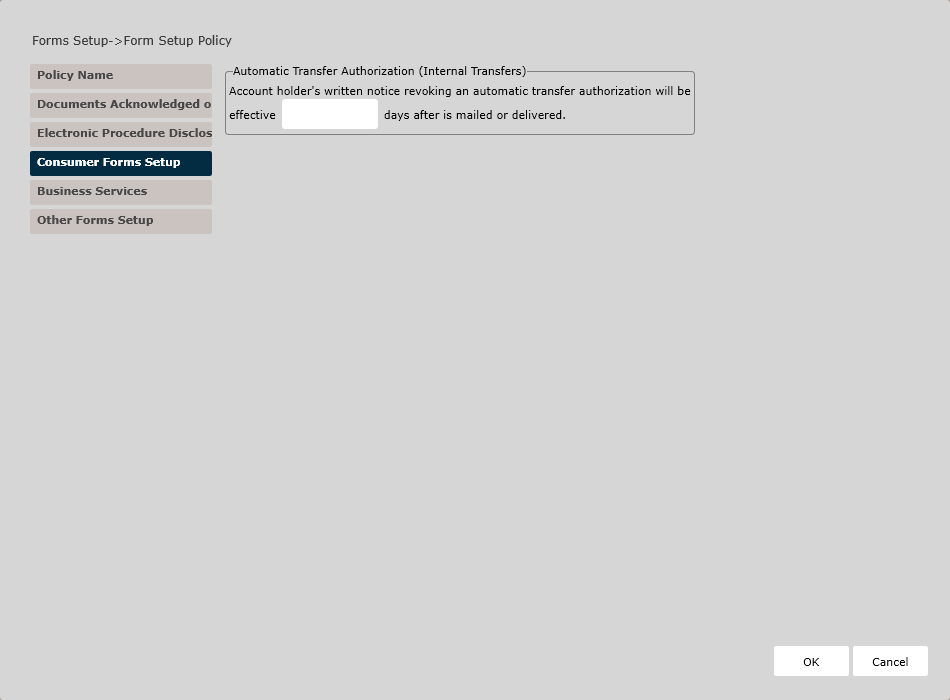
In the Automatic Transfer Authorization (Internal Transfers) section, enter the number of days after which an account holder's written notice revoking an automatic transfer authorization is effective.
Business Services
Use this page to preset various service-related features for the Night Deposit and Lockbox service agreements.
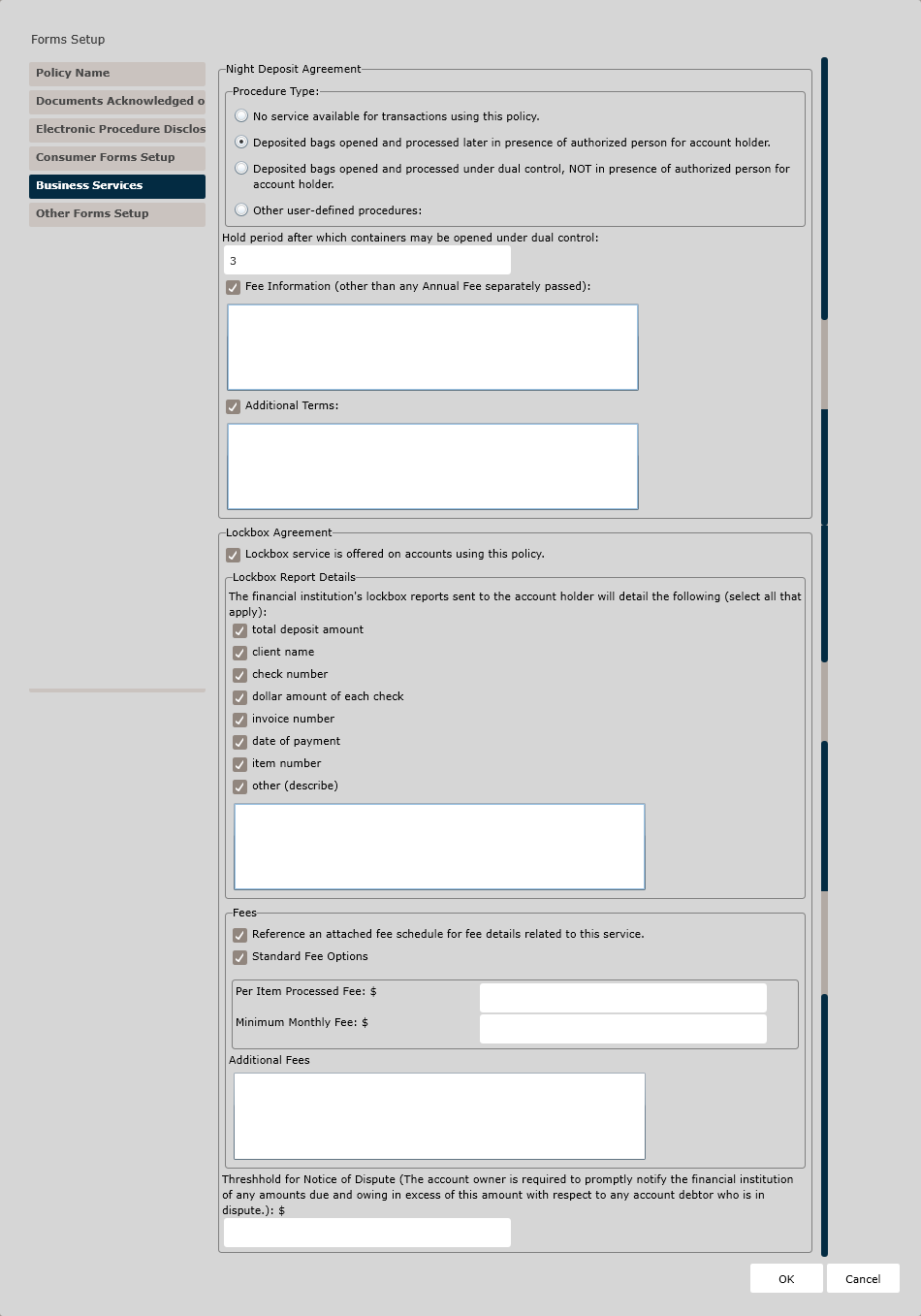
In the Night Deposit Agreement section, select a Procedure Type to use with this policy:
- No service available for transactions using this policy.
- Deposited bags opened and processed later in presence of authorized person for
account holder. If this option is selected, complete the following fields:
- The number of business days in the hold period (after which containers may be opened under dual control).
- Fee Information.Note: If you wish to specify fee information other than any Annual Fee separately passed, use the corresponding text field to describe those fees.
- Additional TermsNote: If you wish to include any additional terms, describe those terms in the corresponding text field.
- Deposited bags opened and processed under dual control, NOT in the presence of
authorized person for account holder. If this option is selected, complete the
following fields:
- Financial institution opts to collect a signature sample of authorized persons on the service agreement. Check this box to collect signatures of authorized persons in addition to the usual contractual signatures, even if the authorized persons' signatures are not necessarily required in processing.
- Cutoff time. Use this field to indicate the time of day after which a
night deposit will not be processed until the following business day.
Note: Enter the cutoff time in the corresponding text field.
- Fee Information.Note: If you wish to specify fee information other than any Annual Fee separately passed, use the corresponding text field to describe those fees.
- Additional TermsNote: If you wish to include any additional terms, describe those terms in the corresponding text field.
- Other user-defined procedures.Note: If selecting Other user-defined procedures, describe those procedures in the corresponding text field.
- Financial institution opts to collect a signature sample of authorized persons on the service agreement. Check this box to collect signatures of authorized persons in addition to the usual contractual signatures, even if the authorized persons' signatures are not necessarily required in processing.
- Fee Information.Note: If you wish to specify fee information other than any Annual Fee separately passed, use the corresponding text field to describe those fees.
- Additional TermsNote: If you wish to include any additional terms, describe those terms in the corresponding text field.
In the Lockbox Agreement section, check the Lockbox service is offered on accounts using this policy checkbox to indicate whether lockbox service is offered on accounts using this policy.
- total deposit amount
- client name
- check number
- dollar amount of each check
- invoice number
- date of payment
- item number
- otherNote: If selecting Other, describe those other details in the corresponding text field.
- Reference an attached fee schedule for fee details related to this service
- Standard Fee OptionsNote: If you select Standard Fee Options, specify the following fee amounts in the corresponding text fields:
- Per Item Processed Fee $
- Minimum Monthly Fee $
Use the Additional Fees text box to describe any additional fees related to the Lockbox for accounts using this policy.
Enter the Threshold for Notice of Dispute amount. The account owner is required to promptly notify the financial institution of any amounts due and owing in excess of this amount with respect to any account debtor who is in dispute.
Other Forms Setup Page
Use this page to preset policy-specific options on the Certification of Beneficial Owners document, to allow the actual ownership percentages of each beneficial owner to print on the document (where the institution opts to do so) or to include additional discretionary information on the model form.
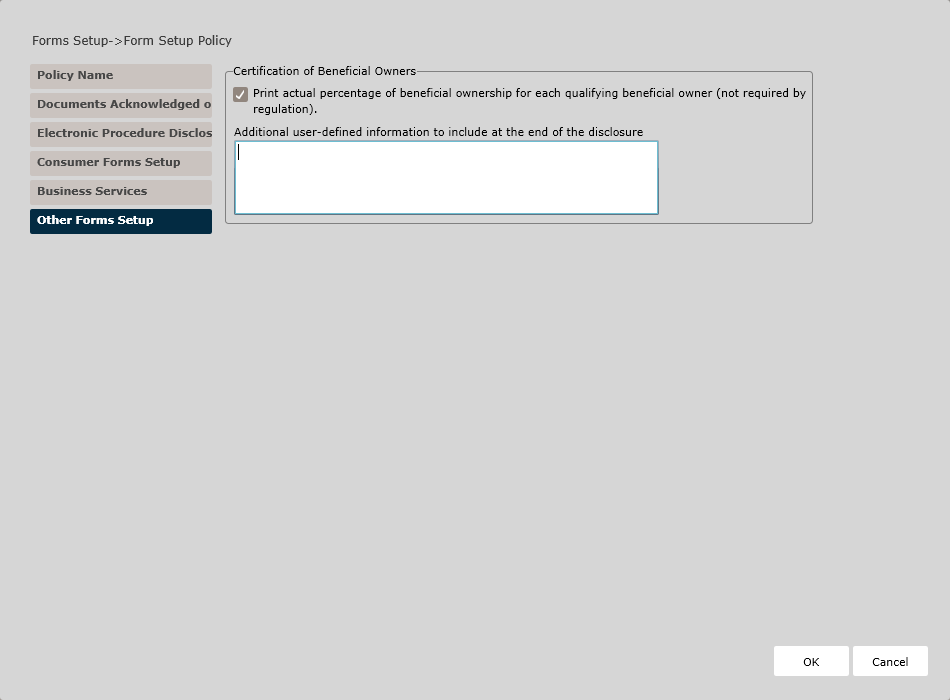
In the Certification of Beneficial Owners section, indicate if you wish to print the actual percentage of beneficial ownership. Use the text box to add additional user-defined information to the disclosure.
How Do I View and Manage the New Policy?
For information on displaying, editing, copying, or deleting policies, see Creating and Managing Policies.