Creating a Privacy Notice Policy
The Privacy Notice policy is a policy used to collect the data necessary to create a privacy notice. This privacy notice should be used if the safe harbor under 12 C.F.R. Section 1016 (Regulation P) is desired. To obtain the safe harbor, this model privacy notice must be given to (1) an individual who becomes your customer, no later than when the financial institution establishes a customer relationship with the individual; (2) a consumer, before the financial institution discloses any nonpublic personal information about the consumer to any nonaffiliated third party (unless the financial institution only discloses nonpublic personal information about the consumer to a nonaffiliated third party authorized under 12 C.F.R. Sections 1016.14 and .15). If a privacy policy is configured with an OPPSA product a privacy notice will be generated with the transaction. If this policy is not configured with a product the privacy notice will not generate in the transaction.
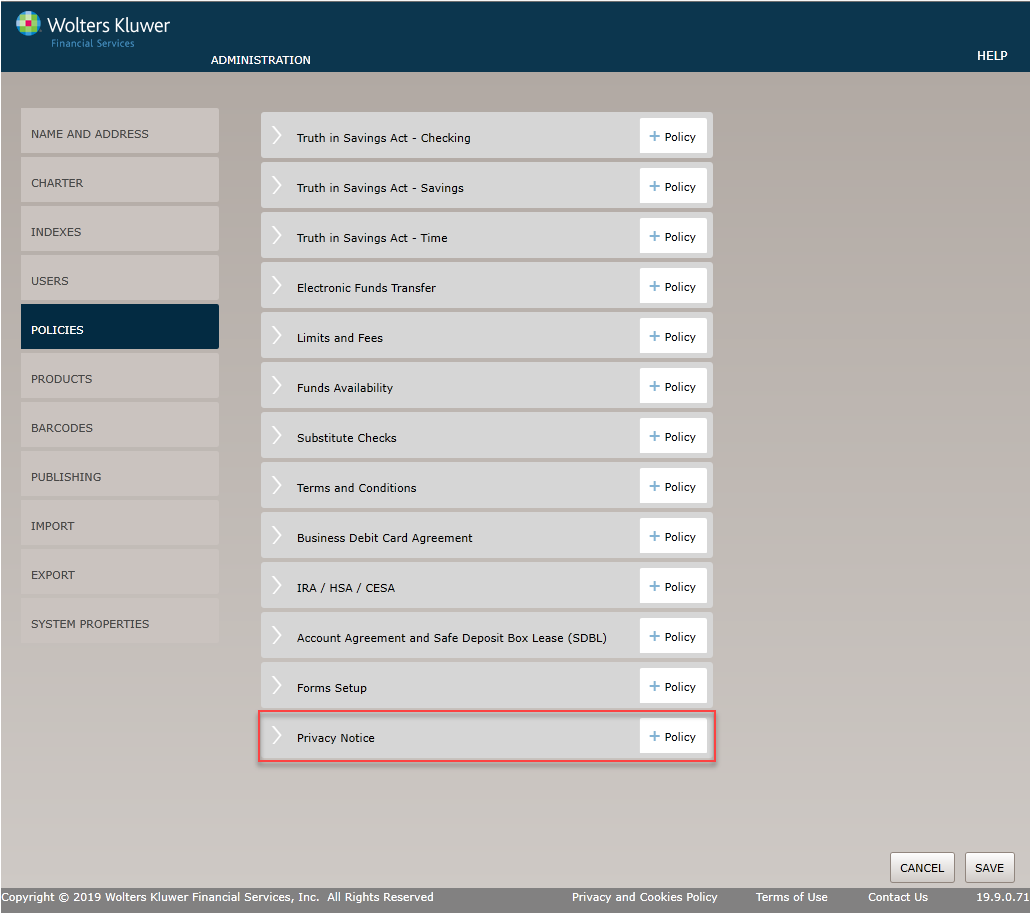
Select the Policies menu options and click the Policy button for the Privacy Notice option.
Before You Begin: Saving Your Changes
Click the OK button at any time to save the policy information and make it available to OPPSA users; however, keep in mind that the policy will close and save the information when you click OK. You will have to go to the menu page and open the policy again to make additional changes.
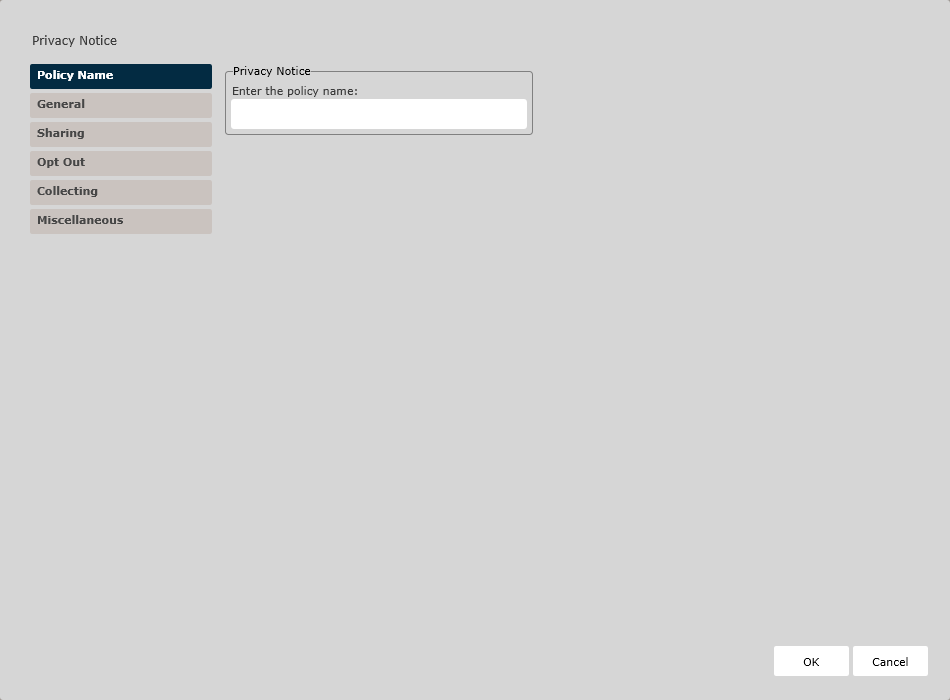
Policy Name/Owner Page
Enter the policy name. The Policy Name Page appears by default. Complete this page and then click the General option immediately under Policy Name to continue.
General Page
This page allows you to define general policy information, including which name to use on the document, whether to include a signature line, and to specify a revision date format.
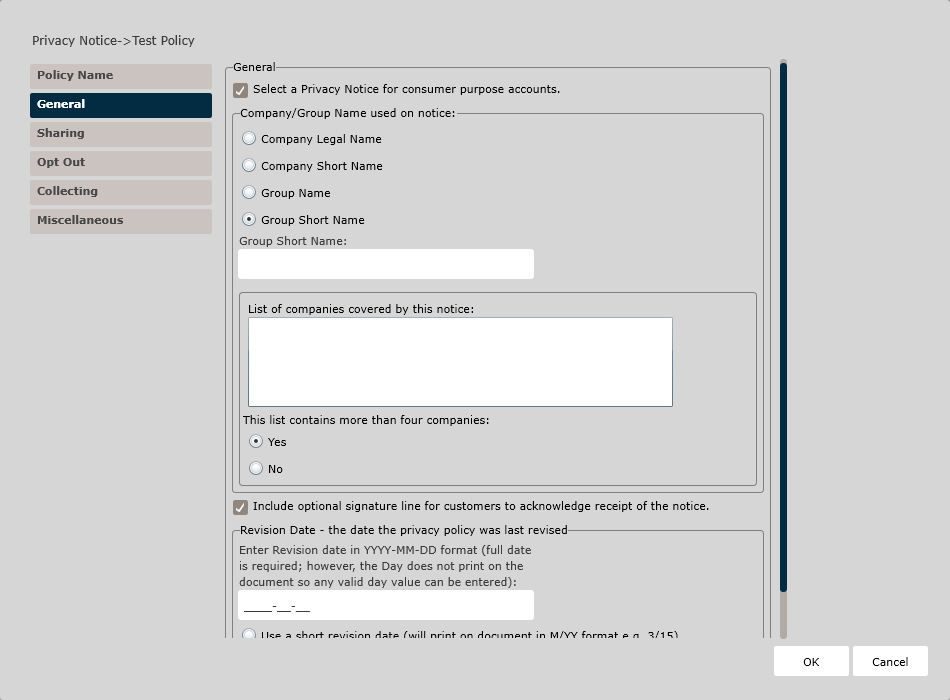
- If a Privacy Notice is selected, use the Company/Group Name used on notice
section to designate which of the following organization names to use on the
privacy notice:
- Company Legal Name
- Company Short Name
- Group Name
- If Group Name is selected, enter a Group Name into the corresponding textbox and enter a list of companies covered by the notice. Then, use the Yes/No options to indicate whether the list contains more than four companies.
- Group Short Name
- If Group Short Name is selected, enter a Group Short Name into the corresponding textbox and enter a list of companies covered by the notice. Then, use the Yes/No options to indicate whether the list contains more than four companies.
- To include an optional signature line for customer to acknowledge receipt of the notice, check the Include optional signature line... checkbox.
- Specify a Revision Date for when the privacy policy was last revised
- Enter a revision date in YYYY-MM-DD format. The full date is required but the date does not print on the document.
- Specify which revision date format to use on the document:
- Short revision date (MM/YY format, such as 03/15)
- Full revision date (Month/Year format, such as March 2015)
Sharing Page
This page allows you to define information on how your organization may share customer information.
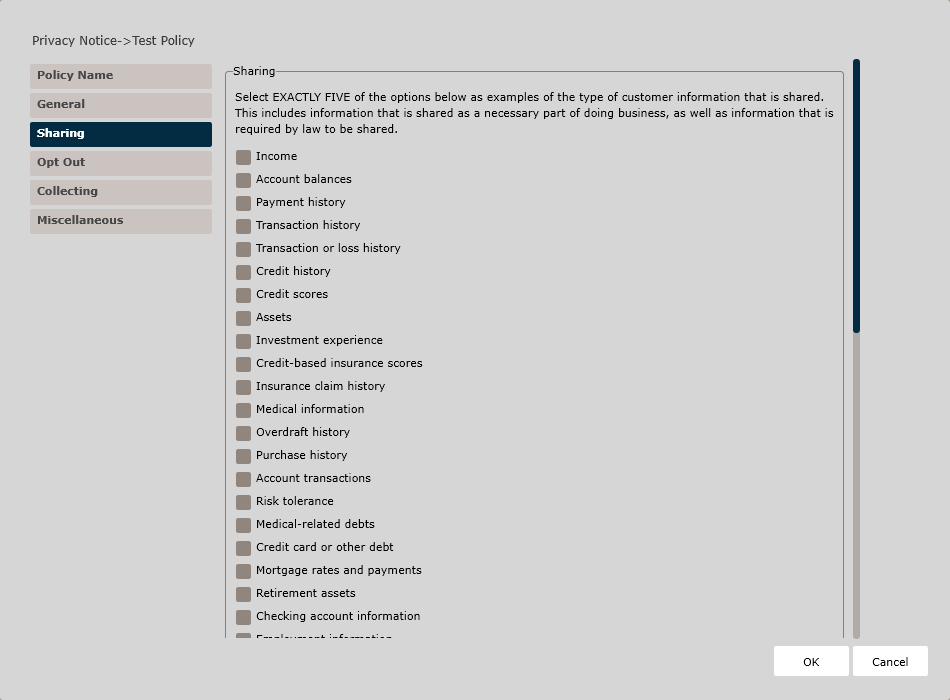
In the Sharing section, check five of the available options as examples of the type of customer information that may be shared, including information shared as a necessary part of doing business and information that is required by law to be shared.
Then, choose Yes or No for each of the following options to indicate whether your organization shares information in any of these circumstances:
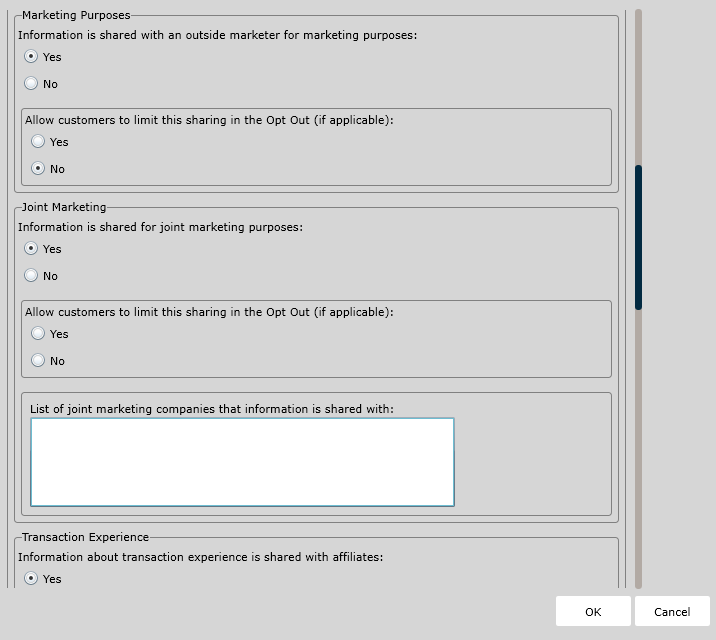
- Marketing Purposes - indicate if any information is shared with an outside
marketer for marketing purposes.
- If you select Yes, then you must also indicate whether you allow customers to limit this sharing in the Opt Out (if applicable).
- Joint Marketing - indicate if any information is shared for joint marketing
purposes.
- If you select Yes, then you must also indicate whether you allow customers to limit this sharing in the Opt Out (if applicable).
- Additionally, if you select Yes, use the textbox to enter a list of joint marketing companies that the information is shared with.
- Transaction Experience - indicate if any information related to transaction
experience is shared with affiliates.
- If you select Yes, then you must also indicate whether you allow customers to limit this sharing in the Opt Out (if applicable).
- Creditworthiness - indicate if any information about creditworthiness is shared with affiliates.
- Affiliates - indicate if your organization has affiliates.
- If you select Yes, indicate whether or not data is shared with affiliates.
- If data is shared with affiliates, provide the following information
within the corresponding textboxes:
- The names of the affiliate companies that the organization shares with that have a common name or corporate identity.
- The names of the affiliate financial companies that the organization shares with that do not have a common name or corporate identity.
- The names of the affiliate non-financial companies that the organization shares with.
- The names of the affiliate other companies that the organization shares with.
- Non-Affiliates - indicate if data is shared with non-affiliates - companies
not related by common ownership or control.
- If you select Yes, provide a list of non-affiliate companies data is shared with in the corresponding textbox.
Opt Out Page
This page allows you to define information on how your organization defines Opt Out information for your customers.
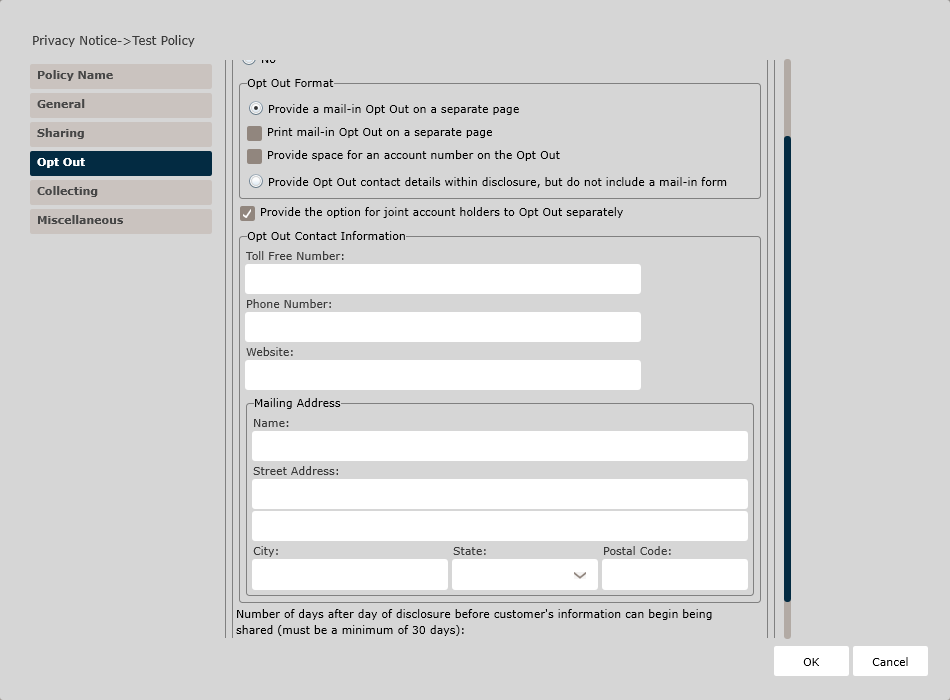
In the Opt Out section, indicate whether this policy should provide customers with the ability to Opt Out by selecting either Yes or No.
- Provide a mail-in Opt Out on a separate page. If selected, indicate which of
the following apply:
- Print mail-in Opt Out on a separate page.
- Provide space for an account number on the mail-in Opt Out.
- Provide Opt Out contact details within disclosure, but do not include a mail-in form.
Then indicate if you wish to provide the option for joint account holder to Opt Out separately.
- Toll Free Number
- Phone Number
- Website
- Mailing Address
Finally, specify the number of days after the day of disclosure before the customer's information can begin to be shared. A minimum of 30 days is required.
Collecting Page
This page allows you to define the sources of customer information that is collected.
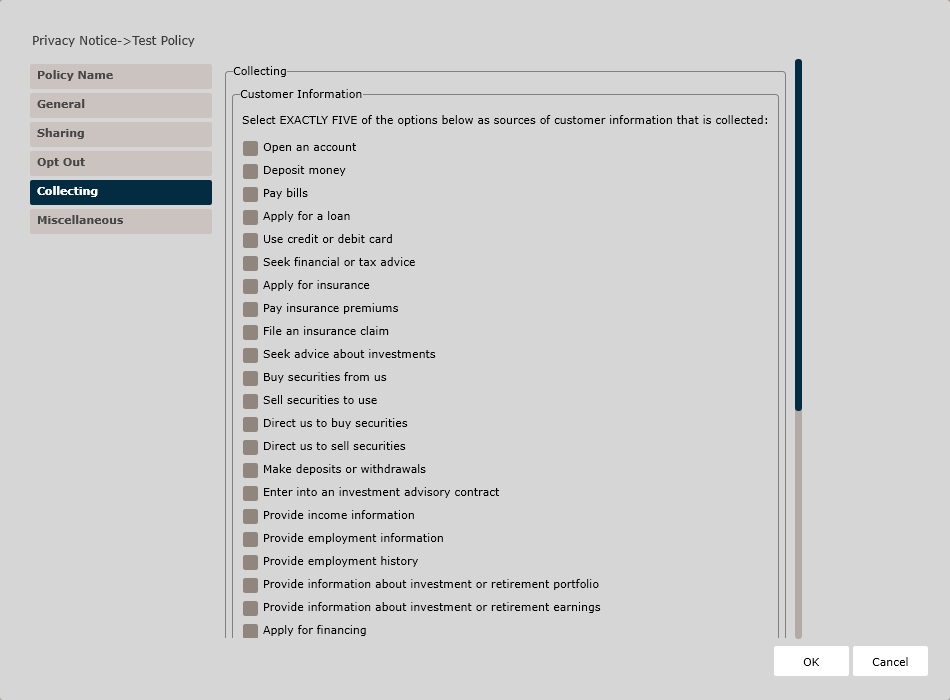
In the Customer Information section, check five of the available options as examples of the type of sources of customer information that may be used.
- Information is collected from credit bureaus and/or affiliates.
- Information is collected from other companies.
Miscellaneous Page
This page allows you to define additional miscellaneous information relevant to the privacy policy.
- Reference to State Limitations (depending on your state)
- Other Important Information
- California Information (limited to California)
- Safeguard Language
Check the Include a reference to state limitations in the main disclosure... checkbox, if necessary. This field applies only to the following states: Alaska, California, Illinois, Massachusetts, Maryland, Mississippi, North Dakota, New Jersey, Texas, and Vermont.
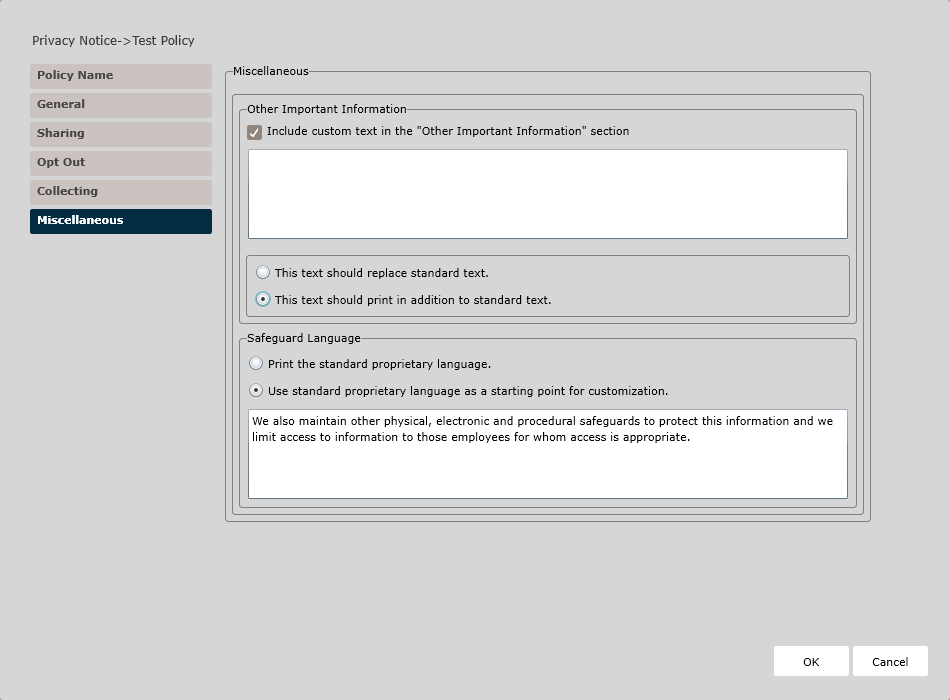
In the Other Important Information section, use the Include custom text in the "Other Important Information" section checkbox to indicate you wish to include custom Other Important Information text.
- Enter the custom text in the corresponding text box. Then indicate:
- Whether this text should replace the standard text, or
- Whether this text should print in addition to the standard text.
In the California section (if the organization is chartered within California), check the Include reference to online privacy policy, if necessary. If checked, include the online address in the corresponding text field below.
- Print the standard proprietary language, or
- Use the standard proprietary language as a starting point for
customization.
- If selected, use the corresponding text box to customize the safeguard language.