Creating a Policy
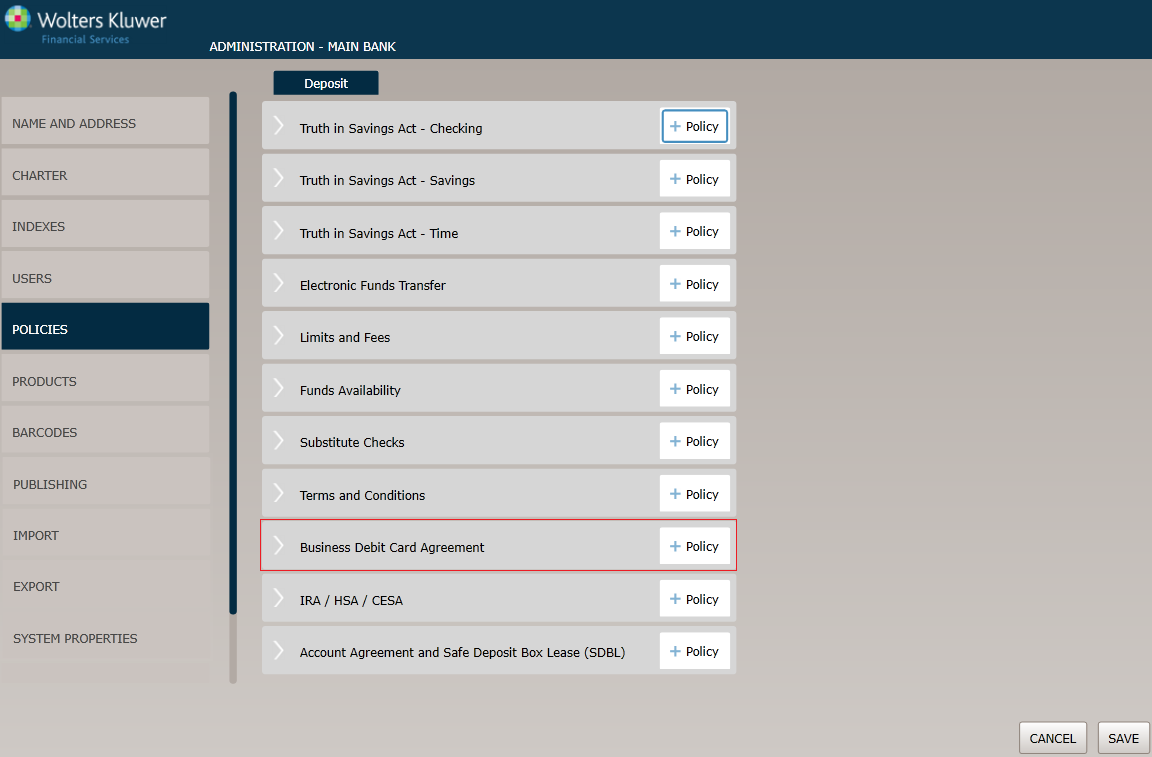
Before You Begin: Saving Your Changes
Click the OK button at any time to save the policy information and make it available to OPPSA users; however, keep in mind that the policy will close and save the information when you click OK. You will have to go to the menu page and open the policy again to make additional changes.
Policy Name / Owner page
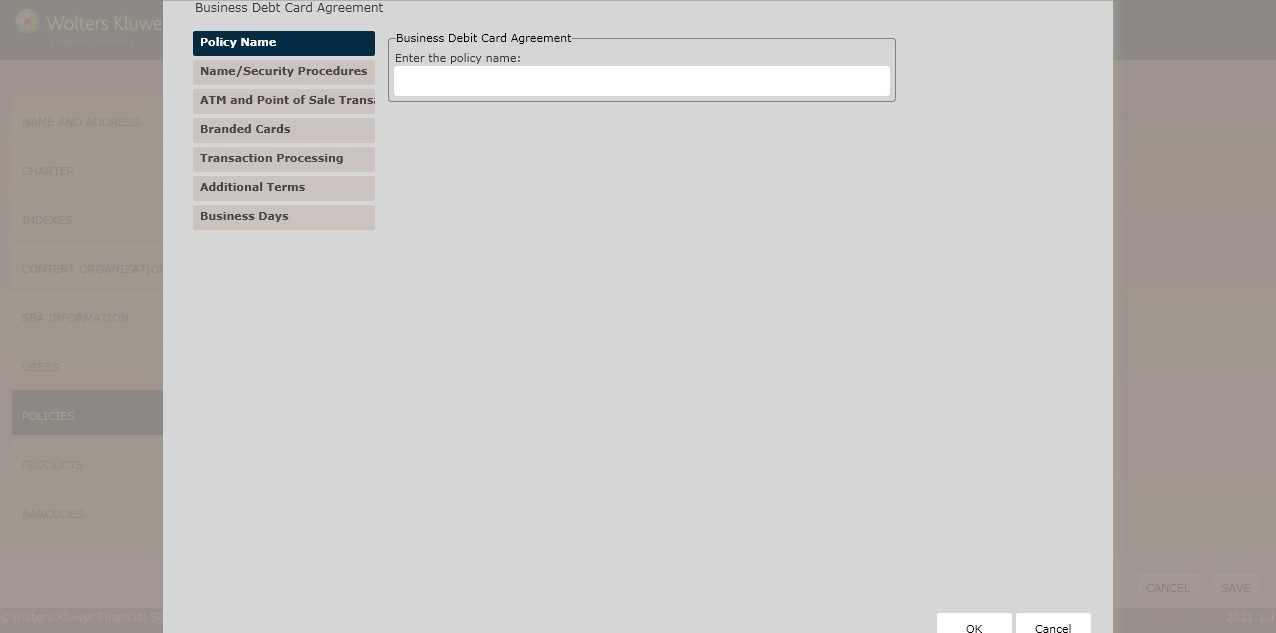
Business Debit Card Agreement
In the Enter the policy name field, enter the name of the new policy.
Name/Security Procedures page
The Name/Security Procedures page is used for the following:
- Naming cards
- Associating account types with cards
- Assigning transactions
- Creating security procedures
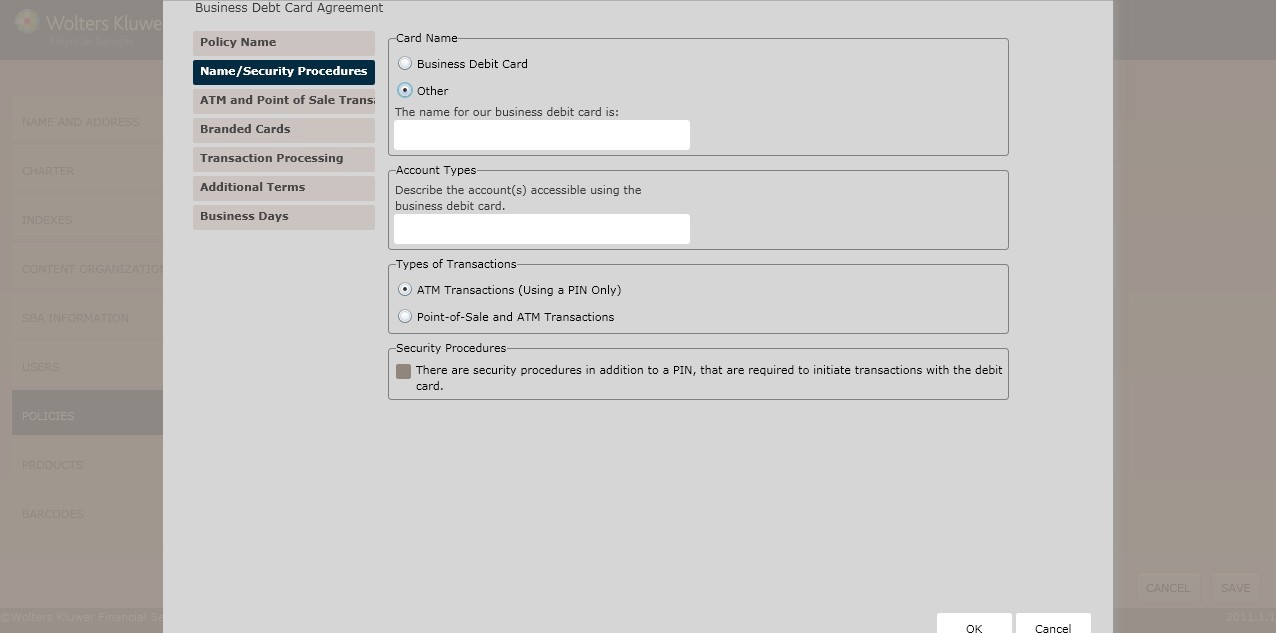
Card Name
In the Card Name section, select one of the following card types:
- Business Debit Card (default)
- Other
Account Types
In the Account Types section, describe the account(s) accessible using the business debit card in the corresponding text box.
Types of Transactions
Determine the Types of Transaction by selecting one of the following:
- ATM Transactions (Using a PIN Only) (*default)
- Point-of-Sale and ATM Transactions
- Other Transactions (e.g. Phone, Internet)
Security Procedures
To establish any Security Procedures, click the There are security procedures in addition to a PIN, that are required to initiate transactions with the debit card checkbox; select one of the following:
- As provided in a separate funds transfer agreement
- Other
ATM/Point-of-Sale Transactions page
This page allows users to configure the following transaction types:
- ATM Card Transactions - The options on this page are intended to cover types of transfers specific to a card that can be used exclusively at ATMs (no point of sale). For any card that allows point-of-sale transactions in addition to ATM transfers, the POS Card Transaction page should be used. That page collects all transfer types related to the POS card, including both point-of-sale transfer types as well as ATM access options similar to those listed here for cards with ATM access only.
- Point-of-Sale Transactions - The options on this page are intended to cover all of the types of transfers that can be performed with the point-of-sale/debit card, including both ATM transfers and point-of-sale.
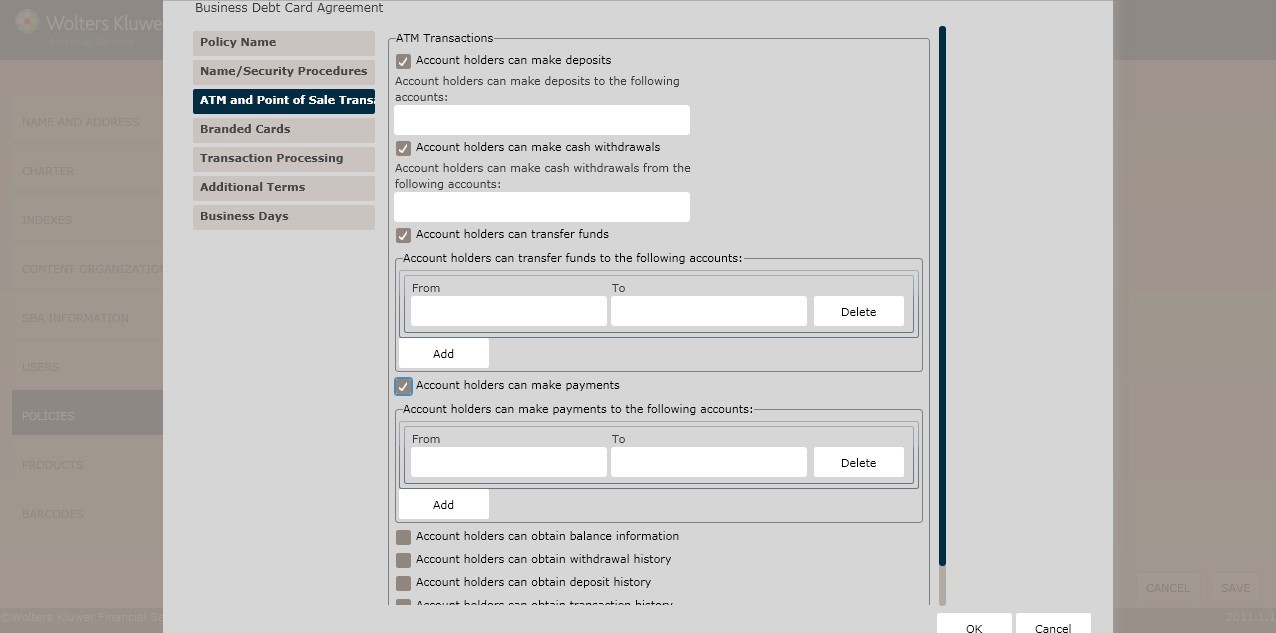
ATM Transactions
To allow account holders to make deposits,click the Account holders can make depositscheckbox; designate the accounts for the deposits in the Account holders can make deposits in the following accounts field.
To allow account holders to make cash withdrawals, click the Account holders can make cash withdrawals checkbox; designate the accounts for withdrawals in the Account holders can make cash withdrawals from the following accounts field.
To allow account holders to transfer funds, click the Account holders can transfer funds checkbox; determine the accounts to transfer From and To in the corresponding fields.
- Click Add Additional Accounts to add additional From and Tofields.
- To delete a desired From and To field, place the cursor in the desired field; click Delete. To allow account holders to make payments, click the Account Holders can make payments checkbox; determine the accounts to make payments Fromand Toin the corresponding fields.
- Click Add Additional Accounts to add additional From and To fields.
- To delete a desired From and To field, place the cursor in the desired field; click Delete.
To allow account holders to obtain balance information, click the Account holders can obtain balance information checkbox; determine the accounts to obtain balance information in the Account holders can obtain balance information about the following accounts field.
To allow account holders to obtain withdrawal history, click the Account holders can obtain withdrawal history; determine the accounts to obtain withdrawal history in the Account holders can obtain withdrawal history about the following accounts field.
To allow account holders to obtain deposit history, click the Account holders can obtain deposit history checkbox; determine the accounts to obtain deposit history in the Account holders can obtain deposit history about the following accounts field.
To allow account holders to obtain transaction history,click the Account holders can obtain transaction historycheckbox; determine the accounts to obtain transaction history in the Account holders can obtain transaction history about the following accounts field.
To allow account holders to make other ATM transactions, click the Other transactions at ATM checkbox; this option allows users to include transactions types and accounts that may have been accessed as well as any special condition related to this type of transfer.
Note: If clicking the Other transactions at ATMsc heckbox;Describe additional ATM transaction type(s) in the corresponding text box. Include the transaction type(s) as well as accounts that may be accessed any other special conditions relating to this type of transfer. Fees and dollar or frequency limitations should be described in the user’s limits and fees policy.
POS Transactions
Enter the types of accounts that can be accessible in the corresponding text box. Determine the types of point-of-sale transactions that can be with the POS card; select one of the following:
- Purchase Goods; select any (or all) of the following:
- In Person
- By Phone
- Online (internet)
- Pay For Services
- In Person
- By Phone
- Online (internet)
- Get cash from a participating merchant or financial institution
- Other Point-of-Sale transaction; describe any additional types of point-of-sale transactions that apply in the corresponding text box.
Branded Cards page
This page allows users to determine regulatory language for the following:
- Point-of-sale Card Brands
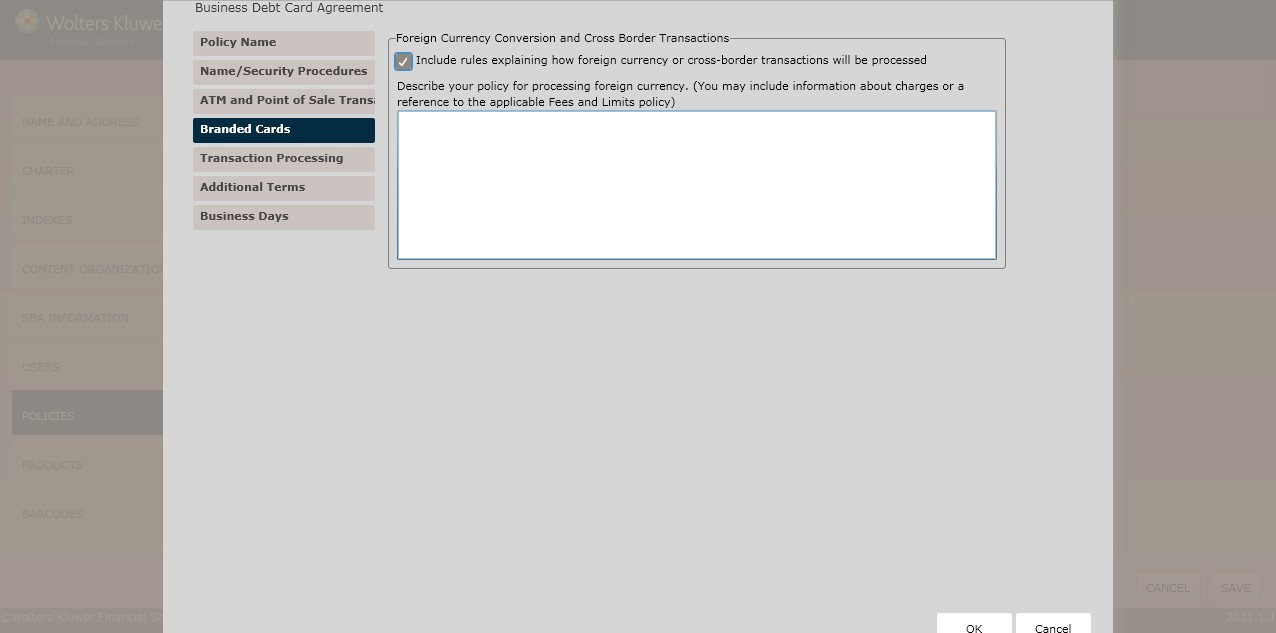
- Foreign Currency Conversion and Cross Border Transactions
- Advisory Against Illegal Use
Point-of-Sale Card Brand
Select one of the following point-of-sale card brands:
- Master Card
- Visa
- Neither Master Card nor Visa
Foreign Currency Conversion and Cross Border Transactions
To include foreign currency or cross border transaction processing rules, click the Include rules explaining how foreign currency or cross-border transactions will be processed checkbox.
Describe your policy in the corresponding checkbox.
Advisory Against Illegal Use
If necessary, select the Include a statement advising card holders against the use of the card illegal transactions checkbox. Enter your policy in the corresponding text box.
Transaction Processing page
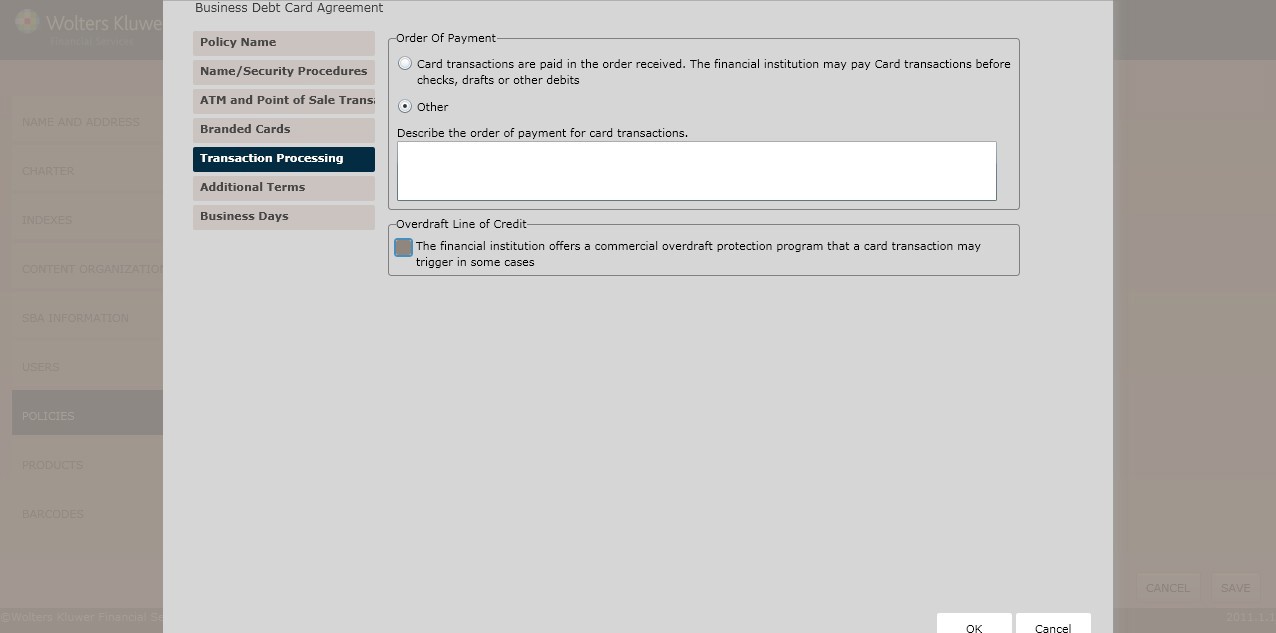
The Transaction Processing page allows users to configure the following rules:
- Minimum Account Balance
- Order of Payment
- Stop Payment
- Overdraft Line of Credit
Minimum Account Balance
If applicable, select the We require account holders to maintain balance as a condition of using the card (other than adequate funds) checkbox. Enter the amount in the Minimum Balance Account textbox.
- Describe the types of account(s) for which a minimum balance must maintained in the corresponding textbox.
Order of Payment
Select one of the following to determine the Order of Payment:
- Card Transactions are paid in the order received. The financial institution may pay the Card transactions before checks,drafts, or other debits.(*default)
- Other
Stop Payment
If applicable, select the Include a paragraph describing the practical limitations involved when stopping payment on Card transactions checkbox.
- If necessary, select the In the event a stop payment is receivedin time to act on it, the stop payment order must precisely identify the date,time, location, and dollar amount checkbox.
- If applicable, select The financial institution will not accept stop payment requests checkbox.
Overdraft Line of Credit
- In the Overdraft Line of Credit section, you may choose to allow a financial institution to offer a commercial overdraft protection program that a card transaction may trigger.
Additional Terms page
The Additional Terms page allows users to configure the following:
- Termination methods
- Reg. D Transaction Limitations
- Transaction Limitations
- Periodic Statement schedules
- Additional Terms
- Liability for Unauthorized Transactions
- Terminal Transactions
- Point-of-Sale Reversal
- Regulatory Authority
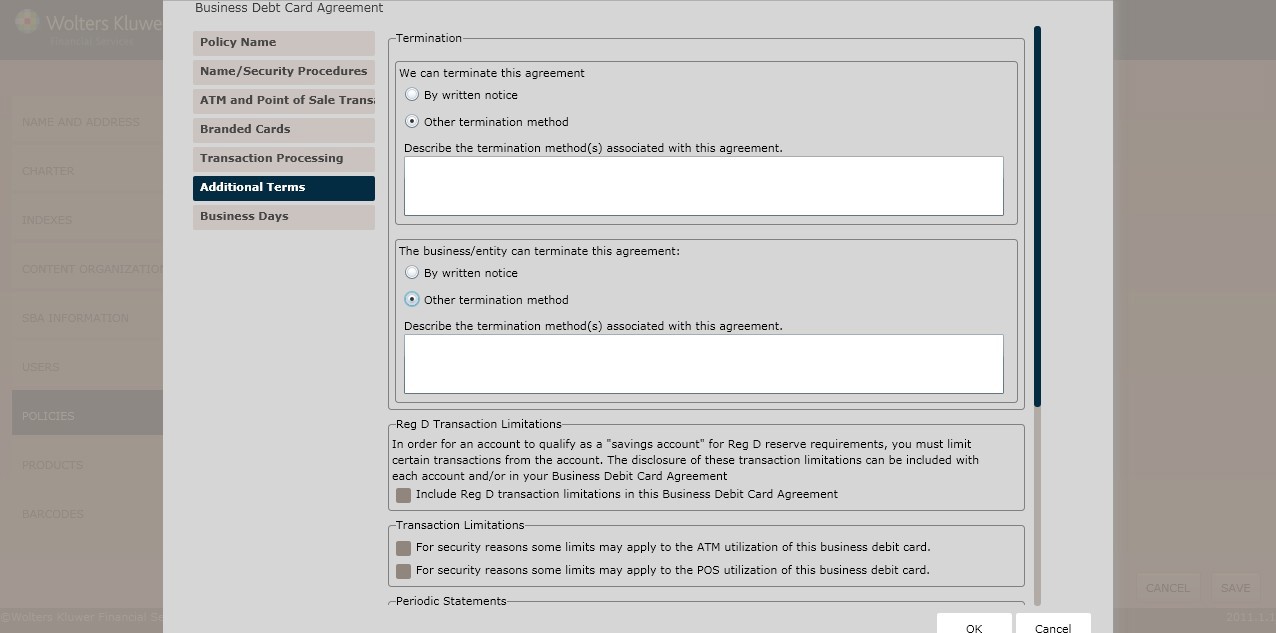
Termination
In the Termination field, determine the termination parameters by selecting one of the following:
- By written notice (*default)
- Other termination notice
Determine how a business or entity can terminate this agreement by selecting one of the following:
- By written notice (*default)
- Other termination method
Reg. D Transaction Limitations
To include Reg. D transaction limitations, select the Include Reg. D transaction limitations in this Business Debit Card Agreement checkbox.
- In the corresponding textbox,enter any additional limitations that apply in the corresponding textbox.
- In the corresponding textbox,enter your transaction limitations policy as it should appear in your Reg. E disclosure.
Transaction Limitations
To establish any Transaction Limitations, select either of the following:
- For security reasons some limits may apply to the ATM utilization of this business debit card.
- For security reasons some limits may apply to the POS utilization of this business debit card.
Periodic Statements
To send monthly statements to certain accounts but, click the Monthly statements are sent for the following accounts checkbox. Enter the Account(s) in the corresponding textbox.
To send monthly statements if a card transaction occurred in the past month when statements are sent quarterly, click the Monthly statements are sent if Card transaction occurred in the past month, otherwise Quarterly statements are sent for the following accounts checkbox. Enter the Account(s) in the corresponding textbox.
To send monthly statements if a card transaction occurred in the past month when statements are sent annually,click the Monthly statements are sent if Card checkbox. Enter the Account(s)in the corresponding textbox.
To describe a specific periodic statement schedule, click Other; enter the periodic statement schedule and applicable accounts in the corresponding textbox.
Additional Terms
To enter any Additional Terms, click the There are additional terms that are not disclosed elsewhere checkbox. Enter the additional terms in the corresponding textbox.
Liability for Unauthorized Transactions
In the Liability for Unauthorized Transactions section, select one of the following:
- Print Standard terms for unauthorized transactions based on the assumption that UCC Article 4a may apply option. NOTE: If you’ve indicated that the card is branded,the standard terms will also include our understanding of VISA and MasterCard’s rules regarding additional limits on liability.
- Provide standard terms for unauthorized transactions as a basis for customization.
Terminal Transactions – Minnesota Only
Enter the time needed to complete terminal transactions by selecting one of the following:
- Withdrawals will normally be completed
- Enter the date for withdrawals in the corresponding textbox.
- Deposits will normally be completed
- Enter the date for deposits in the corresponding textbox.
- Transfers between accounts will normally be completed
- Enter the date for transfers in the corresponding textbox.
- Payments will be completed by:
- Enter the date for payments in the corresponding textbox.
Point-of-Sale Reversal – Minnesota Only
Select one of the following:
- Yes, a point-of-sale transaction can be reversed by
- Enter the date of the reversal in the corresponding textbox.
- No, a point-of-sale transaction cannot be reversed.
Regulatory Authority – Michigan Only
Complete the following fields:
- State Regulator
- Address
- City
- State
- Postal Code
- Federal Regulator
- Address
- State
- Postal Code
Enter the following information:
- Institution Name
- Address
- Address2(if necessary)
- City
- State
- Postal Code
- Phone Number
- Alternate Phone Number (if necessary)
Financial Institution Contact/Business Days page
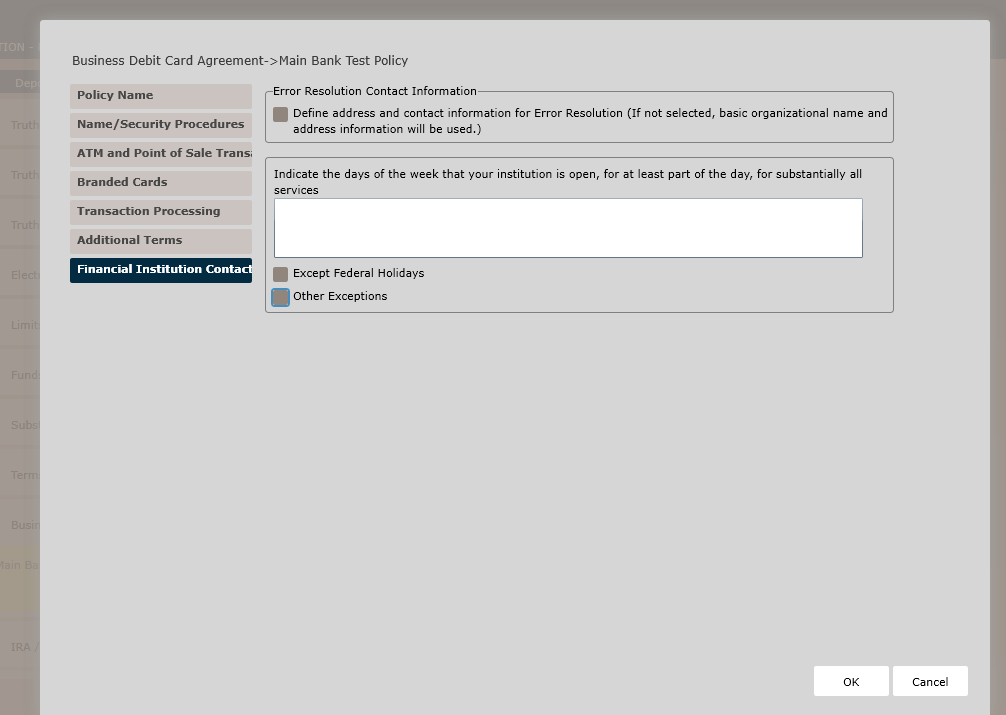
Error Resolution Contact Information
Select this checkbox to define an address and contact information for Error Resolution (If not selected, basic organizations and address information will be used) and populate text fields below:
- Institution Name
- Contact Information – e.g., ATTN: EFT Dept.
- Address
- City
- State
- Postal Code
140
- Phone Number / Purpose or Usage Specifics
- Alternate Phone Number/ Purpose or Usage Specifics
- Additional Alternate Phone Number / Purpose or Usage Specifics
- Email (optional)
Business days (according to Regulation E) are those days you are open for substantially all of your functions. Unlike the funds availability regulation (Reg CC), Saturdays and Sundays could constitute business days under Reg E if all departments are open for some period of time.
- Indicate the days of the week that your institution is open, for at least part of the day, for substantially all services in the corresponding textbox.
- Select the following to determine any exceptions:
- Except Federal Holidays
- Other Exceptions
- If selecting Other Exceptions, Describe any additional holidays that you are closed on, or list exceptions to Federal Holidays in the corresponding textbox.
- Click OK to complete the Business Debit Card Agreement policy creation process. The policy is now available to OPPSA users.
How Do I View and Manage the New Policy?
For information on displaying, editing,copying or deleting policies, see Creating and Managing Policies.