How do I enter demographics in the Parties section?
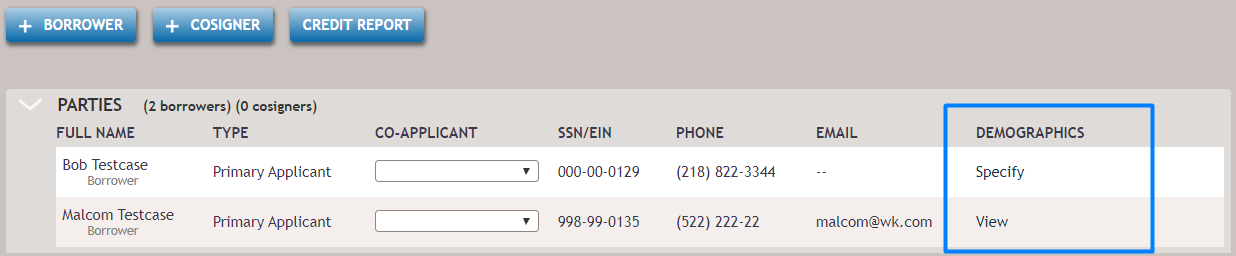
After a party is added, the 'Specify' link displays in the Demographics column. After selecting the link, the Demographics dialog box displays. Update any fields and select Save. The link name will change to 'View' to indicate this information has been modified. Select View to update or review the selected demographic information.