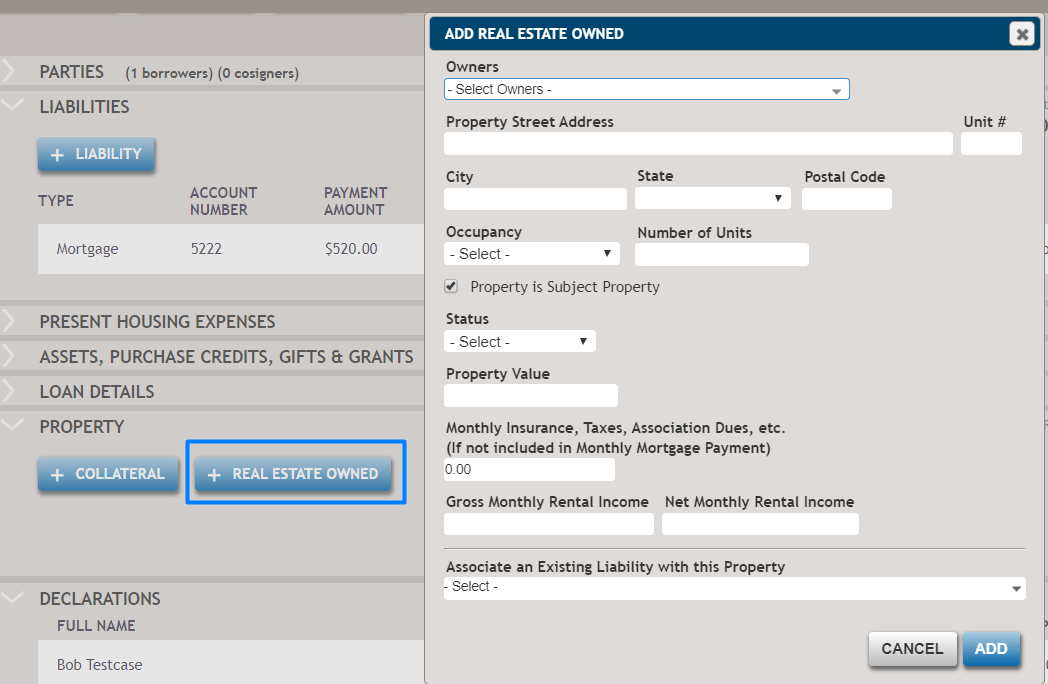
How do I add a Real Estate Owned Collateral?
To add a Real Estate Owned collateral, select +Real Estate Owned to display the Add Real Estate Owned dialog box where you can enter the real estate owned information. However, if you are refinancing a loan and a collateral will also be a Real Estate Owned on the transaction, select Yes for The property is Real Estate Owned on the Collateral dialog box. You do not need to enter the same property twice on the refinance transactions. If there is a liability that will finance the Real Estate Owned collateral, you can link the property to the liability at the bottom of the dialog box. The added Real Estate Owned information will be transferred to the Financial Analysis page.