Email Configuration
The Email Configuration screen provides options you can select to ensure the email being sent
to your team is accurate.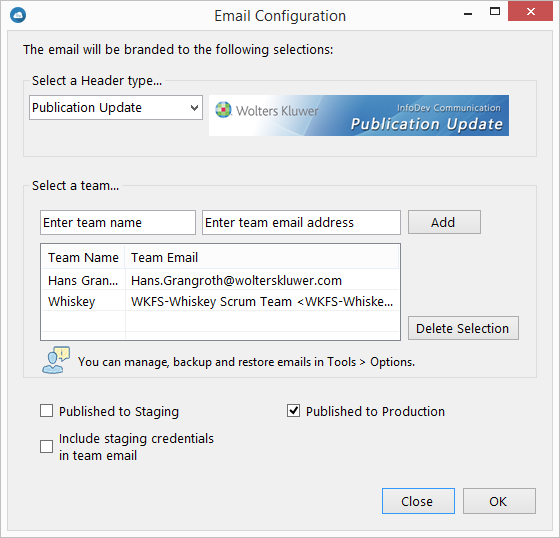
Header Type: Select the appropriate header for your email. Default is Publication Update.
Team Selection: This section allows you to add recipients to the email. Entering a name and email address in the first two text boxes and clicking Add allows you to add a new recipient to the recipients list. Select a recipient from the list to include them in the email.
Publish Location: Select whether you have just published to staging (Published to Staging) or production (Published to Production). If staging is selected, you can also select Include staging credentials in team email to include the staging user credentials