Create a New PDF Requirements File
-
In the File menu, select .
The Document Properties dialog box opens.
-
Complete the Document Properties by filling in the text boxes and lists with
information for the requirements document. For details, refer to Document Properties.
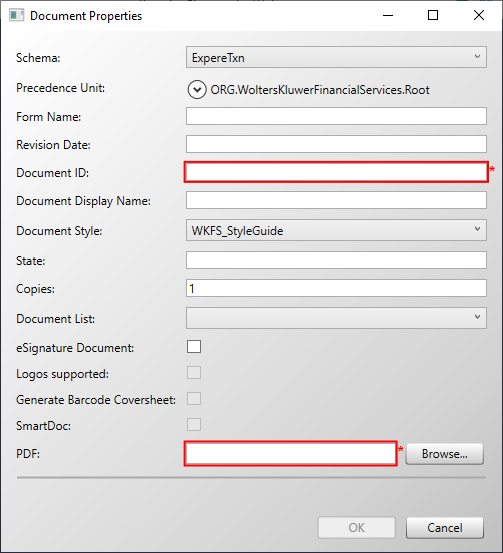
A PDF requirement document must have the Document ID and a file path to the PDF defined in order to create the file.Note:- If you do not supply the path to a PDF file within this window,
you will be presented with a prompt to do so in the PDF
tab.
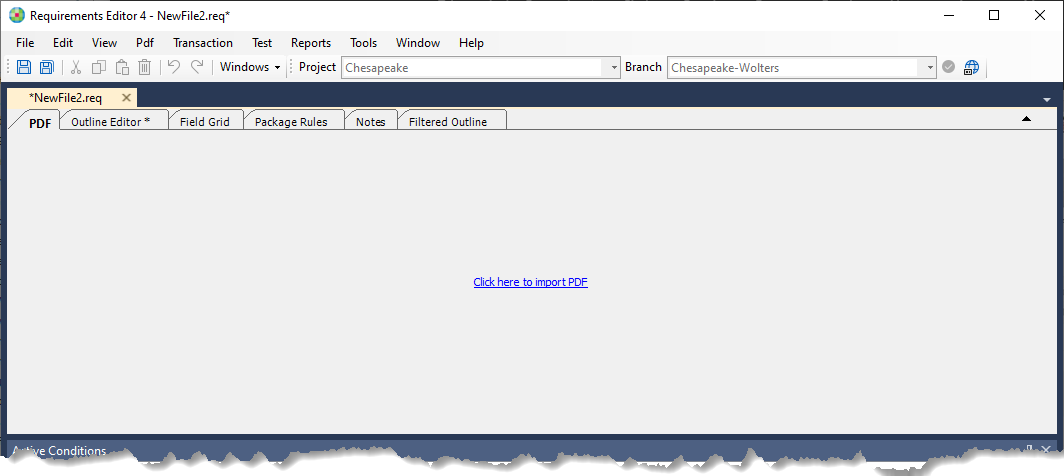
- You can import a PDF template into the new PDF requirements document. For details, refer to Importing a PDF.
- If you do not supply the path to a PDF file within this window,
you will be presented with a prompt to do so in the PDF
tab.
- Select OK.
- In Requirements Editor, save the file by selecting . The best practice is to use the form name as the REQ file name; the target file name will, most likely, be defined in the requirements.