How do I add liabilities on the Application page?
To add a liability, select +Liability and enter Liability Type, Account Number, Creditor, Payment Amount, Outstanding Balance and Owner information as applicable. The Paid off at of before closing should be selected if the liability is paid at closing or with the loan proceeds.
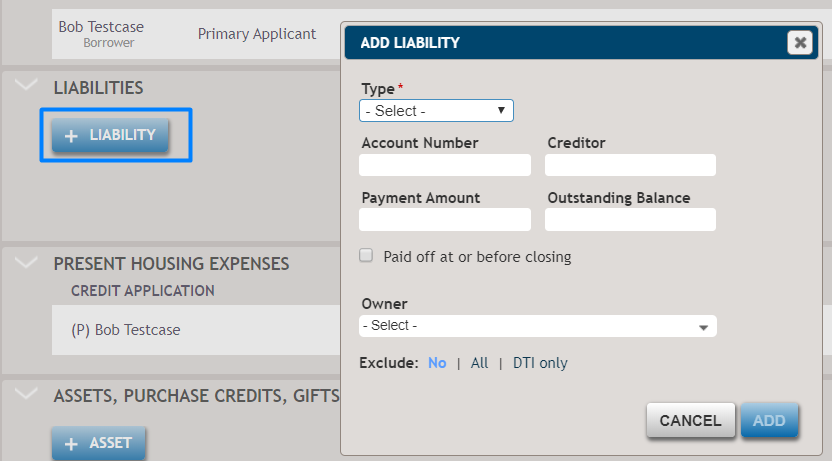
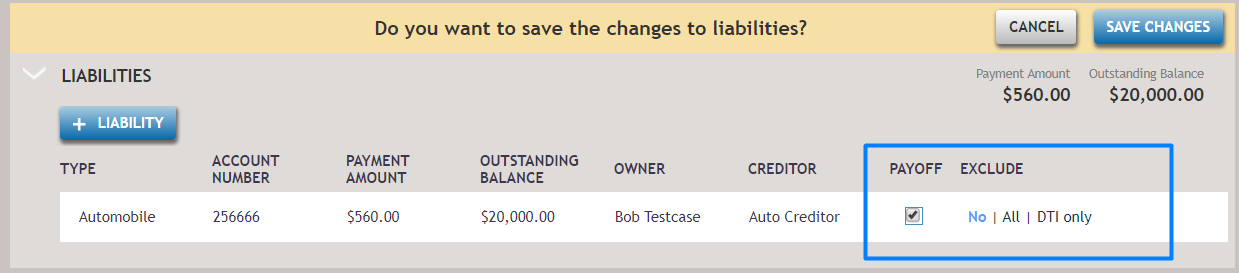
After liability information is added, the totals for the Payment Amount and Outstanding Balance will be updated unless the liability is manually excluded. To manually exclude, select Exclude or Exclude DTI Only.
If you want to update the liability, select the liability to update the information on the Liability dialog box or update the liability on the Liabilities grid (Payoff and Exclude columns only).
The added liabilities on the Application page will be transferred to the correspondent section on the Financial Analysis page and print to the Uniform Residential Loan Application or Credit Application Real Estate documents.