Enabling Editing in Excel and Word
To avoid the Enable Editing message from appearing in Excel and Word, the Protected View settings must be modified. This ensures that when you open the Loan Authorization Wizard, it will appear correctly within Word.
Note:
- You can recognize if editing needs to be enabled if the Loan Authorization page is displayed within Word, but the Update link does not appear at the top of the first page.
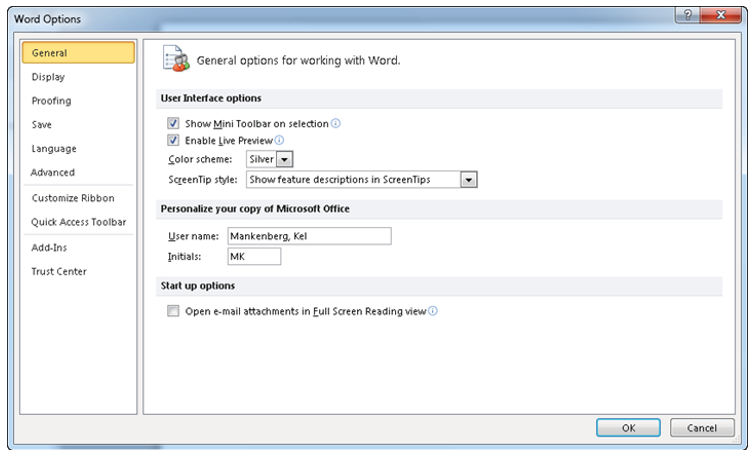
- Important: This procedure must be completed in both Word and Excel for the Loan Authorization and Macro features to work correctly. This procedure shows the Word Options dialog.
- From the File menu, click Options. The options dialog
appears.
- Click Trust Center, and then Trust Center Settings.