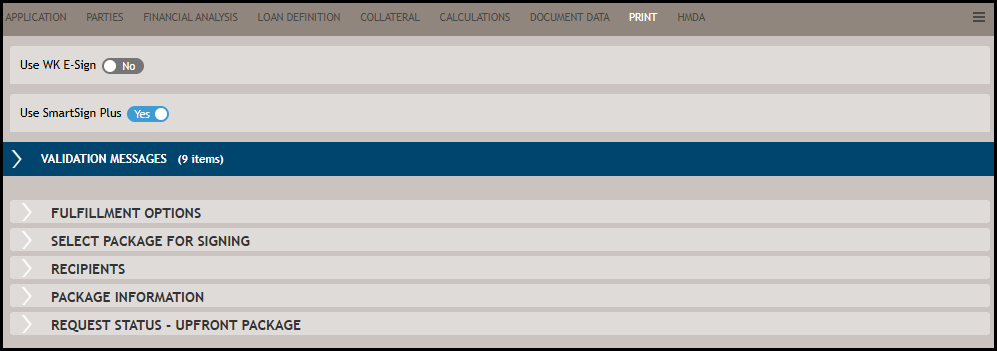
Select Package for Signing
The Select Packages for Signing pane is where you define what documents, as part of a
document package type, are available to Preview prior to submission to SmartSign
Plus for processing for electronic signature or print and physical mailing.
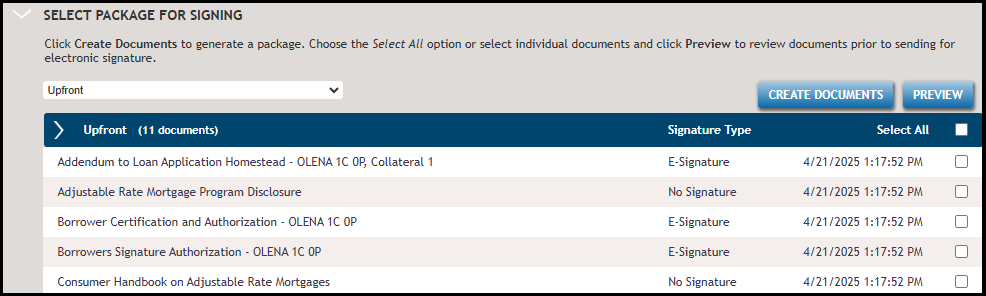
Creating Documents is not a required step for package submission. This feature generates
a list of documents included in the package. It allows you to see the signature type
assigned and preview each document by either selecting a document in the list (grid) and
clicking Preview, or by double-clicking on a document in the list.
Note:
The list of documents is updated
upon package submission. All documents are generated or updated based on the latest
changes performed in the transaction.
Add Documents allows for supporting documents to be included as file attachments. Click
Add Documents and then select a file to upload as an attachment. Once
uploaded, the file is listed in the Attached Documents list. All attachments are
converted to PDF format upon the package submission. You can upload a variety of file
formats, but all uploaded files are converted to PDF prior to submission.

Note:
The total file size of ALL
attachments cannot exceed 16 MB and must be one of the following image, Microsoft
Office, or Adobe file formats: JPG, PNG, TIF, GIF, DOC, DOCX, DOT, DOTX, XLS, XLSX,
XLSM, XLTX, XLT, and PDF.