Print Fulfillment Information
The Print Fulfillment Information pane is where you define the fulfillment requirements
for the printed package documents.
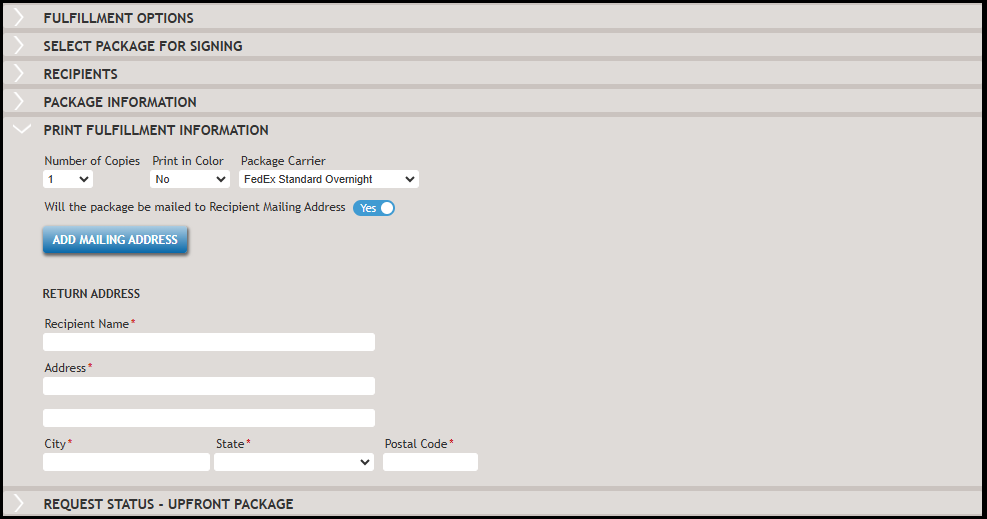
- Number of Copies- specifies how many physical copies of the document package are needed for fulfillment.
- Print in Color- specifies if the document(s) require color or black and white printing.
- Package Carrier - designates the carrier to use for delivery of the document package.
This is the delivery service handling the physical delivery of the document
package. Note:Carriers, USPS Priority and USPS First Class, are the default supported carriers. To add another carrier as an option for package submission and delivery, contact SupportLine to update your account configuration for additional carrier options.
Mailing and Return Addresses
The mailing address can be added in two ways.
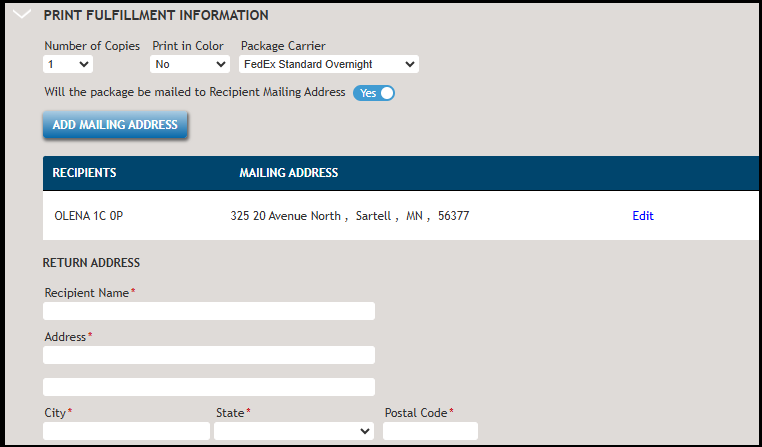
- Select the Will the package be mailed to Recipient Mailing Address
option to create multiple mailing addresses and populate the mailing address
fields with the recipient mailing address. When selected, click Add
Mailing Address. Important:Do not assign a mailing address for a party who is NOT signing the document package. Doing so will result in an error.
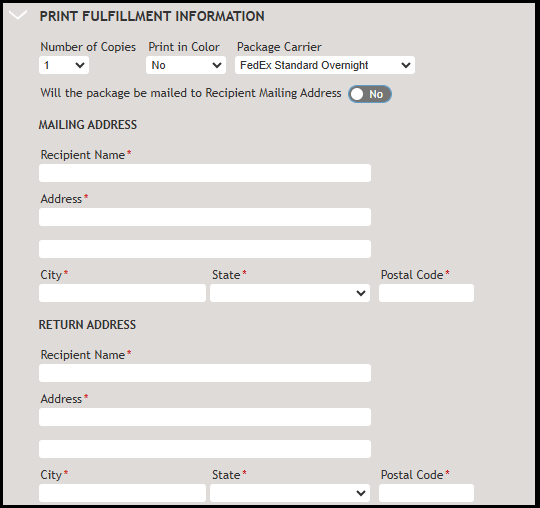
- Do not select the Will the package be mailed to Recipient Mailing Address option to create a single, manually entered mailing address on the Print Fulfillment Information pane in the mailing address section.
The return address can be added in two ways.
- By Policy, if an eSign Policy is designated in the Fulfillment Options pane.
- Manually entered on the Print Fulfillment Information pane in the return address section.