Enabling SmartSign Plus and Using Policies
eOriginal SmartSign Plus requires no set up or configuration prior to using. Everything you need is enabled once licensed. Once licensed, you can immediately add an electronic signature policy, or policies, to use with SmartSign Plus.
Enabling (Licensing)
To use SmartSign Plus, your account must be licensed for the eOriginal SmartSign Plus Interface.
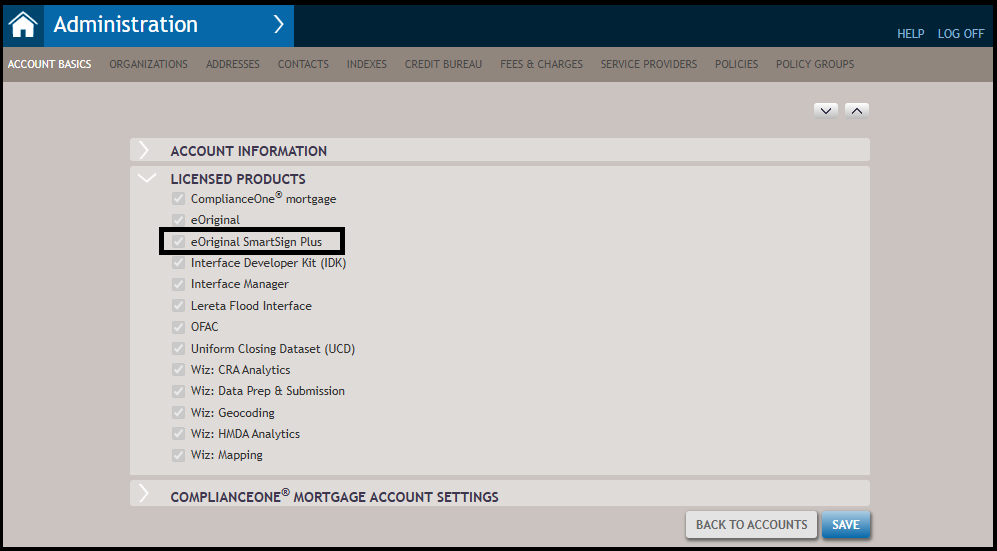
You can verify that eOriginal SmartSign Plus is available by checking the licensed products list on the Accounts Basics page in Administration.
Using Policies
An electronic signature policy allows you to define package expiration dates and the return mailing address for any document packages requiring a physical mailing. While you do not need to have a policy in place to submit packages for electronic signature, a policy can make the process more streamlined.

- Policy Name- First, you will want to give the policy a name. Once saved, the policy can be selected to be used for specific loans when defining the fulfillment options.
- Package Carrier - Allows you to define the carrier options available for fulfillment. In the list of available carriers, select those carriers that you want to be available for selection. This is a required configuration field with the default options as USPS Priority and USPS First Class. Select the Package will be transferred to the Closing Center option to send document packages to the integration Closing Center (requires a Closing Center license).
- Package Expiration- In the electronic signature policy, you can specify the rules for package expiration. The default is to exclude Saturdays, Sundays and Federal Holidays so that any date calculation does not include excluded days. You can override the default settings in the package expiration section by selecting any (or all) of the include options (Include Saturdays, Include Sundays, Include Federal Holidays).
- Mailing Return Address- The mailing return address allows a user to preset a return address in case the document package needs to be physically mailed.
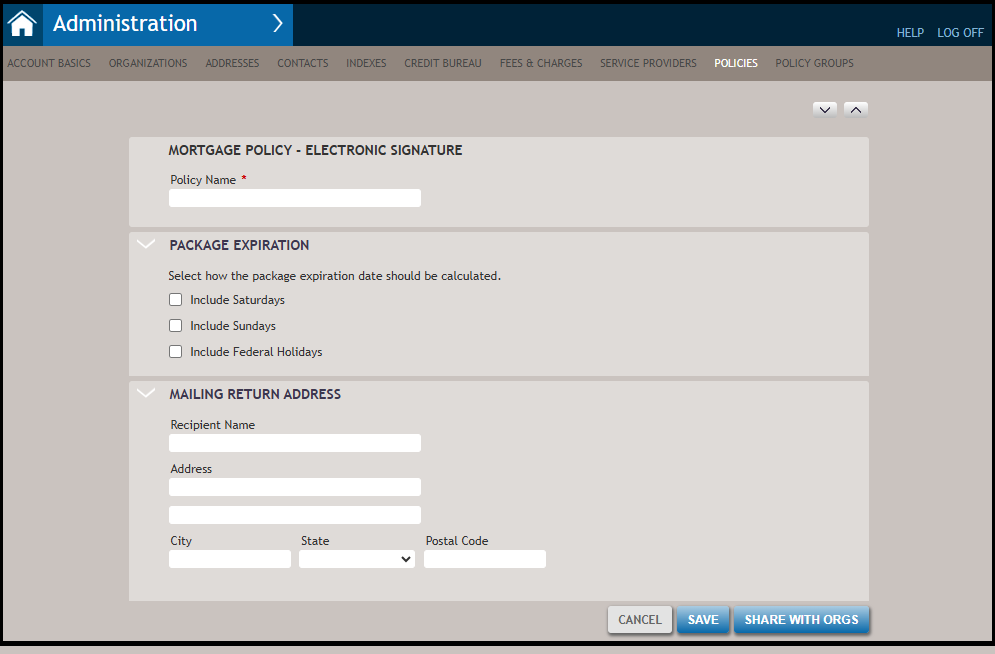
Electronic signature policies that are shared with the Organization on the Loan Definition page are then available in the Select eSign Policy drop-down list in the Print>Fulfillment Options pane. The selection of a policy automatically applies the information and rules established on the policy (for example, the package expiration date and mailing return address). You can also associate a policy to a Group Policy.