Process Templates
Overview
Administrators create process templates that customize workflows used in an organization to manage a transaction process. Process templates include start and end points, tasks, phases, decisions, and gates that help manage users through a workflow.
Process Templates Grid
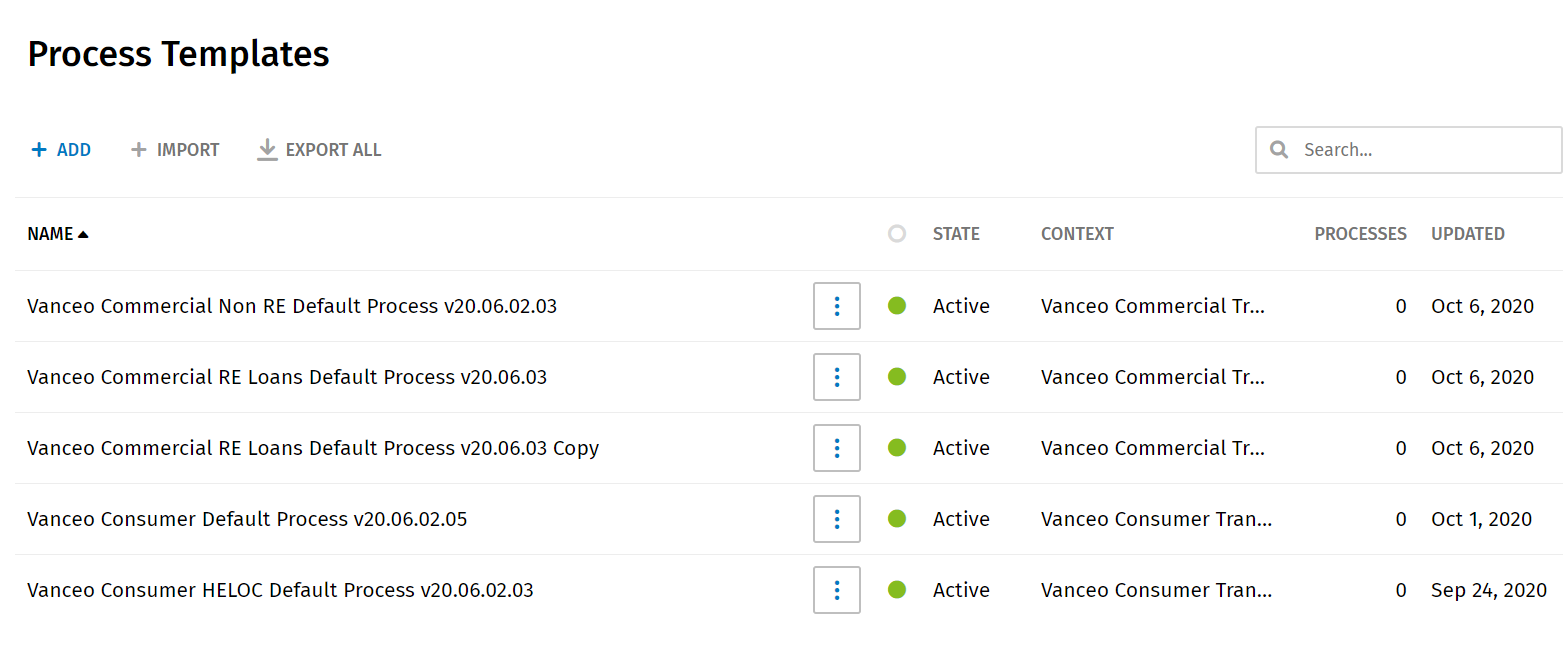
The Process Templates grid includes all process templates in the system. The grid displays the following information.
- Name: This column provides a list of all template names.
- State
- Active: An active state indicates the process template can be used in a workflow process.
- Inactive: An inactive state indicates the process template was active previously and one or more workflow processes used the process template.
- Draft: A draft state indicates the process template continues to be worked on and/or may have errors. A process template with a draft state cannot be used in a workflow process.
- Context: The context indicates the type of transaction applied to the template. Currently, templates apply to a ComplianceOne Mortgage Transaction or ComplianceOne Assumptions type.
- Processes: The number indicates how many workflow processes are currently using the process template. It does not include previous workflow processes that have used the template.
- Updated: The date when the process was last updated displays.
Searching for a Template
Search for a template by entering a template name or a few characters in a template name. The Process Templates grid will display and highlight all matches in the grid. Clear the search term to display all process templates.
Sorting Columns
- Select the arrow next to the Name or State column title to sort columns in ascending and descending alphabetical order.
- Select the arrow next to the Processes column to sort in numerical order.
- Select the arrow next to the Updated column to sort by date.