Vanceo User Interface Example
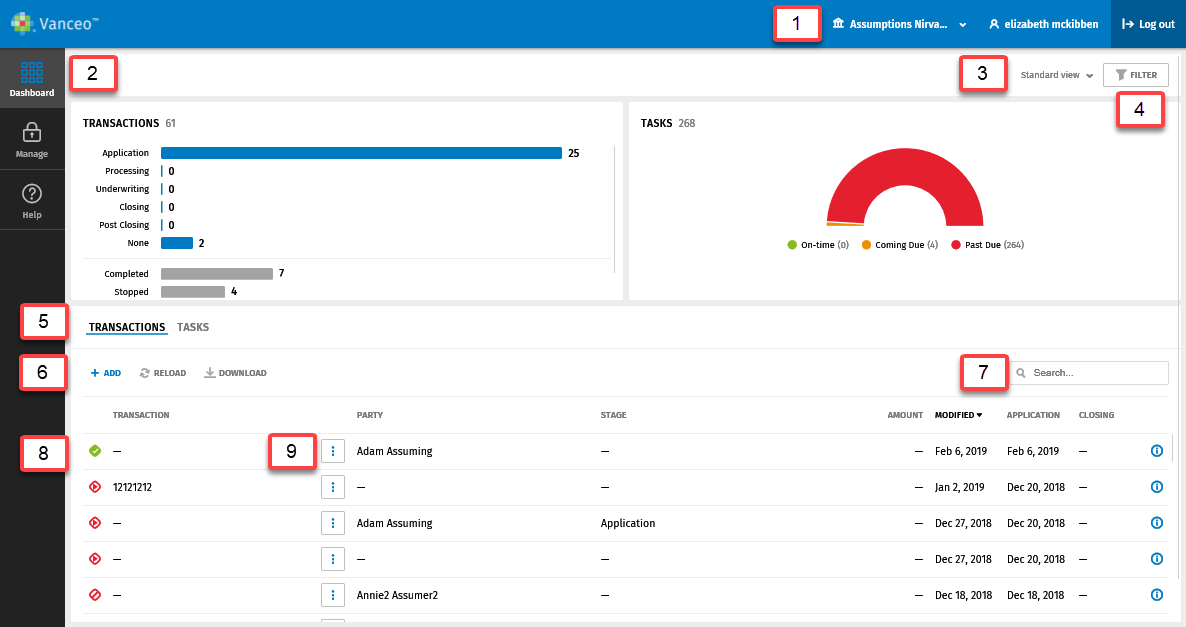
Use the numbered references for examples of documenting the Vanceo user interface.
Note:
- The area below Transactions/Tasks is referred to as the Transactions or Tasks grid.
-
- Select
 to go to
another account.
to go to
another account. - Select Dashboard in the left pane.
- Select an option in the view list.
- Select Filter to narrow results in the transactions grid.
- Select Transactions.
- Select +Add.
- Enter a term in the Search box.
 indicates an active transaction.
- Select
 to copy or
delete the transaction.
to copy or
delete the transaction.
- Select