Mortgage Example
Use the numbered references for examples of documenting the Vanceo user interface.
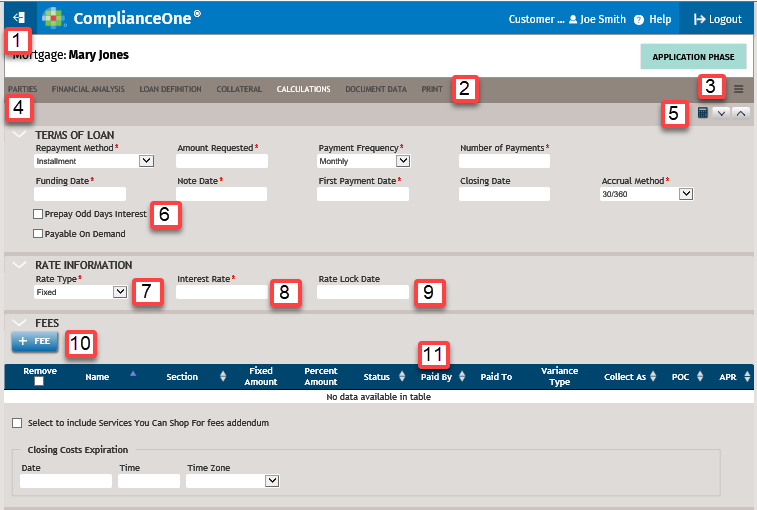
- Select
 to
return to the Home page.
to
return to the Home page. - Select Print after completing Document Data.
- Select
 and a
loan decision.
and a
loan decision. - Select the arrow to expand or collapse the section.
- Select
 to calculate.
 - Select Prepay Odd Days Interest.
- Select an option in the Rate Type list.'
- Enter an interest rate. Note: Interest rate is not capitalized or in bold text because it is used as a generic reference not specific to the box label.
- The Rate Lock Date is required. Note: Rate Lock Date is capitalized and in bold text because it is used as a specific reference to the box label.
- Select +Fee.
- Select the Paid By column heading to sort the column alphabetically.