Default Data Audit History Report
Default Data Audit History Report
The Audit History Report allows you to request a change history report for a specific period of time and includes all the change details, including who, when, and what was changed (both before and after values).
The audit report can be used to provide valuable information in the following
scenarios:
- Troubleshooting issues with Default Data data appearing or not appearing as expected
- Validating that changes have occurred in a timely manner
- Auditing technology (usually an external audit, done infrequently).
We have added a Report option to the More menu. When selected, the Audit Report page displays.
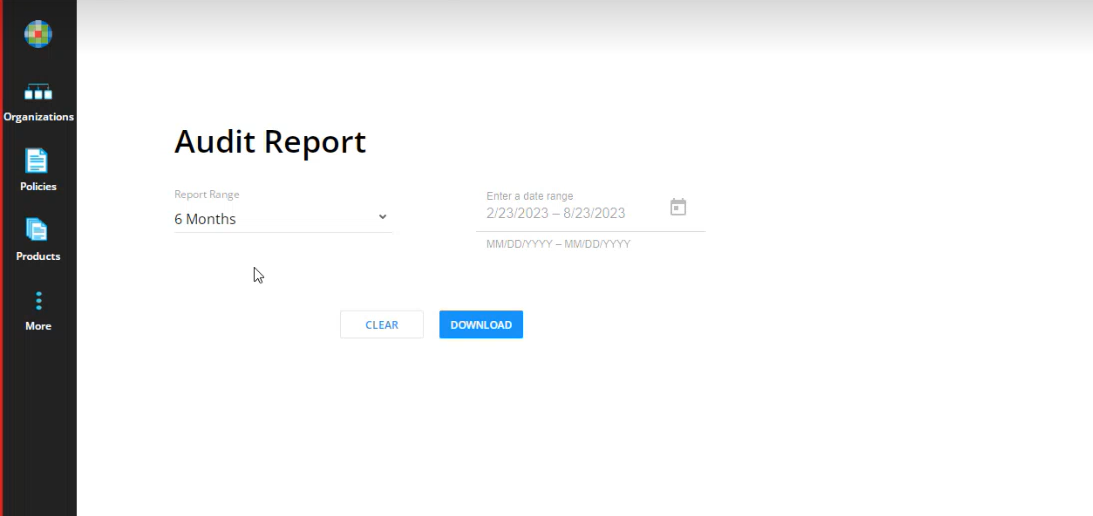
- Select a Report Range. Available options are:
- Custom Time Period
- 6 Months (default)
- 12 Months
- 18 Months
- 24 Months
- If you select Custom Time Period, you must also enter a date range. Use the calender popup to select a start and finish date.
- Click Download to download the Audit Report. The file named Audit Report with the date range and is delivered in .csv format to your Downloads folder.
Sample Report
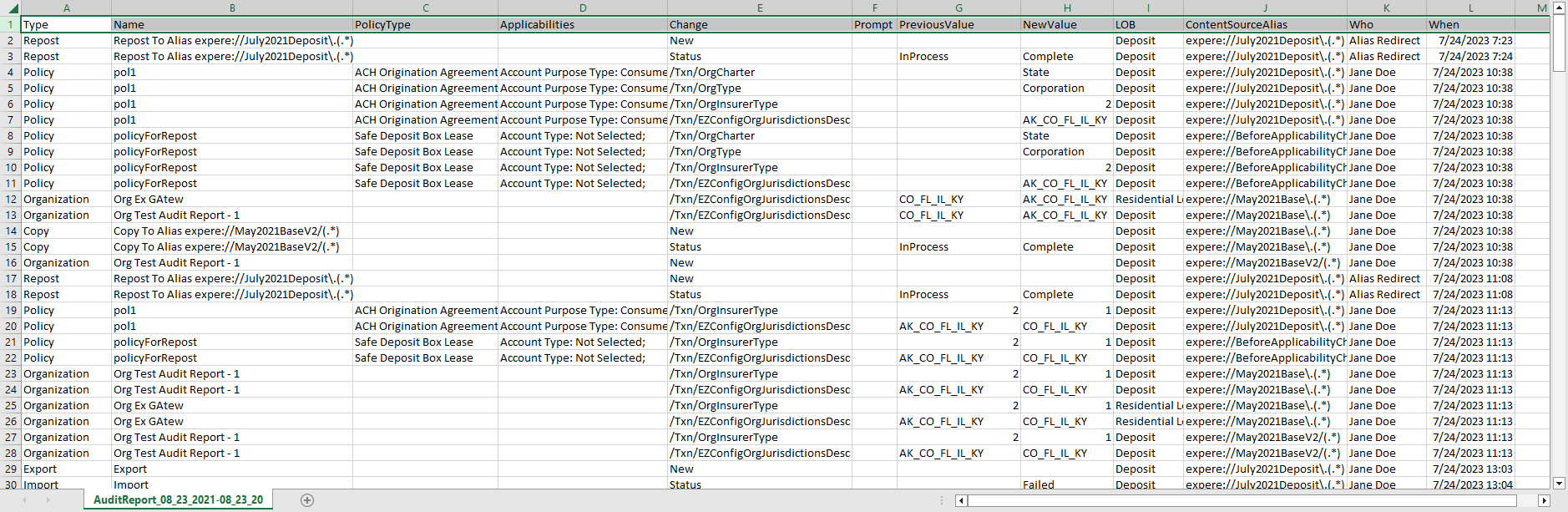
The Audit History Report includes the following information:
- Type
- Name
- Policy Type
- Applicabilities
- Change
- Data Prompt
- Previous Value
- New Value
- Line of Business
- Content Source Alias
- Who
- When
The Default Data Audit History Report Data page lists the available data items within the program.