Populating an element from a file
Requirements Editor allows you to populate the attributes of an element, or an element and its children, from an existing xml file.
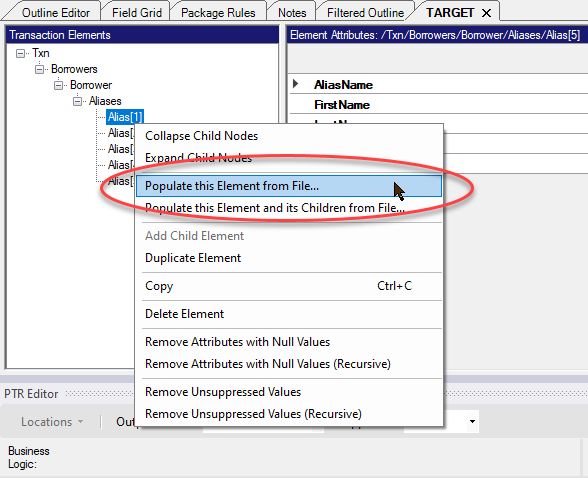
- Right-click the desired element.
-
Select either Populate this Element from File... or Populate this
Element and its Children from File....
The Windows file browser window is displayed. -
Browse for and select the XML file containing the attributes.
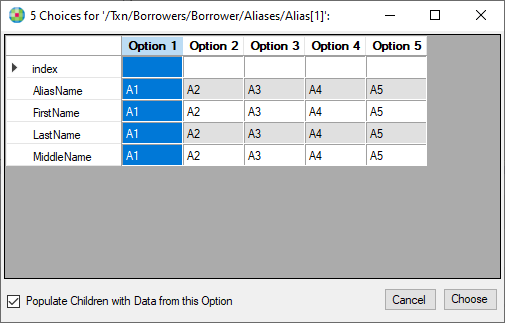
A window is displayed allowing you to select any options available within the file.
-
Select the desired option by clicking the column header, and then select
Choose.
The element attributes are populated with the selected option.