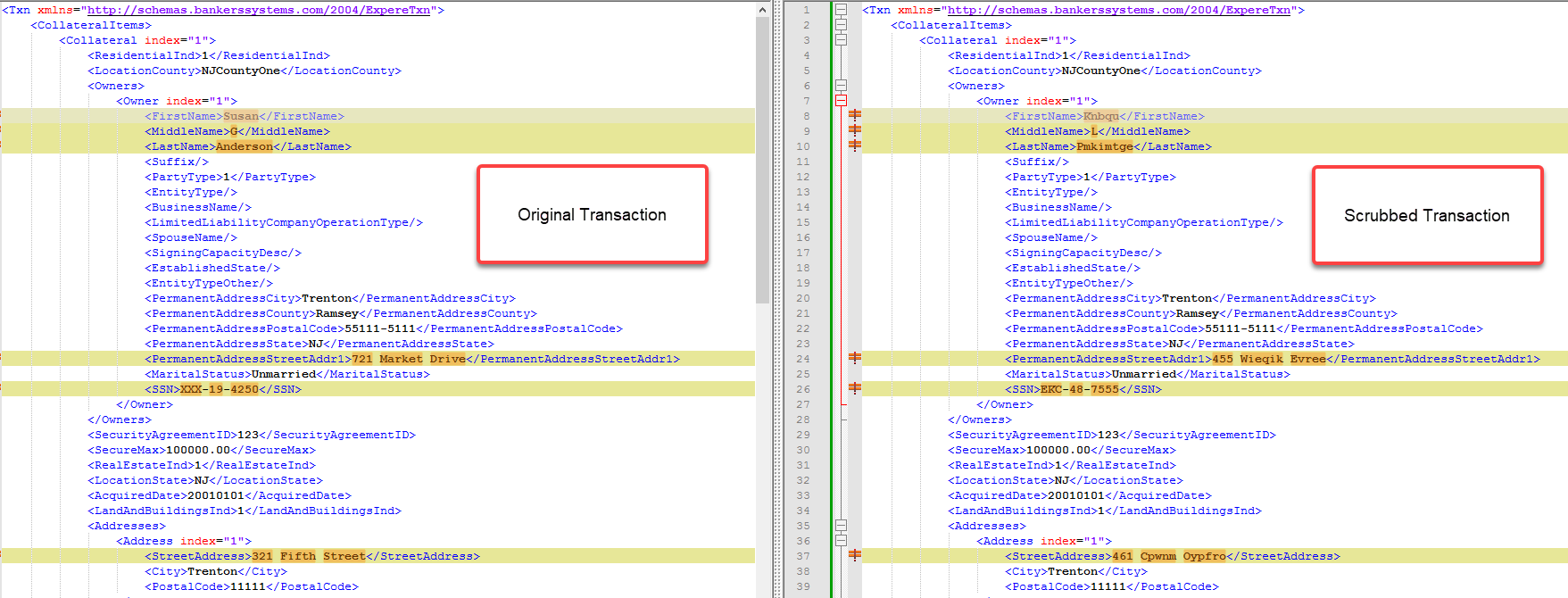
Scrub and Save Transactions As
The Scrub and Save Transaction As command is used to mask data inside a transaction when compared to the original transaction.
This feature is based on your local schemas, located under C\Users\%UserName%\AppData\Local\Wolters Kluwer\RequirementsEditor\4.0\Schemas.
When you first scrub a transaction, a file is created in the above mentioned Schemas folder named ExpereTXN_NPI.txt that contains all available endpoints for all transaction attributes that need to be masked/scrubbed. This file is used as the source for the actual masking when the transaction is exported.
With any subsequent use, Requirements Editor checks if the file was updated on the remote server. If so, it updates the file once again, otherwise the current local copy is used for masking.