Create a New Requirements File From an Existing File
- In the File menu, select Save As.
- In the Save As dialog box, enter new file name/location and select Save.
-
In the Document Properties dialog box, the Document
ID field is presented as an editable field with _Copy appended to
the Document ID value ([DocumentIDValue_Copy]).
- Accept the default Document ID (_Copy) or,
- Enter a unique Document ID value.
Once a Document ID is established and saved; you cannot edit it.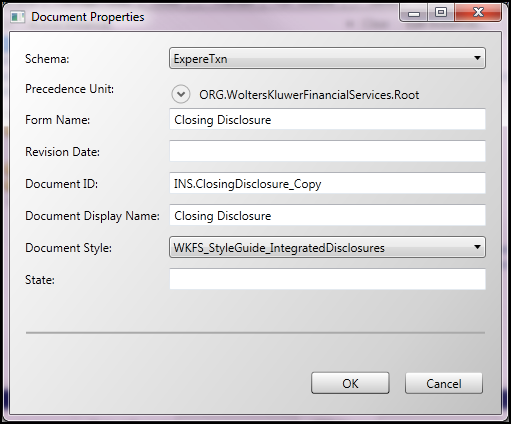
- Select OK.