Reviewer Portal: Tasks
In the Tasks view, a lender can claim, review, edit, request documents, and submit inquiries to ComplianceOne.
Claiming an assigned task
An inquiry submitted from a borrower through Online Application, is automatically assigned to a reviewer's group as an 'Assigned Task.' A user can claim this task for review.
- Select the Tasks tab to display a list of assigned tasks.
- Select Claim below the task details.
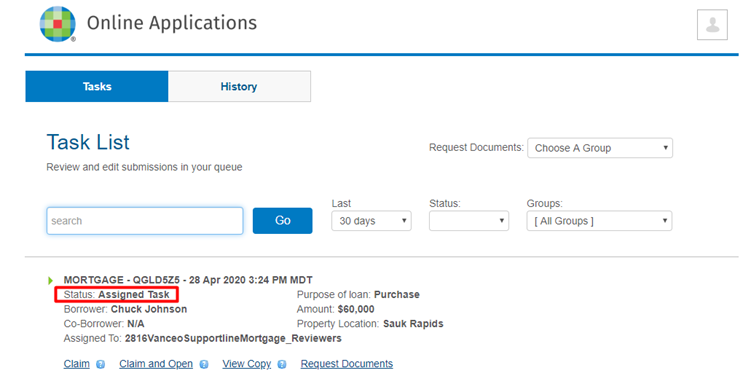 Note:Before a task is claimed, Assigned To displays the name of the Reviewer's Group. After a task is claimed, Assigned to displays the name of the person who claimed the task.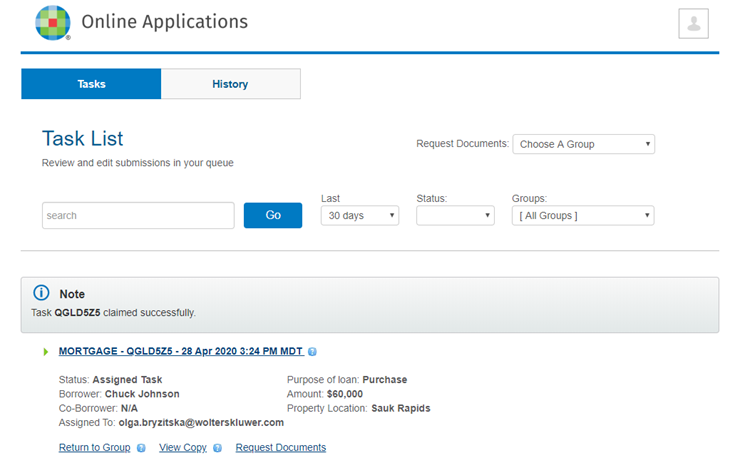
Returning a task to a reviewer's group
- Select a task you have claimed.
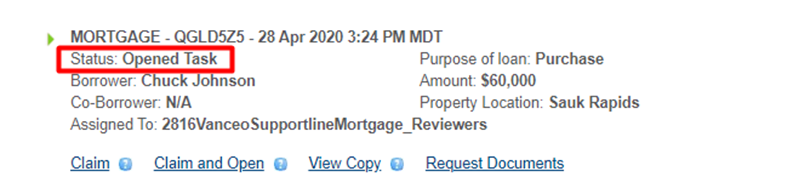
- Select Return to Group below the task details.Note:After the task has been returned to the reviewer's group, the task status changes from 'Assigned Task' to 'Opened Task.'
Claiming and opening a task
Claiming and opening a task allows the task to be reviewed and edited. After opening, the status changes from 'Opened Task' to 'Saved Task. '
- Select the Tasks tab to display a list of assigned tasks.
- Select Claim and Open under the task details.
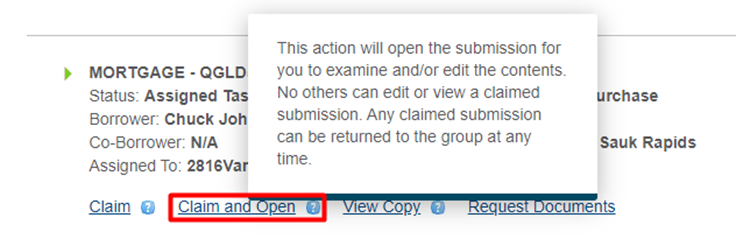 Note:The status will display 'Saved Task.' To change the status to 'Assigned Task', select
 .
.
Viewing a copy
A copy of a task can be viewed to see the current form data including any edits made by previous reviewers.
- Select the Tasks tab to display a list of assigned tasks.
- Select View Copy under the task details.
Requesting Documents
A reviewer can request additional documents from a borrower on the Tasks and History pages.
- Select the Tasks tab to display a list of assigned tasks.
- Select Request Documents under the task details.
- After the Doc Importer Form displays, complete information as needed and select Request
Documents.
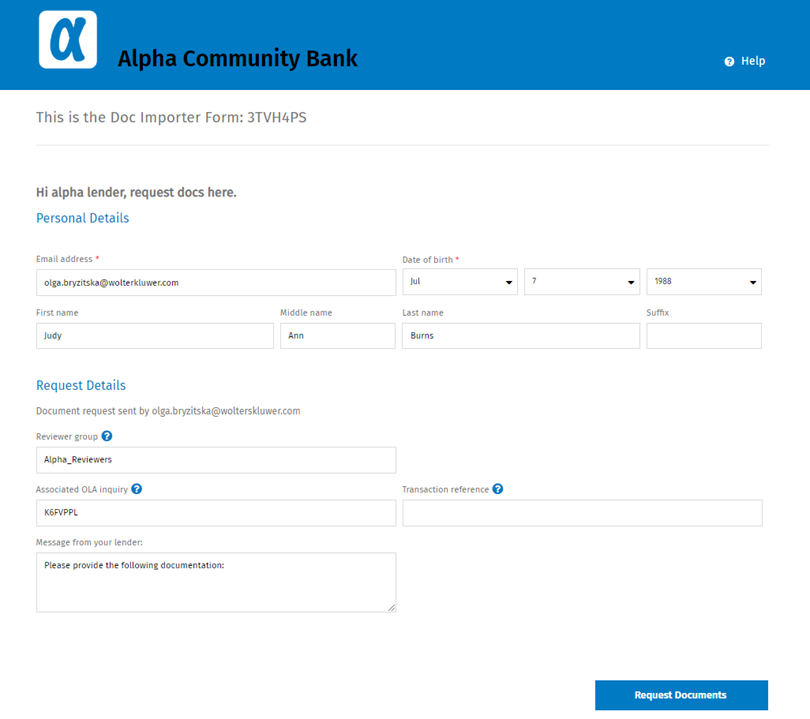 Note:After documents are requested, a new task is added to the Tasks list with status of 'Documents Requested' and associated inquiry data.Note:After documents are requested, the borrower receives a notification with a link that allows them to provide additional documents.
Importing a inquiry into ComplianceOne Mortgage
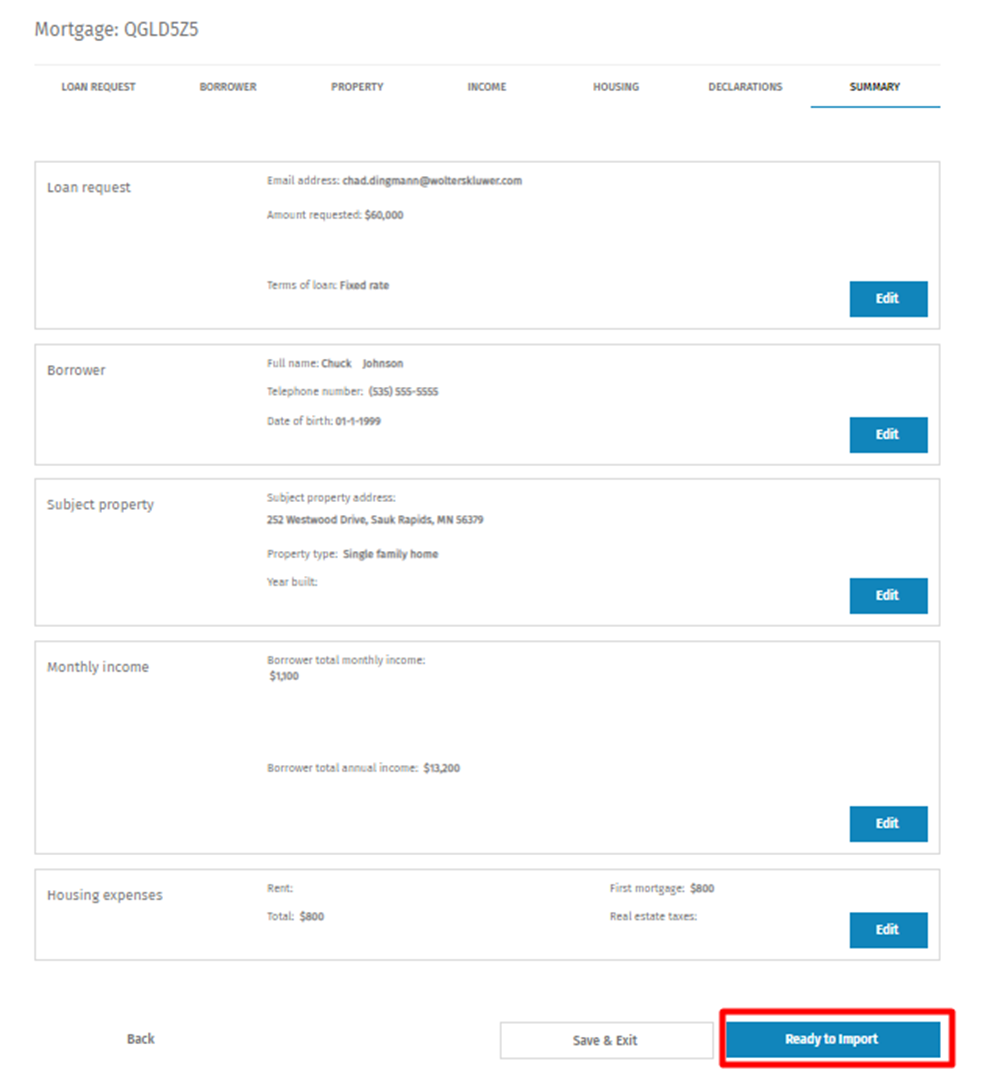
After the review process is complete, select Ready to Import to send the inquiry to ComplianceOne Mortgage.