When producing a tagged PDF (see Creating a Tagged PDF), .req files must be authored using the LinkText/LinkReference elements for Superscript notations where a footnote reference exists in order to produce a properly tagged PDF.
Existing content that uses the Wrap in Superscript emphasis tag will need to be converted to use the LinkText/LinkReference functionality in order to continue to be formatted as Superscript and produce a properly tagged PDF. Be sure to first add the LinkText elements, remove the Wrap in Superscript emphasis tag, and then add the LinkReference where the Superscript existed.
Tip: While not validated by the system, the best practice is to author a LinkText before linking it with the corresponding LinkReference. This ensures the name value is populated in the list of available links for selection.
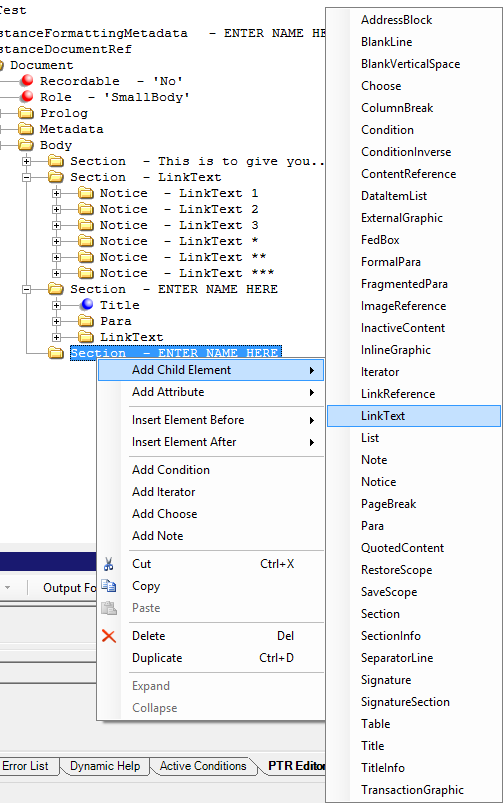
- Right-click on the element and select Add Child Element > LinkText from the shortcut menu.LinkText can be added to several elements, but is only honored when it has Para, FragmentedPara, or Phrase as a child element.
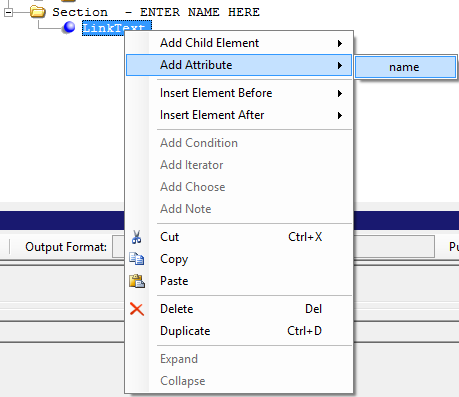
- Once the LinkText element exists, add the name attribute. The name attribute is a string value that defines the reference mark (number, letter, or symbol). Right-click on the LinkText element and select Add Attribute > name from the shortcut menu.
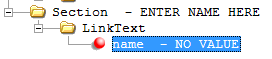
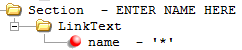
- Double-click on the name attribute NO VALUE and enter the reference mark.Examples: *, **, ***, 1, 2, 3, etc. The name value must be unique across all LinkText elements.
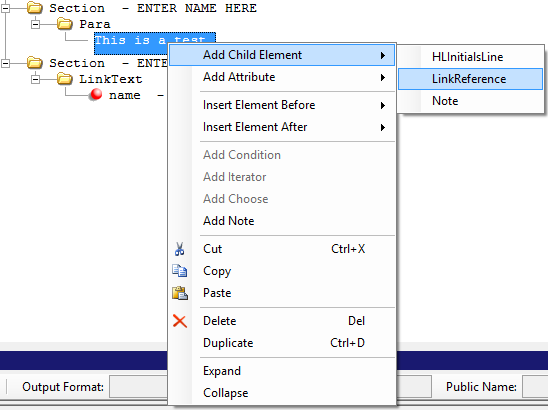
- Right-click on the content where the LinkedReference marker is to be placed and select Add Child Element > LinkReference.Once added, the Link marker is added with the default value of Unlinked.
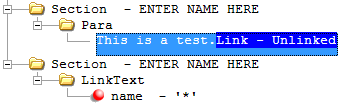
- Double-click on the text to invoke edit capabilities and click on the Link marker to activate the element (highlights in orange when activated). Right-click to see the submenu of options; click on the LinkText dropdown and select from the list of available LinkText references authored in the document.
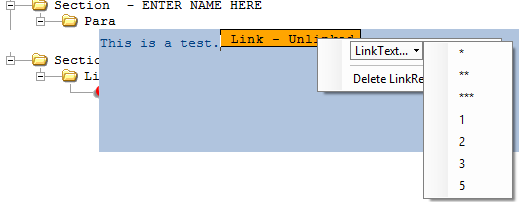
Once a LinkText reference is assigned, it is added to the content and highlighted in blue displaying the name value. The LinkText name value prints on the PDF as Superscript format.

Tip: To remove or change the LinkReference, invoke edit capabilities and right-click the Link item and choose a different link reference option or select Delete LinkReference option.