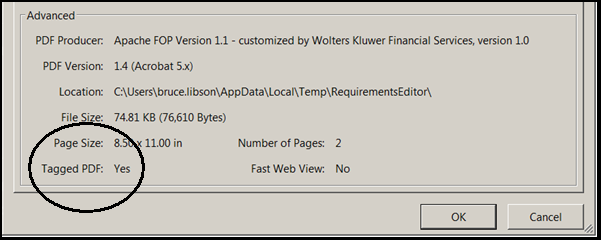
You have determined that the dynamic document should be submitted for assembly as a Tagged PDF to enable accessibility features on the output from the Requirements Editor.
- In the Requirements Editor, open the target document.
- In the Tools menu, click Options.
- In the Options dialog box, select Apache - FOP in the dynamic document rendering options section.
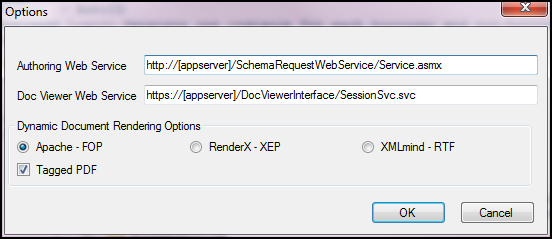
- Select the Tagged PDF check box.
- Click OK.
When the TaggedPDF option is selected and the Assemble/Execute Document or Preview options are performed, the generated output is a tagged PDF. The document is identified as a tagged PDF in the Adobe Acrobat document Properties dialog box as Tagged PDF = Yes.