Setting a Custom View as a Default View
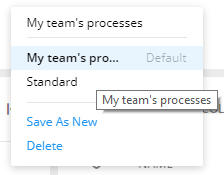
Select a custom view for the task grid or report to make it a default view. Select Set as Default in the view list. Each time the grid or report is opened, the view designated as a default view will open. The current view in the list displays in bold font as shown below with the My team's processes view.
Note:
Each user can have only one default view per grid or report.