Configuring
- Create a process template.
- In the Process Properties pane, select Product in the Context list. Complete the other required information.
- In Task Properties pane, select Enter Rent Roll in the Integrated Task list.
- Select Collateral in the Integrated Task Entity list.
- After the template is completed, activate the template so it is available for users to start new processes in CASH Suite.
Note:
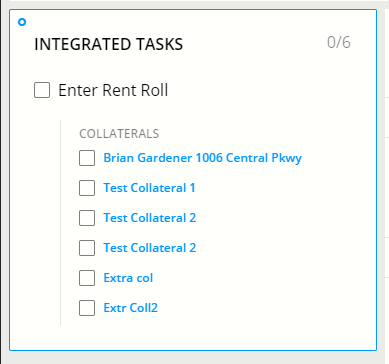
If multiple collateral are associated with a loan, only real estate collateral displays
on Integrated Tasks card. Selecting a link will open CASH Insight and display specific rent
roll documents.
Note:
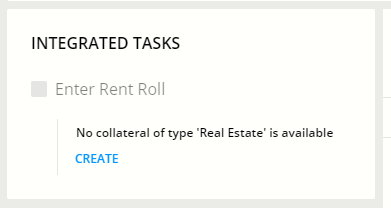
If the loan doesn't have collateral with a real estate type,
selecting Create on the Integrated Task card opens CASH Suite so collateral can be
created. Some information displays as defaulted.
Note:
After a
Rent Roll has been created, a user can mark their rent roll activities and workflow tasks
complete on the CASH Dashboard- Rent Roll page or in CASH Workflow.