Gate
Select  to start or end
multiple tasks. Using gate in the process requires that all tasks must be completed
before moving to the next step in the process. After dragging to the canvas, complete the
following information in the Gate Properties pane as applicable.
to start or end
multiple tasks. Using gate in the process requires that all tasks must be completed
before moving to the next step in the process. After dragging to the canvas, complete the
following information in the Gate Properties pane as applicable.
- Enter a name.
- Enter a description.
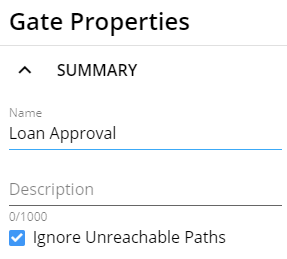
- Ignore Unreachable Paths is not selected by default. Select the option if
applicable.Note:If this option is selected, the process will continue only after all reachable incoming paths are complete. Unreachable paths will be ignored. A path becomes unreachable after a decision is made to continue down one path and close the other (unreachable) path. Select this option when using a decision paths to prevent a blocked gate. See Example 1 below. For all existing custom and default process templates, Ignore Unreachable Paths will be selected by default for a gate. The gate will only open when all reachable paths coming into a gate are complete.
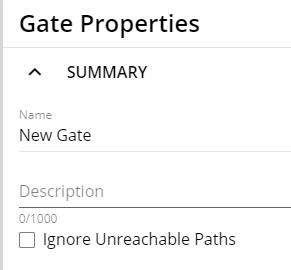
When creating a new gate for a template, the setting is unchecked by default. The gate will open when all paths coming into a gate are complete.
A process template can have gates with some gates that have the option selected, and some gates that do not have the option selected.
Outcome Examples of Selecting and Not Selecting 'Ignore Unreachable Paths'
Example 1
In Example 1, the process has two decision options ('Execute loan documents' and 'Adverse action notice') that are merged into a single gate.
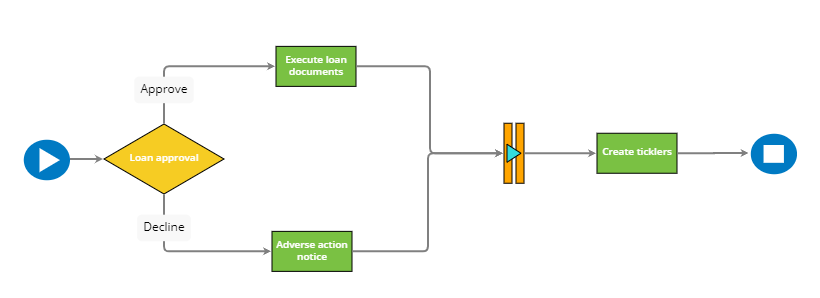
- If Ignore Unreachable Paths is selected, the gate will open, and the process will continue after either the 'Execute loan documents' or 'Adverse action notice' task is completed and the other option becomes unreachable.
- If Ignore Unreachable Paths is not selected, both the 'Execute loan
documents' and 'Adverse action notice' tasks must be completed for the gate to
open and process to continue. However, since only one decision choice can be
made, this gate would never open and process will remain blocked.
Example 2
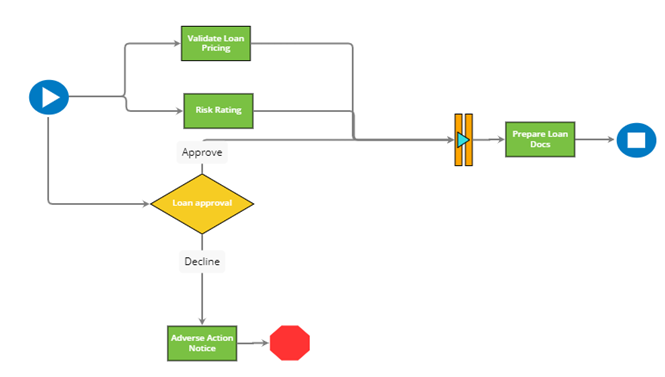
In this example, the gate has 'Approve' and 'Decline' decision paths. If Ignore Unreachable Paths is not selected, the gate will close if a user selects Approve and the Decline path becomes unreachable. If Ignore Unreachable Paths is selected, the gate will remain open if a user selects Approve and the Decline path becomes unreachable. With the gate open, a user can proceed to Prepare Loan Docs task.