Adding Addresses to a Party
A mailing and or email address can be added to recipients so a document package is sent with the correct address.
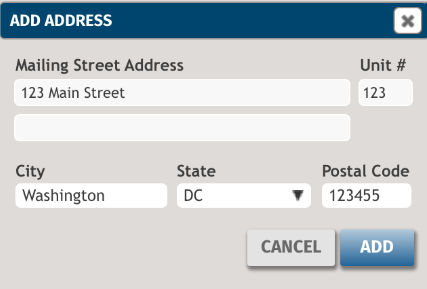
Adding a mailing address
- Select Add Address for a party on the Recipients grid.
- Enter the mailing address and select Add.
- Select Save.
Note:
- The mailing address is updated for the party on the Parties page if applicable.
- After an address is added, the address can be changed by selecting the current mailing address.
Adding an email address
- Enter an email address in the empty box that displays for a party on the Recipients grid.
- Select Save.
Note:
- If Interactive Signing has been enabled, duplicate emails are not allowed. If you change an email address, you must recreate the documents so the correct signature will appear on the signature line.
- The email address is updated for the party on the Parties page if applicable.
- After an email address is added, the address can be changed by editing the email address that displays.