Credit Services
How do I open a credit services report to view, scroll, download, and print?
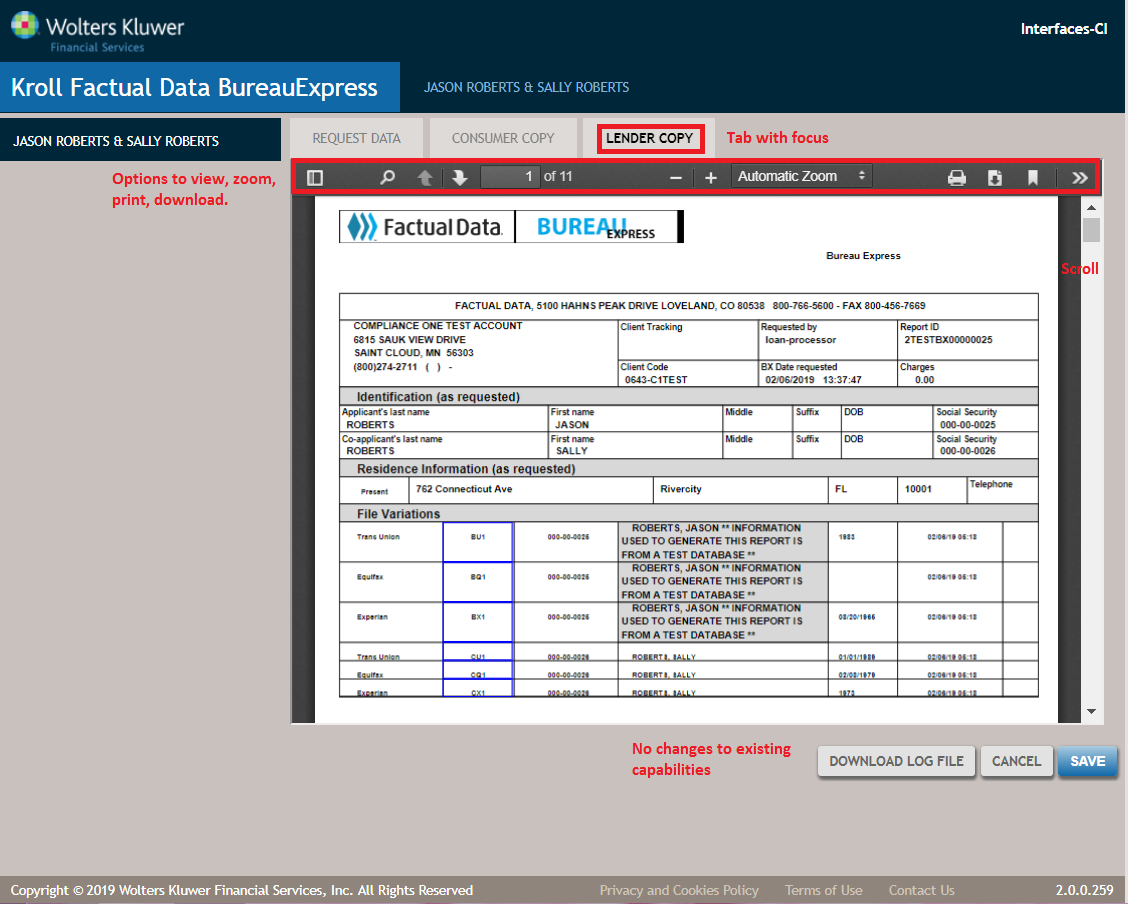
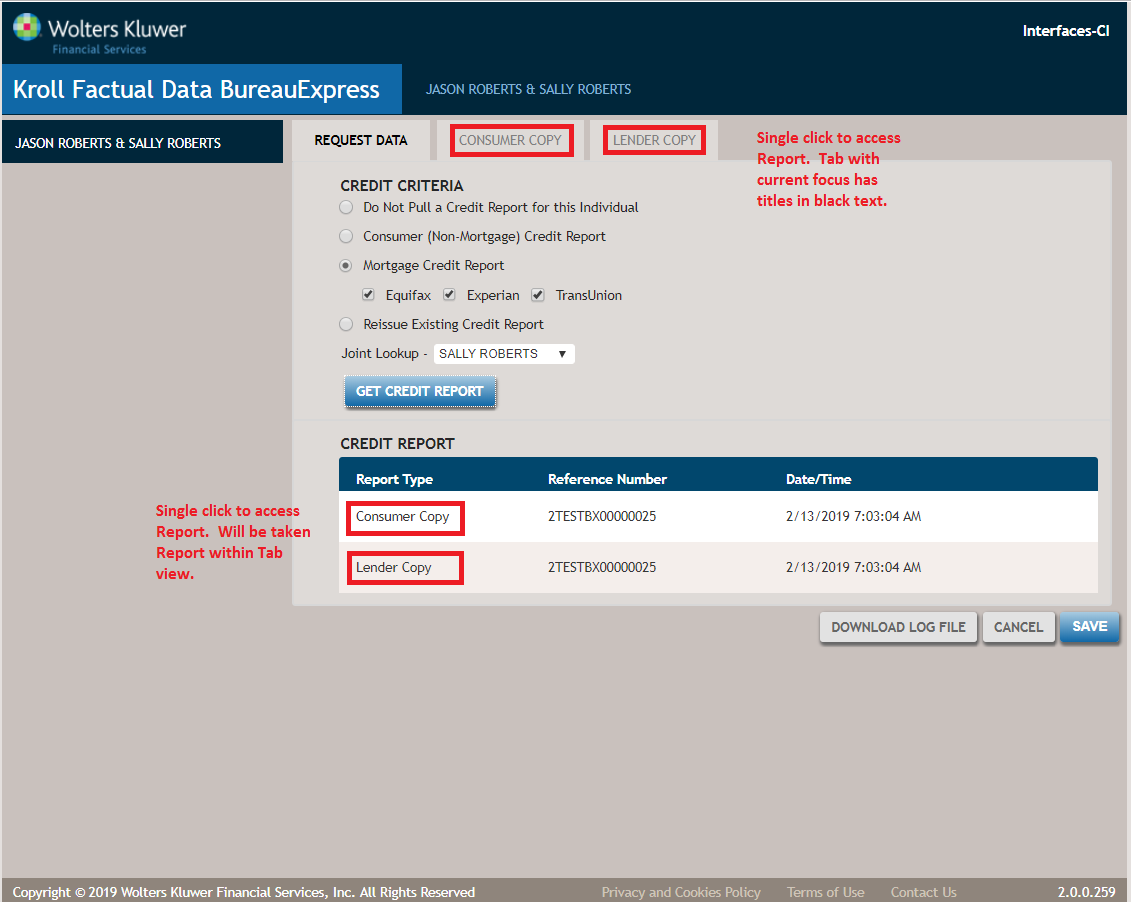
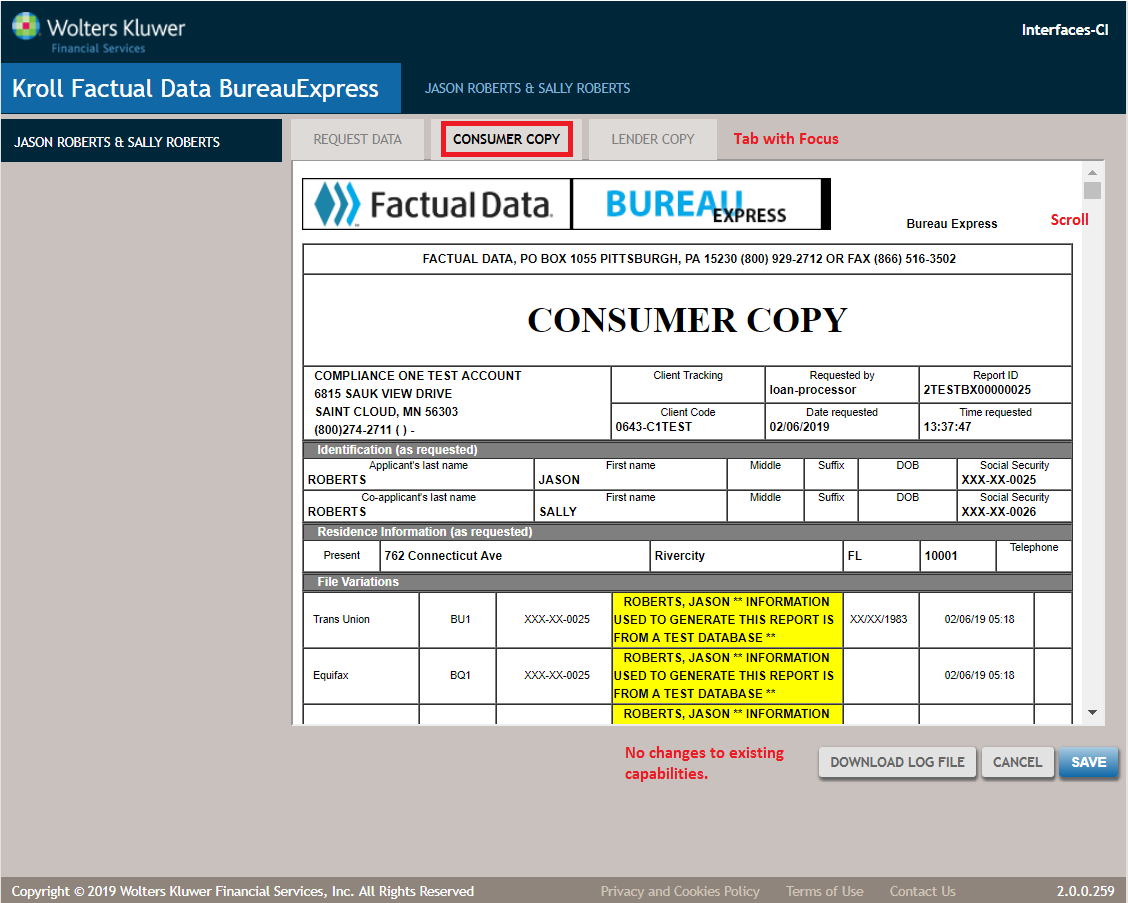
Select a credit report to open it in a separate tab on the ComplianceOne credit service view. If the report is returned in a PDF format, it can be viewed, zoomed, downloaded, and printed. If the report is returned in a HTML format, it can be viewed and scrolled. See below for details. All other functions, such as Download Log File, Cancel, or Save apply to all credit services.
- Select the report in the Credit Report section or on the Report Tab to open returned credit reports for Factual Data by CBC (Lender only) and SettlementOne (Lender only).
- Factual Data by CBC and SettlementOne Credit Services offer the Lender Credit Report in a PDF format with view, zoom, download, and print functions.
Factual Data by CBC with Consumer and Lender Copy tabs after a Get Credit Report Request
Factual Data by CBC Consumer Copy with view and scroll functions.
Factual Data by CBC Lender Copy with view, scroll, zoom, download, and print functions