Jump to main content
Expere Testing System
  • Expere Testing System Overview
  • Autoselection & Assembly
  • Autoselection
  • Assembly
  • Appendix A: Use Case Scenarios
  • Appendix B: Expere Testing System FAQ
  • Appendix C: Clearing the Cache After Content Updates
  1. Home
  2. Assembly

    A high-level overview on how to use the Assembly page to create a transaction and assemble a document.

  3. Advanced File Controls
  • Assembly

    A high-level overview on how to use the Assembly page to create a transaction and assemble a document.

    • Using Assembly
    • Assembly Options
    • Advanced File Controls
      • Creating a directory within the Expere Testing System
      • Removing a document/file from the DataSet list
      • Downloading one or more files selected as a zip file
    • Creating a Transaction
    • Store Session Data
    • Saving Stored Session Data
    • Editing Transaction Data
    • Clearing Stored Session Data
    • Transaction Print Preview
    • Pasting a Transaction
    • Assembling a Document

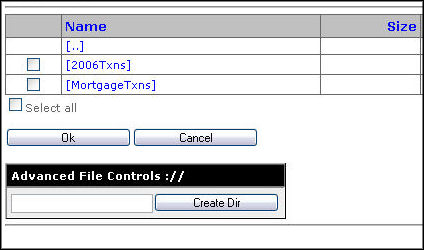
Advanced File Controls

The Advanced File Controls appear when saving a file. This file can consist of the following:

  • Transaction
  • Baseline
  • Target
  • Comparison result


The Advanced File Controls section allows the user to:

  • Create new directories in the Expere Testing System
  • Remove selected items from the DataSet list
  • Download one or more files selected as a zip file
©2022 Wolters Kluwer Financial Services, Inc. All Rights Reserved.