Deleting a Shared View
An owner can delete a shared view.
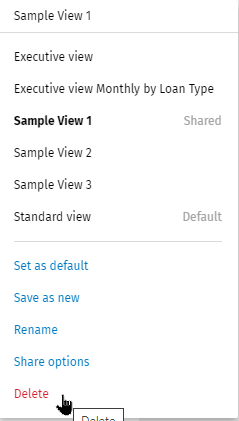
- Select the shared view in the Views list.
- Select Delete.
- Select Delete to confirm the deletion.
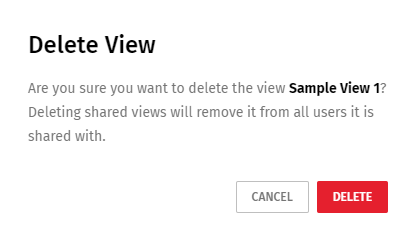
Note:
The delete action is irreversible. The view is deleted for the owner and all
recipients of the shared view.