Comments
Comments communicate specific instructions, status, and information for a transaction or task. Comments are added to specific transactions or tasks associated with a Vanceo process.
Transaction Comments
Note:
The  only displays if at least one transaction comment has been
added.
only displays if at least one transaction comment has been
added.
only displays if at least one transaction comment has been
added.- To access transaction comments on the Transaction grid, select . The only displays if at least one
transaction comment has been added.
- To access transaction comments, select
 on the Transaction Details page.
 - To access transaction comments on the Transaction Summary, select View Summary
from the Transactions grid or select the row, and select the Comments
tab.Note:Only transaction comments display in the Transaction Summary by default. To show task comments or all comments, Select
 and an option.
- All comments: Combines and displays all comments added to all tasks of the transaction and added to the transaction itself.
- Task comments: Displays comments added to all tasks of the transaction only. Comments are grouped by tasks.
- Transaction comments: Displays comments added to the
transaction only.
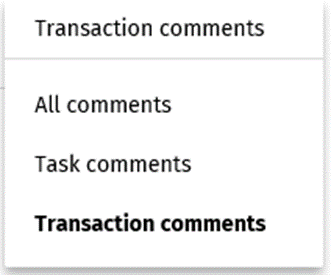
- You can also access transaction comments is by selecting on the Transaction Grid.
Task Comments
Task Comments can be accessed from the Tasks grid, Task Details page, or from the Transaction Summary page.
- To access task comments on the Transaction Summary, select View Summary on the Transactions grid or select the row and the Comments tab.
- Select Task comments in the Task comments list.
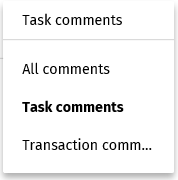
Note:
To access task comments on the Tasks grid, select in the Dashboard on the Tasks Grid page or the Transaction
Summary page. The only displays if at least one transaction comment
has been added.
in the Dashboard on the Tasks Grid page or the Transaction
Summary page. The only displays if at least one transaction comment
has been added.