Processes Grid
The Processes grid displays all the processes in CASH Workflow. To view the Processes grid, select Processes in the left pane. Select See All.
- Processes can be deleted, stopped, resumed and paused. Select Deleting, Stopping/Resuming and Pausing a Process in the Processes Grid for Help information.
- To find a process, use Search. Select Searching for a Process
- Customize the Processes grid by sorting columns and determining the columns to display. Select Selecting Columns to Display and Sort
- To find a process, apply filters to the Processes grid. Select Filtering Processes on the Processes Grid for Help information.
- To see the status of a process (On time, Stopped, Late, On Hold, Critical, Task
Assigned), hover over the process symbol.
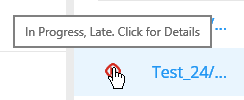
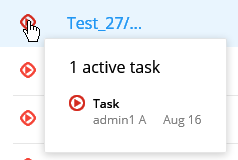
- To see the list of active tasks for a process, select the process symbol. Completed and
stopped processes do not have any active tasks so active tasks will not display for these
processes.
- Select
 to refresh the
Processes grid.
to refresh the
Processes grid.