Processes Details Page Data Cards
Data Cards display below the Summary view on a Process Details page and can be re-arranged by a user.
- Activity data card: This card displays a detailed status for process activities. Select Everyone, Just Me, or a specific person in the Filter list to display activities that belong to everyone, just me, or a specific person.
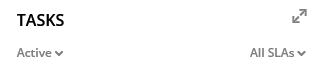
- Tasks data card: This card displays tasks in the process. Tasks can be
sorted by selecting options in the lists accessed by the down arrow. Select a
task in blue text to open the task.
- Documents data card: This card displays documents. Search for specific documents. Add documents as applicable.
- Comments data card This card displays comments associated with the
process.
-
Add: Select Add comment. In the text field, enter your comment and then submit it. The comment is saved with the date and time it was entered, along with the name of the user who entered it. To respond to an existing comment, select Reply.
-
View: Use the filters under the Comments heading to display comments from Everyone (default), Just Me, or a specific user. The Just Me option displays only comments that you authored.
-