View 3c: Property Page/Project/Condo Details Section
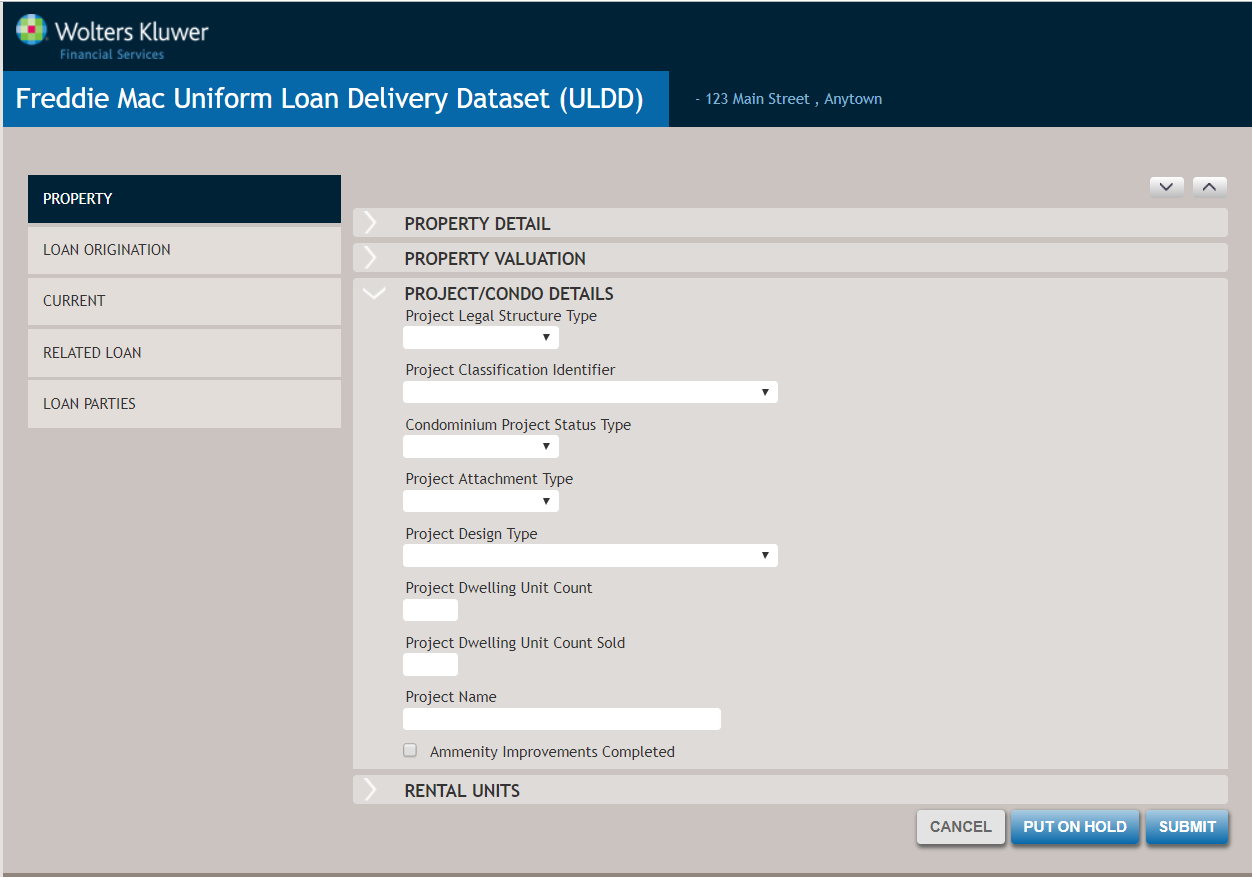
Project/Condo Details
This section is conditionally required if the subject property is a Condominium or Cooperative and you have not used Fannie Mae’s Condo Project Manager. Complete the item if it applies to the specific loan being delivered.
- Project Legal Structure Type [ID 47]
Select the form of ownership that defines the quality and quantity of ownership and rights to the individual unit owner. Options include:
- Condominium
- Cooperative
- Project Classification Identifier [ID 42]
Identifies the type of condominium project review that was completed for the subject property. Options include:
- Condominium Project Manager Review
- Exempt From Review
- FHA Approved
- Full Review
- Project Eligibility Review Service
- Streamlined Review
- Condominium Project Status Type [ID 38]
Select the current state of the condominium project. Options include:
- Established
- New
- Project Attachment Type [ID 41]
Select the type of physical attachment, if any, between the dwelling units in the project. Options include:
- Attached
- Detached
- Project Design Type [ID 43]
Select the type of design for the multiple-unit buildings in a project. Options include:
- Garden Project [1 to 3 stories]
- High Rise Project [4 to 7 stories]
- Mid Rise Project [8+ stories]
- Other: If Other is selected, the 'Other Selected On Valuation Documentation' option displays.
- Townhouse/Rowhouse [one in a row of identical houses or having a
common wall; attached to another unit via a common wall (e.g., a
brownstone)]Note:All floors above ground are included in the number of stories. Any half basements used for residential purposes are counted as a floor. If project is classified as low rise, select 'Garden Project'.
- Project Dwelling Unit Count [ID 45]
Enter the total number of individual dwelling units in the project.
- Project Dwelling Unit Count Sold [ID 46]
Enter the number of units in a building, project, or development that have been sold to date.
- Project Name [ID 48]
Enter the name of the condominium or cooperative project in which subject property is located.
- Amenity Improvements Completed (not used)