Updating a Custom View
- Select the custom view to update in the Views list.
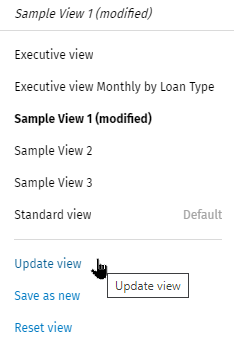
- Using filters and sorting, customize the view.Note: When a making a change, the filter name displays in italics and '(modified)' is added to the end of the name. The Reset View
 option displays on the Filter
pane.
option displays on the Filter
pane. 3. Select Update view from the Views list to save the changes and overwrite the previous settings.