Accounts and Account Details
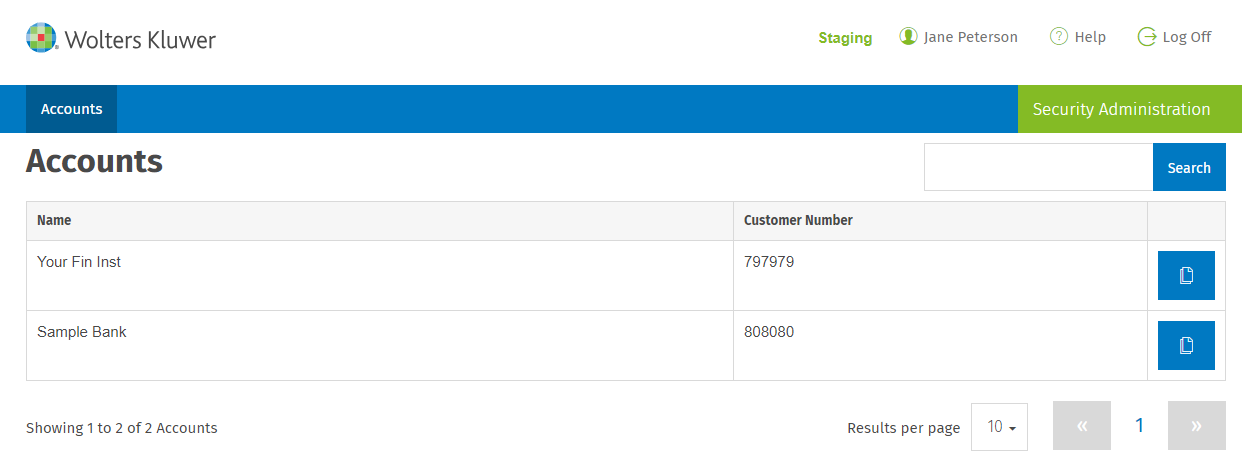
One or more accounts display on the Accounts page depending on the account setup. Wolters Kluwer creates these accounts.
- Select the account where you want to set up users.Note:The Search option is useful if you have a large number of accounts.
- Select Account Details to add account information.
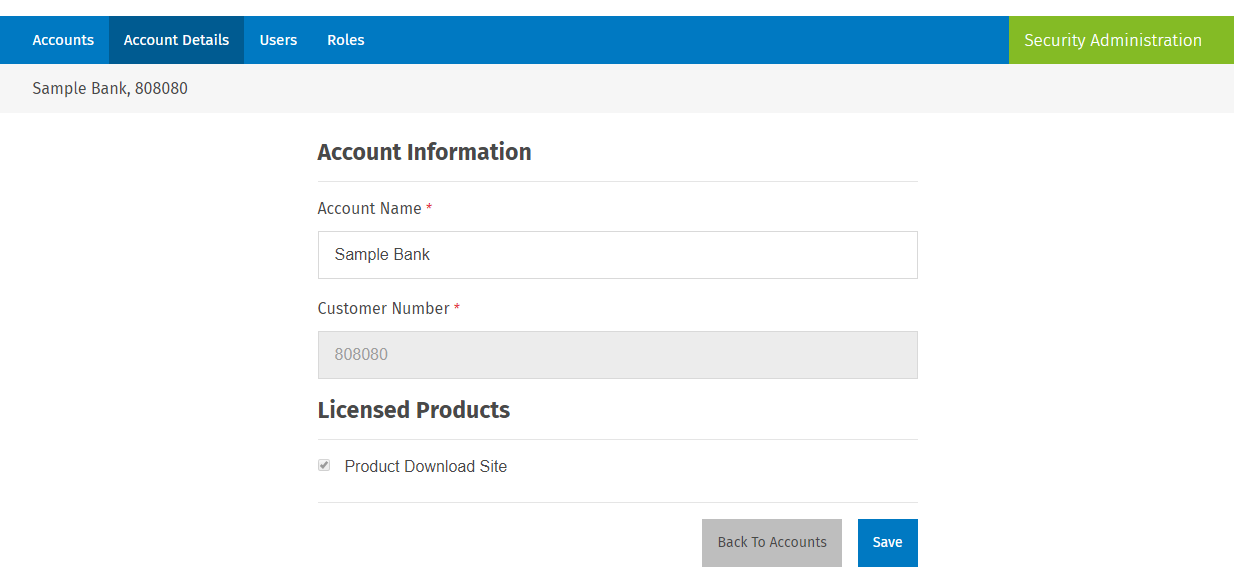
Account Information
- Account Name: The account name was created by Wolters Kluwer, but it can be edited if needed.
- Customer Number: This data is entered by Wolters Kluwer and cannot be edited.
Licensed Products
- This section lists all Wolters Kluwer products that have access managed by Security Administration.
- These product(s) are assigned by Wolters Kluwer based on product contracts.
- Verify that Product Download Site is available and
selected in this list.Note:If Product Download Site is not visible and selected, please contact Customer Support at customersupportpds@wolterskluwer.com.