Task Actions
To perform a Vanceo task, select  and one of the following actions:
- Start Task: Selecting Start Task goes to the starting
place to complete the task. Select Start Task on a task when
the task has an Integrated Task Definition associated to it and when any
of the following conditions occur:
- The task is assigned to the current user and the user is assigned to the necessary workflow role to complete the task. Workflow role(s) can be assigned to users in Vanceo by a financial institution’s administrator.
- The task is assigned to a different user than the current user, the current user has the 'Claim Assigned Tasks' Security Administration permission, and the current user has been assigned the necessary workflow role to complete the task.
- The task is not currently assigned to a user. The
current user must have the 'Claim Unassigned Tasks'
Security Administration permission and must have
been assigned to the necessary workflow role to
complete the task.Note: To use the Start Task action, Integrated Task definitions must be associated with tasks in your Vanceo Processes. Contact your financial institution’s Vanceo Administrator to use this functionality.
- Decisions: Selecting a decision outcome marks a decision task
with a Completed status
 . When selecting
a decision outcome, a comment may be entered. The comment will display
as a comment on Task Details.Note: Decision tasks cannot be reopened. Decision outcomes will be available to users with same roles and permissions required to complete an ordinary task.
. When selecting
a decision outcome, a comment may be entered. The comment will display
as a comment on Task Details.Note: Decision tasks cannot be reopened. Decision outcomes will be available to users with same roles and permissions required to complete an ordinary task.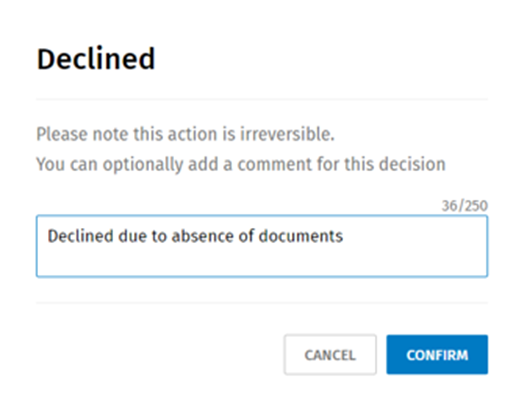
 Complete: Marks a task with a Complete status and a green check
mark displays. A user can complete a task if the following conditions
apply:
Complete: Marks a task with a Complete status and a green check
mark displays. A user can complete a task if the following conditions
apply: - The task is assigned to the current user, and the user is assigned to the necessary workflow role to complete the task. Workflow roles can be assigned to users in Vanceo by a financial institution’s administrator.
- The task is assigned to a different user than the current user, the current user has been assigned the Claim Assigned Tasks permission in Security Administration, and the current user has been assigned to the necessary workflow role to complete the task.
- The task is not currently assigned to a user, the current user has been assigned the Claim Unassigned Tasks permission in Security Administration, and the current user has been assigned to the necessary workflow role to complete the task.
 Reopen: Marks a task back to an 'in progress' status to allow
the original assignee to complete additional work on the task. The
grey open circle displays after marking the task as Reopen. A user
must be assigned the Reopen Tasks for All Roles permission in
Security Administration before they can reopen a task.
Reopen: Marks a task back to an 'in progress' status to allow
the original assignee to complete additional work on the task. The
grey open circle displays after marking the task as Reopen. A user
must be assigned the Reopen Tasks for All Roles permission in
Security Administration before they can reopen a task.- View Details: Any user who has been assigned the Basic Vanceo Access permission in Security Administration can view details for a task. Selecting View Details displays Task details for a specific task.